Known Participant
October 24, 2013
Answered

Drop Down Menus in Photoshop CS 6 Goes Blank In Mavericks

  • October 24, 2013
  • 28 replies
  • 114501 views

Hi

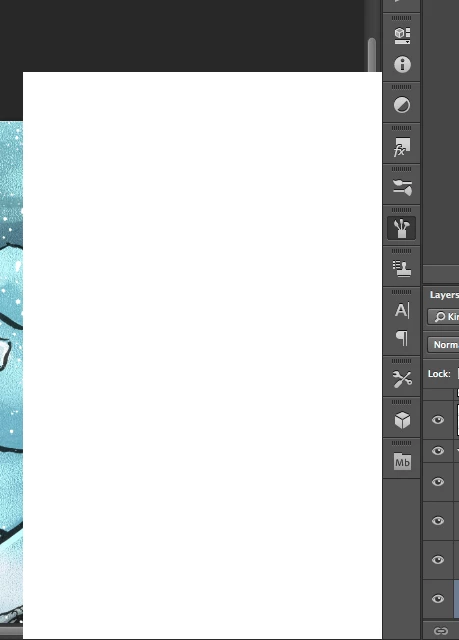
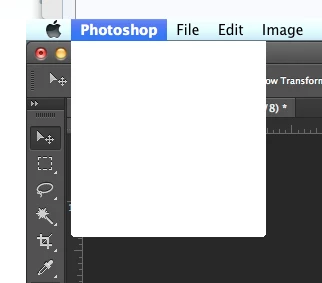
I'm having trouble with Photoshop CS6 in Mavericks. After a working a little while, all pop up/drop down menus goes blank. They still work, but I can't see what's on them. Even the Apple menu bar is afflicted by this, though only when Photoshop is in the front.

Any help is appreciated. Thanks.  PS: I do use a cintiq on a 2012 Macbook Pro 15" with retina display.

This topic has been closed for replies.
Correct answer Jesper Storm Bache

Hi Grenderer,

If the work-around does not work for you, can you perform the following test.

After you install the plug-in and launch Photoshop, then look in:

- the OSX console. You should see a message such as

     WhiteWindowWorkaround Initialized

- From within Photoshop, you can choose "Help > System Info". In the resulting dialog, you should be able to see the WhiteWindowWorkaround plug-in and it should be listed in the "Optional and third party plug-ins" similar to the following:

     "Optional and third party plug-ins:

      WhiteWindowWorkaround 1.0.4, Copyright 2013-2014 - from the file “WhiteWindowWorkaround.plugin”

If both of these tests pass, then something else is going on.

In general, be aware that in the end the right fix will not come from Adobe, as we don't own the code that seems to be inducing the failure. We can therefore not speculate on when the official fix will be available. When I become aware that the right fix is available, then I will update this thread


It looks like the plug-in fails to initialize on certain Photoshop installations. This should be fixed in:

    http://www.bache.name/download/osx/WhiteWindowWorkaround.plugin1_0_5.zip

If the plug-in is properly installed, then you should see something  similar to the following in the OSX console after launching Photoshop:

     Adobe Photoshop CC[14728]: WhiteWindowWorkaround Initialized

You can see the OSX console by going to “Utilities” from Finder, and then running the Console application.
28 replies

Participant
October 29, 2013

I've been following this thread (and posted earlier) to see if anyone comes up with a solution, as I'm kinda blank on how to provide all the information you've request (error logs and so on). However, I also thought I solved the problem by upgrading my Wacom Intuos 5 driver, which is 6.3.6-4 now, as I was able to work for a little while without any errors yesterday. Now, it happened again however. It happens every time I use the dodge/burn tools. It might happen after just opening one photo since the last restart, and it might happen after a few photos (but whenever I use dodge/burn it happens almost immediatly).

Participating Frequently
October 30, 2013

Alright, it's been two days of not experiencing the blank menu problems.  This is very positive. 

After contacting Wacom here is the following advice I received from a technician that helped me:

Open your Applications folder and locate any Tablet or Wacom Tablet folders you have
Use the Utility in each of these folders and click ‘Remove’ under ‘Tablet Software’
Once the software is removed, restart the computer
After restarting, download and install the latest driver from:
http://cdn.wacom.com/u/drivers/mac/pro/WacomTablet_6.3.7-3.dmg

Easy enough.

However, I am STILL experiencing several issues related to Mavericks although they may not be related to the

same blank menu issue.  I only list these here in case there is some correlation to the blank menu problems:

1.  Photoshop will stall when using the brush tool.  This occurs constantly and only since updating to Mavericks.  I have to click off the canvas with my stylus to free up the brush again.

2.  When I go home, I use the same laptop with a different additional monitor set up and an Intuos 3 tablet.  For some reason, it will no longer recognize the Tablet driver and I will have to reinstall the driver all over again to get it to work.

3.  This may not be a wacom issue, but the polygonal lasso tool will blank out and not show the selection every time I use it.  This is another issue that's popped up since installing Mavericks.

I know this is a lot of information, but I thought it would be best to be thurough.

Michael

Legend
October 30, 2013

Hi Michael,

I had another customer with issue 3 that worked with over connect. We restored his preferences and that issue went away.

Could you please try that as well and see if it has an affect on 1 as well?

http://blogs.adobe.com/crawlspace/2012/07/photoshop-basic-troubleshooting-steps-to-fix-most-issues.html#Preferences

For #2 I would stay in touch with Wacom. Not sure what would be causing that (other than maybe a bad user account/permissions issue). I would look at installing the driver from a new user account and running PS and the new driver from the user account as well.

http://blogs.adobe.com/crawlspace/2012/07/photoshop-basic-troubleshooting-steps-to-fix-most-issues.html#Permissions

Participating Frequently
October 29, 2013

I upgraded my Wacom drivers and still have the issue.  In this case I was using mostly the spunge, healing & spot healing brush tools.  I may have been editing for 5 minutes max.  Its gonna be a long week.

Participating Frequently
October 29, 2013

I know it may be too soon to report a success, however, yesterday I had no 'blank menu issues' at all. 

I worked in Photoshop for 10 hours.

About a week ago I had installed the 6.3.7-3 (10.6x - 10.9x) driver on my computer.  This was in response to the blank menu problems I was having, but had no success. 

1.  I still incurred the blank menus

2.  I was unable to access my wacom preferences inside system prefs (?)

3.  My computer would no longer recognize my older Intuos 3 tablet

Yesterday morning, I had resinstalled the exact same driver 6.3.7-3 (10.6x - 10.9x) and the problem did not occur for 10 hours.  I was also able to access my wacom preferences and my computer recognized my Intuos 3 tablet. 

I will update as I go on my progress, since I know how much of a major hinderance this problem can be.

-Michael

Participant
October 28, 2013

I'm running Mavericks and Photoshop CS5, downloading the latest Wacom drivers for my Intous 4 seems to be working so far, I'll report back here if the menus go blank again.

Participant
October 29, 2013

Never mind, the issue is back already. I will keep watching this thread for other solutions : /

Legend
October 28, 2013

Another customer reports that updating his Wacom driver has solved this issue for him:

https://twitter.com/tiutenko/status/394886515966230528

can you guys try updating your wacom drivers and let us know if that solves it for you as well?

Participating Frequently
October 28, 2013

I have reinstalled the wacom driver as suggested.  I can now access my wacom preferences under system prefs.  Also, my intuos 3 is finally showing up and working correctly, as well.

I will keep you posted on whether or not this fixes the blank menu bug.

Thanks for the help thus far Jeffrey,

Michael

Legend
October 28, 2013

Sweet. Keep us informed!

Participant
October 27, 2013

I have the same issue with white menus. Recently upgraded to Mavericks. Happens after I've been working on just one image, so I have to guess where to press, to save it, and then restart PS. This is incredibly annoying and time consuming. Have you found a solution yet? I have Wacom tablet as well as many of you guys. I don't have any third party plugins in Photoshop, but I have third party installations on my macbook pro.

Jesper Storm Bache
Adobe Employee
Adobe Employee
October 27, 2013

So far we do not have a reproducible test case. I see that you are using a Wacom tablet. Have to updated your Wacom driver to the latest version? (http://us.wacom.com/en/support/drivers)

Known Participant
October 27, 2013

My computer is running the latest driver (september 3rd 2013 for Cintiq 12WX).

Participating Frequently
October 26, 2013

I am having the same issue. The menus go white and when I went to slide the opacity the spunge icon appeared instead of the percentage.  This has only been happening since upgrading to mavericks.

Using CS6 PS with Wacom tablet.  Restarting PS solves the issue short term.  I am not connected to any other servers.

Model Name:          iMac

  Model Identifier:          iMac13,2

  Processor Name:          Intel Core i7

  Processor Speed:          3.4 GHz

  Number of Processors:          1

  Total Number of Cores:          4

  L2 Cache (per Core):          256 KB

  L3 Cache:          8 MB

  Memory:          32 GB

  Boot ROM Version:          IM131.010A.B05

  SMC Version (system):          2.11f16

Known Participant
October 25, 2013

All right, it happened on our third iMac today, so on a total of three computers. Here's a detailed screen recording (view on 1080p to see everything) showing the menu bug, the cursor bug, and some other glitches. I also show the Applications folder and the System Preferences panel to show you what's installed on the system.

Here's what I was doing before it happened: I opened Photoshop at 9 am and started working on large, multi-layered, 2-3 GB PSB files, editing the contents of smart objects using various tools. I do this every day. The bug happened all of a sudden at 12:15 pm. I quit Photoshop and reopened it, it's all back to normal for now.

I have the latest Wacom driver installed, version 6.3.7-3, just in case someone's wondering.

Here are some Console messages from around that time (many many many of these repeat over pages, especially the first one, so I'm only pasting in everything that seems relevant once):

25/10/2013 12:14:57.005 Adobe Photoshop CC[10910]: CGError CGSGetDisplaySystemState(uint64_t, CGSDisplaySystemState **): MIG error 0x10000003: (ipc/send) invalid destination port

25/10/2013 12:14:59.053 Adobe Photoshop CC[10910]: _CGSLockWindow: Unable to lock window

25/10/2013 12:15:18.458 com.apple.launchd[1]: (com.n-able.agent-macos10_4ppc) Throttling respawn: Will start in 10 seconds

25/10/2013 12:16:08.771 WindowServer[130]: _CGXGetWindowOrderingGroup: Operation on a window 0x2e7f requiring rights 0x5 by caller Photoshop

25/10/2013 13:20:26.350 WindowServer[130]: _CGXSetWindowBackgroundBlurRadius: Invalid window 0xffffffff

Jesper Storm Bache
Adobe Employee
Adobe Employee
October 26, 2013

Thank you for this video.

When the problem occurs can you try the following two things:

- Drag a panel out of a group & see if the dragged panel is a white surface or has the expected look

- Right click on the document tab to get the popup menu that contains "Reveal in Finder". Does this menu show?

Participating Frequently
October 26, 2013

I also have this problem. To answer your questions...

- Right click brings up the menu - but it is also white

- dragging a panel out - it is a white box but the image i'm working on does show ok within it.

I have disabled all plugins etc, reinstalled photoshop cc and it still doesn't work.

Chris Cox
Legend
October 24, 2013

So far we only have 2 reports of this, and we haven't seen it on any of our systems with MacOS 10.9 installed.

Our best guess is a third party system extension or plugin causing interference with menu drawing.

Known Participant
October 24, 2013

We are also having this issue with our two brand new 27 inch iMacs (not Haswell but the previous model) in our photography studio. We're running recent installs of Photoshop CC and since the computers are only used for Photoshop, the only thing we installed on them was Photoshop, Bridge, and nothing else except the driver for our Wacom Intuos 4 tablets. The issue started happening today on both computers, right after installing Mavericks this morning. It never happened before.

So far, the issue happened once on each of two computers over the course of 6 hours of continuous work.

The issue is solved when quitting Photoshop and reopening it, however, when having many unsaved files open, it becomes almost impossible to save them as the menu and dialog boxes are all blank. So it inderectly leads to lost data.

Here's the system info from one of the computers:

Adobe Photoshop Version: 14.1.2 (14.1.2 20130923.r.427 2013/09/23:23:00:00) x64

Operating System: Mac OS 10.9.0

System architecture: Intel CPU Family:6, Model:58, Stepping:9 with MMX, SSE Integer, SSE FP, SSE2, SSE3, SSE4.1, SSE4.2, HyperThreading

Physical processor count: 4

Logical processor count: 8

Processor speed: 3400 MHz

Built-in memory: 16384 MB

Free memory: 9119 MB

Memory available to Photoshop: 14926 MB

Memory used by Photoshop: 69 %

Image tile size: 1024K

Image cache levels: 4

Display: 1

Main Display

Display Bounds: top=0, left=0, bottom=1440, right=2560

OpenGL Drawing: Enabled.

OpenGL Allow Old GPUs: Not Detected.

OpenGL Drawing Mode: Advanced

OpenGL Allow Normal Mode: True.

OpenGL Allow Advanced Mode: True.

NumGPUs=1

gpu[0].OGLVersion="2.1"

gpu[0].MemoryMB=1024

gpu[0].RectTextureSize=16384

gpu[0].Renderer="NVIDIA GeForce GTX 675MX OpenGL Engine"

gpu[0].RendererID=16918308

gpu[0].Vendor="NVIDIA Corporation"

gpu[0].VendorID=4318

gpu[0].HasNPOTSupport=1

gpu[0].CompileProgramGLSL=1

gpu[0].TestFrameBuffer=1

gpu[0].OCLSupported=1

gpu[0].OCLVersion="1.2 (Aug 24 2013 21:03:27)"

gpu[0].CUDASupported=0

gpu[0].glGetString[GL_SHADING_LANGUAGE_VERSION]="1.20"

gpu[0].glGetProgramivARB[GL_FRAGMENT_PROGRAM_ARB][GL_MAX_PROGRAM_INSTRUCTIONS_ARB]=[16384]

gpu[0].glGetIntegerv[GL_MAX_TEXTURE_UNITS]=[8]

gpu[0].glGetIntegerv[GL_MAX_COMBINED_TEXTURE_IMAGE_UNITS]=[16]

gpu[0].glGetIntegerv[GL_MAX_VERTEX_TEXTURE_IMAGE_UNITS]=[16]

gpu[0].glGetIntegerv[GL_MAX_TEXTURE_IMAGE_UNITS]=[16]

gpu[0].glGetIntegerv[GL_MAX_DRAW_BUFFERS]=[8]

gpu[0].glGetIntegerv[GL_MAX_VERTEX_UNIFORM_COMPONENTS]=[4096]

gpu[0].glGetIntegerv[GL_MAX_FRAGMENT_UNIFORM_COMPONENTS]=[2048]

gpu[0].glGetIntegerv[GL_MAX_VARYING_FLOATS]=[124]

gpu[0].glGetIntegerv[GL_MAX_VERTEX_ATTRIBS]=[16]

gpu[0].extension[AIF::OGL::GL_ARB_VERTEX_PROGRAM]=1

gpu[0].extension[AIF::OGL::GL_ARB_FRAGMENT_PROGRAM]=1

gpu[0].extension[AIF::OGL::GL_ARB_VERTEX_SHADER]=1

gpu[0].extension[AIF::OGL::GL_ARB_FRAGMENT_SHADER]=1

gpu[0].extension[AIF::OGL::GL_EXT_FRAMEBUFFER_OBJECT]=1

gpu[0].extension[AIF::OGL::GL_ARB_TEXTURE_RECTANGLE]=1

gpu[0].extension[AIF::OGL::GL_ARB_TEXTURE_FLOAT]=1

gpu[0].extension[AIF::OGL::GL_ARB_OCCLUSION_QUERY]=1

gpu[0].extension[AIF::OGL::GL_ARB_VERTEX_BUFFER_OBJECT]=1

gpu[0].extension[AIF::OGL::GL_ARB_SHADER_TEXTURE_LOD]=1

Serial number: 96040340820095013106

Application folder: /Applications/Adobe Photoshop CC/

Photoshop scratch has async I/O enabled

Scratch volume(s):

  Macintosh HD, 930.7G, 897.7G free

Required Plug-ins folder: /Applications/Adobe Photoshop CC/Adobe Photoshop CC.app/Contents/Required/Plug-Ins/

Primary Plug-ins folder: /Applications/Adobe Photoshop CC/Plug-ins/

Installed components:

   adbeape.framework   adbeape   3.4.0.29366   0.1160850

   AdbeScriptUIFlex.framework   AdbeScriptUIFlex   6.3.2.30746   79.535742

   adobe_caps.framework   adobe_caps   7.0.0.21   1.248010

   AdobeACE.framework   AdobeACE   2.20.02.31468   79.543790

   AdobeAGM.framework   AdobeAGM   4.30.24.31468   79.543790

   AdobeAXE8SharedExpat.framework   AdobeAXE8SharedExpat   3.7.101.18636   66.26830

   AdobeAXEDOMCore.framework   AdobeAXEDOMCore   3.7.101.18636   66.26830

   AdobeBIB.framework   AdobeBIB   1.2.03.31468   79.543790

   AdobeBIBUtils.framework   AdobeBIBUtils   1.1.01   79.543790

   AdobeCoolType.framework   AdobeCoolType   5.13.00.31468   79.543790

   AdobeCrashReporter.framework   AdobeCrashReporter   7.0.1  

   AdobeExtendScript.framework   AdobeExtendScript   4.5.5.30746   79.535742

   AdobeJP2K.framework   AdobeJP2K   1.2.2.29712   79.248139

   AdobeLinguistic.framework      19061  

   AdobeMPS.framework   AdobeMPS   5.8.1.30604   79.535029

   AdobeOwl.framework   AdobeOwl   5.0.13   79.533484

   AdobePDFL.framework   AdobePDFL   10.0.1.30505   79.499517

   AdobePDFSettings.framework   AdobePDFSettings   1.4  

   AdobePIP.framework   AdobePIP   7.0.0.1786  

   AdobeScCore.framework   AdobeScCore   4.5.5.30746   79.535742

   AdobeUpdater.framework   AdobeUpdater   6.0.0.1452   "52.338651"

   AdobeXMP.framework   AdobeXMPCore   79.151481   79.151481

   AdobeXMPFiles.framework   AdobeXMPFiles   79.151481   79.151481

   AdobeXMPScript.framework   AdobeXMPScript   79.151481   79.151481

   ahclient.framework   ahclient   1.8.0.31  

   aif_core.framework   AdobeAIF   5.0.00   79.534508

   aif_ocl.framework   AdobeAIF   5.0.00   79.534508

   aif_ogl.framework   AdobeAIF   5.0.00   79.534508

   AlignmentLib.framework   xcode   Copyright © 2013 Adobe Systems Incorporated  

   amtlib.framework   amtlib   7.0.0.169  

   boost_date_time.framework   boost_date_time   7.0.0.0  

   boost_signals.framework   boost_signals   7.0.0.0  

   boost_system.framework   boost_system   7.0.0.0  

   boost_threads.framework   boost_threads   7.0.0.0  

   Cg.framework   NVIDIA Cg     

   CIT.framework   CIT   2.1.6.30929   151865

   CITThreading.framework   CITThreading   2.1.6.30929   151865

   dvaaudiodevice.framework   dvaaudiodevice   7.0.0.0  

   dvacore.framework   dvacore   7.0.0.0  

   dvamarshal.framework   dvamarshal   7.0.0.0  

   dvamediatypes.framework   dvamediatypes   7.0.0.0  

   dvaplayer.framework   dvaplayer   7.0.0.0  

   dvatransport.framework   dvatransport   7.0.0.0  

   dvaunittesting.framework   dvaunittesting   7.0.0.0  

   dynamiclink.framework   dynamiclink   7.0.0.0  

   FileInfo.framework   FileInfo   79.151561   79.151561

   filter_graph.framework   AdobeAIF   5.0.00   79.534508

   ICUConverter.framework   ICUConverter   3.61   "gtlib_3.0" "." "16615"

   ICUData.framework   ICUData   3.61   "gtlib_3.0" "." "16615"

   LogSession.framework   LogSession   2.1.2.1785  

   mediacoreif.framework   mediacoreif   7.0.0.0  

   patchmatch.framework   patchmatch   1.2.00.31297   79.542390

   PlugPlugOwl.framework   PlugPlugOwl   4.0.1.34  

   UpdaterNotifications.framework   UpdaterNotifications   7.0.1.102   "7.0.1.102"

   WRServices.framework        

Required plug-ins:

   3D Studio 14.1.2 x001  ©2006-2013 Adobe Systems Incorporated - from the file “U3D.plugin”

   Accented Edges 14.0, Copyright © 1991-2013 Adobe Systems Incorporated - from the file “Filter Gallery.plugin”

   Adaptive Wide Angle 14.0, Copyright © 2013 Adobe Systems Incorporated - from the file “Adaptive Wide Angle.plugin”

   Angled Strokes 14.0, Copyright © 1991-2013 Adobe Systems Incorporated - from the file “Filter Gallery.plugin”

   Average 14.1.2 x001  ©1993-2013 Adobe Systems Incorporated - from the file “Average.plugin”

   Bas Relief 14.0, Copyright © 1991-2013 Adobe Systems Incorporated - from the file “Filter Gallery.plugin”

   BMP 14.0, Copyright © 2003-2013 Adobe Systems Incorporated - from the file “Standard Multiplugin.plugin”

   Camera Raw 8.2 (94), Copyright © 2013 Adobe Systems Incorporated - from the file “Camera Raw.plugin”

   Camera Raw Filter 8.2 (94), Copyright © 2013 Adobe Systems Incorporated - from the file “Camera Raw.plugin”

   Chalk & Charcoal 14.0, Copyright © 1991-2013 Adobe Systems Incorporated - from the file “Filter Gallery.plugin”

   Charcoal 14.0, Copyright © 1991-2013 Adobe Systems Incorporated - from the file “Filter Gallery.plugin”

   Chrome 14.0, Copyright © 1991-2013 Adobe Systems Incorporated - from the file “Filter Gallery.plugin”

   Cineon 14.1.2 x001  ©2002-2013 Adobe Systems Incorporated - from the file “Cineon.plugin”

   Clouds 14.1.2 x001  ©1993-2013 Adobe Systems Incorporated - from the file “Clouds.plugin”

   Collada DAE 14.1.2 x001  ©2006-2013 Adobe Systems Incorporated - from the file “U3D.plugin”

   Color Halftone 14.0, Copyright © 2003-2013 Adobe Systems Incorporated - from the file “Standard Multiplugin.plugin”

   Colored Pencil 14.0, Copyright © 1991-2013 Adobe Systems Incorporated - from the file “Filter Gallery.plugin”

   CompuServe GIF 14.0, Copyright © 2003-2013 Adobe Systems Incorporated - from the file “Standard Multiplugin.plugin”

   Conté Crayon 14.0, Copyright © 1991-2013 Adobe Systems Incorporated - from the file “Filter Gallery.plugin”

   Craquelure 14.0, Copyright © 1991-2013 Adobe Systems Incorporated - from the file “Filter Gallery.plugin”

   Crop and Straighten Photos 14.1.2 x001  ©2003-2013 Adobe Systems Incorporated - from the file “CropPhotosAuto.plugin”

   Crop and Straighten Photos Filter 14.0, Copyright © 2003-2013 Adobe Systems Incorporated - from the file “Standard Multiplugin.plugin”

   Crosshatch 14.0, Copyright © 1991-2013 Adobe Systems Incorporated - from the file “Filter Gallery.plugin”

   Crystallize 14.0, Copyright © 2003-2013 Adobe Systems Incorporated - from the file “Standard Multiplugin.plugin”

   Cutout 14.0, Copyright © 1991-2013 Adobe Systems Incorporated - from the file “Filter Gallery.plugin”

   Dark Strokes 14.0, Copyright © 1991-2013 Adobe Systems Incorporated - from the file “Filter Gallery.plugin”

   De-Interlace 14.0, Copyright © 2003-2013 Adobe Systems Incorporated - from the file “Standard Multiplugin.plugin”

   Dicom 14.0, Copyright © 2003-2013 Adobe Systems Incorporated - from the file “dicom.plugin”

   Difference Clouds 14.1.2 x001  ©1993-2013 Adobe Systems Incorporated - from the file “Clouds.plugin”

   Diffuse Glow 14.0, Copyright © 1991-2013 Adobe Systems Incorporated - from the file “Filter Gallery.plugin”

   Displace 14.0, Copyright © 2003-2013 Adobe Systems Incorporated - from the file “Standard Multiplugin.plugin”

   Dry Brush 14.0, Copyright © 1991-2013 Adobe Systems Incorporated - from the file “Filter Gallery.plugin”

   Eazel Acquire 14.1.2 x001  ©1997-2013 Adobe Systems Incorporated - from the file “EazelAcquire.plugin”

   Embed Watermark NO VERSION - from the file “DigiSign.plugin”

   Entropy 14.1.2 x001  ©2006-2013 Adobe Systems Incorporated - from the file “statistics.plugin”

   Extrude 14.0, Copyright © 2003-2013 Adobe Systems Incorporated - from the file “Standard Multiplugin.plugin”

   FastCore Routines 14.1.2 x001  ©1990-2013 Adobe Systems Incorporated - from the file “FastCore.plugin”

   Fibers 14.0, Copyright © 2003-2013 Adobe Systems Incorporated - from the file “Standard Multiplugin.plugin”

   Film Grain 14.0, Copyright © 1991-2013 Adobe Systems Incorporated - from the file “Filter Gallery.plugin”

   Filter Gallery 14.0, Copyright © 1991-2013 Adobe Systems Incorporated - from the file “Filter Gallery.plugin”

   Flash 3D 14.1.2 x001  ©2006-2013 Adobe Systems Incorporated - from the file “U3D.plugin”

   Fresco 14.0, Copyright © 1991-2013 Adobe Systems Incorporated - from the file “Filter Gallery.plugin”

   Glass 14.0, Copyright © 1991-2013 Adobe Systems Incorporated - from the file “Filter Gallery.plugin”

   Glowing Edges 14.0, Copyright © 1991-2013 Adobe Systems Incorporated - from the file “Filter Gallery.plugin”

   Google Earth 4 KMZ 14.1.2 x001  ©2006-2013 Adobe Systems Incorporated - from the file “U3D.plugin”

   Grain 14.0, Copyright © 1991-2013 Adobe Systems Incorporated - from the file “Filter Gallery.plugin”

   Graphic Pen 14.0, Copyright © 1991-2013 Adobe Systems Incorporated - from the file “Filter Gallery.plugin”

   Halftone Pattern 14.0, Copyright © 1991-2013 Adobe Systems Incorporated - from the file “Filter Gallery.plugin”

   HDRMergeUI 14.0, Copyright © 2003-2013 Adobe Systems Incorporated - from the file “HDRMergeUI.plugin”

   IFF Format 14.0, Copyright © 2003-2013 Adobe Systems Incorporated - from the file “Standard Multiplugin.plugin”

   Ink Outlines 14.0, Copyright © 1991-2013 Adobe Systems Incorporated - from the file “Filter Gallery.plugin”

   JPEG 2000 14.1.2 x001  ©2001-2013 Adobe Systems Incorporated - from the file “JPEG2000.plugin”

   Kurtosis 14.1.2 x001  ©2006-2013 Adobe Systems Incorporated - from the file “statistics.plugin”

   Lens Blur 14.0, Copyright © 2002-2013 Adobe Systems Incorporated - from the file “Lens Blur.plugin”

   Lens Correction 14.0, Copyright © 2002-2013 Adobe Systems Incorporated - from the file “Lens Correct.plugin”

   Lens Flare 14.0, Copyright © 2003-2013 Adobe Systems Incorporated - from the file “Standard Multiplugin.plugin”

   Liquify 14.0, Copyright © 2001-2013 Adobe Systems Incorporated - from the file “Liquify.plugin”

   Matlab Operation 14.1.2 x001  ©1993-2013 Adobe Systems Incorporated - from the file “ChannelPort.plugin”

   Maximum 14.1.2 x001  ©2006-2013 Adobe Systems Incorporated - from the file “statistics.plugin”

   Mean 14.1.2 x001  ©2006-2013 Adobe Systems Incorporated - from the file “statistics.plugin”

   Measurement Core 14.1.2 x001  ©1993-2013 Adobe Systems Incorporated - from the file “MeasurementCore.plugin”

   Median 14.1.2 x001  ©2006-2013 Adobe Systems Incorporated - from the file “statistics.plugin”

   Mezzotint 14.0, Copyright © 2003-2013 Adobe Systems Incorporated - from the file “Standard Multiplugin.plugin”

   Minimum 14.1.2 x001  ©2006-2013 Adobe Systems Incorporated - from the file “statistics.plugin”

   MMXCore Routines 14.1.2 x001  ©1990-2013 Adobe Systems Incorporated - from the file “MMXCore.plugin”

   Mosaic Tiles 14.0, Copyright © 1991-2013 Adobe Systems Incorporated - from the file “Filter Gallery.plugin”

   Multiprocessor Support 14.1.2 x001  ©1990-2013 Adobe Systems Incorporated - from the file “MultiProcessor Support.plugin”

   Neon Glow 14.0, Copyright © 1991-2013 Adobe Systems Incorporated - from the file “Filter Gallery.plugin”

   Note Paper 14.0, Copyright © 1991-2013 Adobe Systems Incorporated - from the file “Filter Gallery.plugin”

   NTSC Colors 14.1.2 x001  ©1993-2013 Adobe Systems Incorporated - from the file “NTSC Colors.plugin”

   Ocean Ripple 14.0, Copyright © 1991-2013 Adobe Systems Incorporated - from the file “Filter Gallery.plugin”

   Oil Paint 14.0, Copyright © 2013 Adobe Systems Incorporated - from the file “Oil Paint.plugin”

   OpenEXR 14.0, Copyright © 2003-2013 Adobe Systems Incorporated - from the file “Standard Multiplugin.plugin”

   Paint Daubs 14.0, Copyright © 1991-2013 Adobe Systems Incorporated - from the file “Filter Gallery.plugin”

   Palette Knife 14.0, Copyright © 1991-2013 Adobe Systems Incorporated - from the file “Filter Gallery.plugin”

   Patchwork 14.0, Copyright © 1991-2013 Adobe Systems Incorporated - from the file “Filter Gallery.plugin”

   Paths to Illustrator 14.0, Copyright © 2003-2013 Adobe Systems Incorporated - from the file “Standard Multiplugin.plugin”

   PCX 14.1.2 x001  ©1989-2013 Adobe Systems Incorporated - from the file “PCX.plugin”

   Photocopy 14.0, Copyright © 1991-2013 Adobe Systems Incorporated - from the file “Filter Gallery.plugin”

   Photoshop 3D Engine 14.1.2 x001  ©2006-2013 Adobe Systems Incorporated - from the file “Photoshop3DEngine.plugin”

   Photoshop Touch CC (14.0.0.0) ©1993-2013 Adobe Systems Incorporated - from the file “PSDX.plugin”

   Picture Package Filter 14.1.2 x001  ©1993-2013 Adobe Systems Incorporated - from the file “ChannelPort.plugin”

   Pinch 14.0, Copyright © 2003-2013 Adobe Systems Incorporated - from the file “Standard Multiplugin.plugin”

   Pixar 14.1.2 x001  ©1989-2013 Adobe Systems Incorporated - from the file “Pixar.plugin”

   Plaster 14.0, Copyright © 1991-2013 Adobe Systems Incorporated - from the file “Filter Gallery.plugin”

   Plastic Wrap 14.0, Copyright © 1991-2013 Adobe Systems Incorporated - from the file “Filter Gallery.plugin”

   PNG 14.0, Copyright © 2003-2013 Adobe Systems Incorporated - from the file “Standard Multiplugin.plugin”

   Pointillize 14.0, Copyright © 2003-2013 Adobe Systems Incorporated - from the file “Standard Multiplugin.plugin”

   Polar Coordinates 14.0, Copyright © 2003-2013 Adobe Systems Incorporated - from the file “Standard Multiplugin.plugin”

   Portable Bit Map 14.1.2 x001  ©1989-2013 Adobe Systems Incorporated - from the file “PBM.plugin”

   Poster Edges 14.0, Copyright © 1991-2013 Adobe Systems Incorporated - from the file “Filter Gallery.plugin”

   Radial Blur 14.0, Copyright © 2003-2013 Adobe Systems Incorporated - from the file “Standard Multiplugin.plugin”

   Radiance 14.1.2 x001  ©2003-2013 Adobe Systems Incorporated - from the file “Radiance.plugin”

   Range 14.1.2 x001  ©2006-2013 Adobe Systems Incorporated - from the file “statistics.plugin”

   Read Watermark NO VERSION - from the file “DigiRead.plugin”

   Reticulation 14.0, Copyright © 1991-2013 Adobe Systems Incorporated - from the file “Filter Gallery.plugin”

   Ripple 14.0, Copyright © 2003-2013 Adobe Systems Incorporated - from the file “Standard Multiplugin.plugin”

   Rough Pastels 14.0, Copyright © 1991-2013 Adobe Systems Incorporated - from the file “Filter Gallery.plugin”

   Save for Web 14.0, Copyright © 1999-2013 Adobe Systems Incorporated - from the file “Save for Web.plugin”

   ScriptingSupport 13.0, Copyright © 2013 Adobe Systems Incorporated - from the file “ScriptingSupport.plugin”

   Shake Reduction 14.0, Copyright © 2013 Adobe Systems Incorporated - from the file “Shake Reduction.plugin”

   Shear 14.0, Copyright © 2003-2013 Adobe Systems Incorporated - from the file “Standard Multiplugin.plugin”

   Skewness 14.1.2 x001  ©2006-2013 Adobe Systems Incorporated - from the file “statistics.plugin”

   Smart Blur 14.0, Copyright © 2003-2013 Adobe Systems Incorporated - from the file “Standard Multiplugin.plugin”

   Smudge Stick 14.0, Copyright © 1991-2013 Adobe Systems Incorporated - from the file “Filter Gallery.plugin”

   Solarize 14.1.2 x001  ©1993-2013 Adobe Systems Incorporated - from the file “Solarize.plugin”

   Spatter 14.0, Copyright © 1991-2013 Adobe Systems Incorporated - from the file “Filter Gallery.plugin”

   Spherize 14.0, Copyright © 2003-2013 Adobe Systems Incorporated - from the file “Standard Multiplugin.plugin”

   Sponge 14.0, Copyright © 1991-2013 Adobe Systems Incorporated - from the file “Filter Gallery.plugin”

   Sprayed Strokes 14.0, Copyright © 1991-2013 Adobe Systems Incorporated - from the file “Filter Gallery.plugin”

   Stained Glass 14.0, Copyright © 1991-2013 Adobe Systems Incorporated - from the file “Filter Gallery.plugin”

   Stamp 14.0, Copyright © 1991-2013 Adobe Systems Incorporated - from the file “Filter Gallery.plugin”

   Standard Deviation 14.1.2 x001  ©2006-2013 Adobe Systems Incorporated - from the file “statistics.plugin”

   STL 14.1.2 x001  ©2006-2013 Adobe Systems Incorporated - from the file “U3D.plugin”

   Sumi-e 14.0, Copyright © 1991-2013 Adobe Systems Incorporated - from the file “Filter Gallery.plugin”

   Summation 14.1.2 x001  ©2006-2013 Adobe Systems Incorporated - from the file “statistics.plugin”

   Targa 14.0, Copyright © 2003-2013 Adobe Systems Incorporated - from the file “Standard Multiplugin.plugin”

   Texturizer 14.0, Copyright © 1991-2013 Adobe Systems Incorporated - from the file “Filter Gallery.plugin”

   Tiles 14.0, Copyright © 2003-2013 Adobe Systems Incorporated - from the file “Standard Multiplugin.plugin”

   Torn Edges 14.0, Copyright © 1991-2013 Adobe Systems Incorporated - from the file “Filter Gallery.plugin”

   Twirl 14.0, Copyright © 2003-2013 Adobe Systems Incorporated - from the file “Standard Multiplugin.plugin”

   Underpainting 14.0, Copyright © 1991-2013 Adobe Systems Incorporated - from the file “Filter Gallery.plugin”

   Vanishing Point 14.0, Copyright © 2003-2013 Adobe Systems Incorporated - from the file “VanishingPoint.plugin”

   Variance 14.1.2 x001  ©2006-2013 Adobe Systems Incorporated - from the file “statistics.plugin”

   Water Paper 14.0, Copyright © 1991-2013 Adobe Systems Incorporated - from the file “Filter Gallery.plugin”

   Watercolor 14.0, Copyright © 1991-2013 Adobe Systems Incorporated - from the file “Filter Gallery.plugin”

   Wave 14.0, Copyright © 2003-2013 Adobe Systems Incorporated - from the file “Standard Multiplugin.plugin”

   Wavefront|OBJ 14.1.2 x001  ©2006-2013 Adobe Systems Incorporated - from the file “U3D.plugin”

   Wind 14.0, Copyright © 2003-2013 Adobe Systems Incorporated - from the file “Standard Multiplugin.plugin”

   Wireless Bitmap 14.1.2 x001  ©1989-2013 Adobe Systems Incorporated - from the file “WBMP.plugin”

   ZigZag 14.0, Copyright © 2003-2013 Adobe Systems Incorporated - from the file “Standard Multiplugin.plugin”

Optional and third party plug-ins: NONE

Plug-ins that failed to load: NONE

Flash:

   Mini Bridge

   Kuler

   Adobe Exchange

Installed TWAIN devices: NONE

Known Participant
October 25, 2013

Thanks for posting these images.

Yes the CGSLockWindow failure is interesting. What kinds of tasks are you doing in Photoshop before this happens?


I mostly use the brush tool, eraser and selection tools. There seem to happen more when selection and the color picker are used, but it is still to random to say. The color picker do "stutter" for a split second when you open it, though.

And what's the deal with smb?