
Known Participant
October 26, 2023
Answered

Dual monitor bugged in Sonoma

  • October 26, 2023
  • 21 replies
  • 4392 views

I've did a test upgrade with Sonoma (14.1) and I have issues (tested with PS 2024 and 2023) while setting up windows in 2nd monitor:
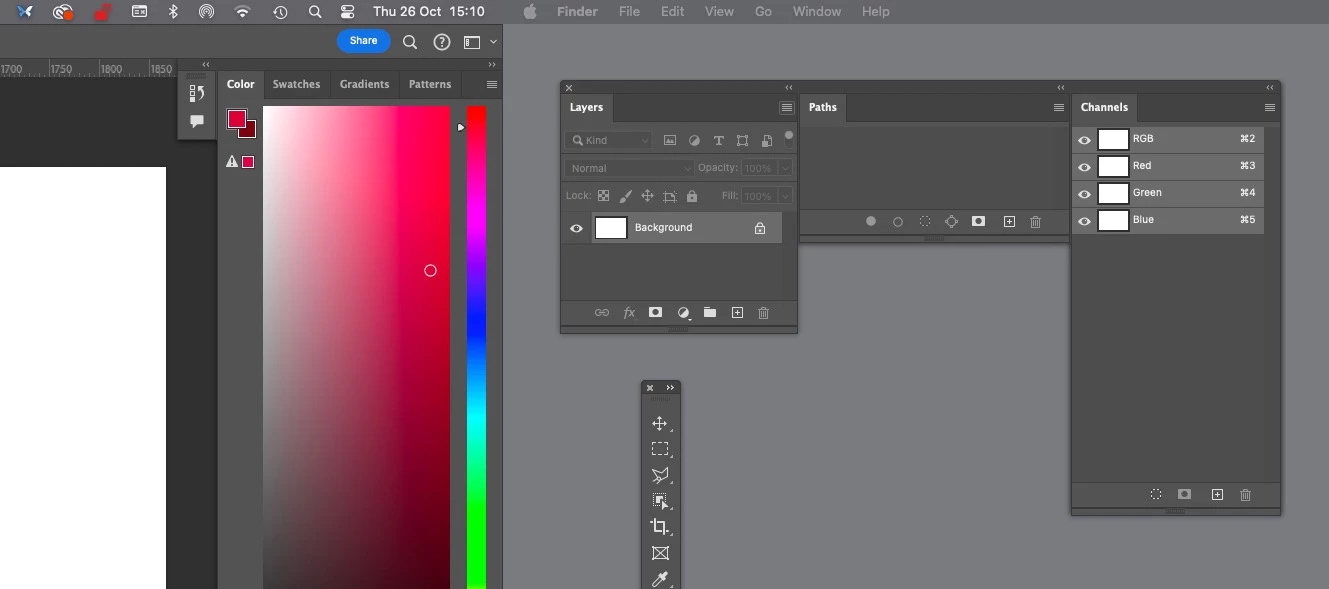
 

 I can drag panels to 2nd monitor but as soon as I dock them to each other they stop responding and cant use (or move) them because any click on them exits PS and reverts to Finder. I did have a few saved workspaces that work but most didnt, unfortunately cant screen record both monitors at same time, but here is what it looks on my extended monitor with photoshop panels (using ALT-TAB to switch back to PS after it auto-exits):


https://www.youtube.com/watch?v=ps2kPwc0t_Y


I've tried disable and enable "displays have separate spaces" with no distinguishable results, also changed "click wallpaper to reveal desktop" to "only in stage manager" , and also didnt work.


EDIT: BTW in 2023 cant even move toolbar without first enabling "aplication frame":


https://www.youtube.com/watch?v=s5565wfqVwM


This topic has been closed for replies.
Correct answer silk-m

This bug has been fixed in macOS Sonoma 14.1.1.

21 replies

jane-e
Community Expert
Community Expert
November 8, 2023

You're welcome, @darrenj92080900 , and yes, we can all move on now! 🙂


Jane

darrenj92080900
Participating Frequently
November 8, 2023

Thank you Apple for updating the OS and thanks for letting us know there was an update @jane-e. It works correctly for me now. Thanks everyone for pushing this problem along to get it resolved.

jane-e
Community Expert
Community Expert
November 8, 2023

@miguelc79956264 Thanks for confirming that the update to Sonoma 14.1.1 fixes this!


Jane

Participating Frequently
November 23, 2023

This bug is not fixed in Sonoma 14.1.1!!!

With Photoshop 15 and 14.7.1 dropdown lists are buggy!

Known Participant
November 8, 2023

For me got fixed as well with 14.1.1

silk-m
Community Expert
silk-mCommunity ExpertCorrect answer
Community Expert
November 8, 2023

This bug has been fixed in macOS Sonoma 14.1.1.

--Susumu Iwasaki
jane-e
Community Expert
Community Expert
November 7, 2023


 Apple updated macOS Sonoma to 14.1.1 today (Nov 7), can you confirm that this fixes the issue?


Jane

darrenj92080900
Participating Frequently
November 2, 2023

Tested the panels being separated and that works but selecting tools in the tool bar doesn't still. This is in Photoshop. However, in Illustrator I had to create a custom tool bar which is a workaround for now. Still very annoying.

darrenj92080900
Participating Frequently
November 2, 2023
Yes I have done that.

Darren Jones
Creative Director
Elevation Marketing
roberts33286217
Inspiring
November 2, 2023

@darrenj92080900  Have you tried switching off 'reveal desktop' in osx settings?

darrenj92080900
Participating Frequently
November 2, 2023

I have tried separating the panels and was still having the problems. I went back to my saved workspace but I'll try it again after turning on the clicking the desktop function and see.