
Inspiring
December 12, 2020
Answered

Duplicating and Flipping A Selection

  • December 12, 2020
  • 4 replies
  • 3276 views

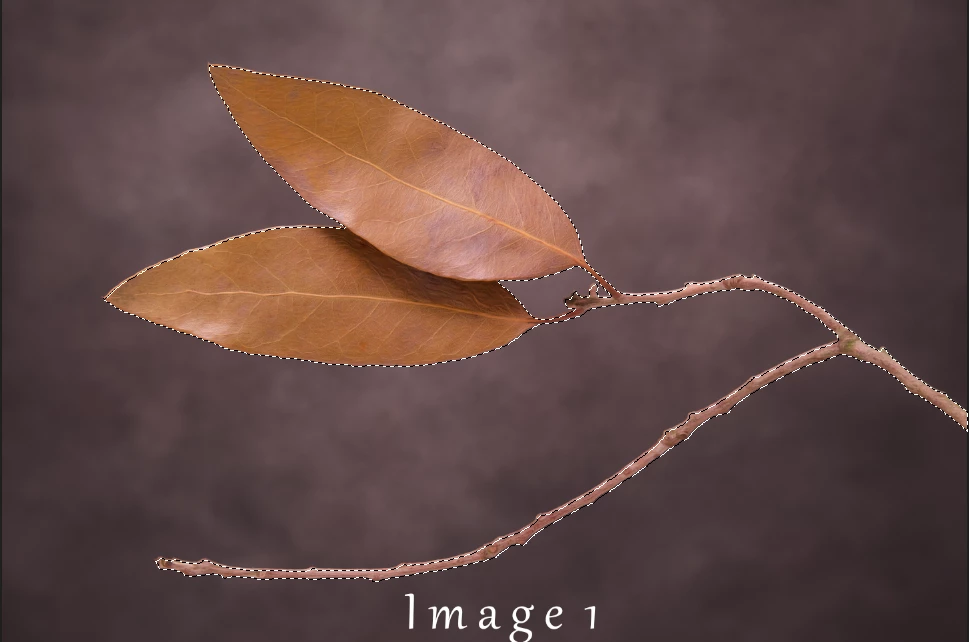
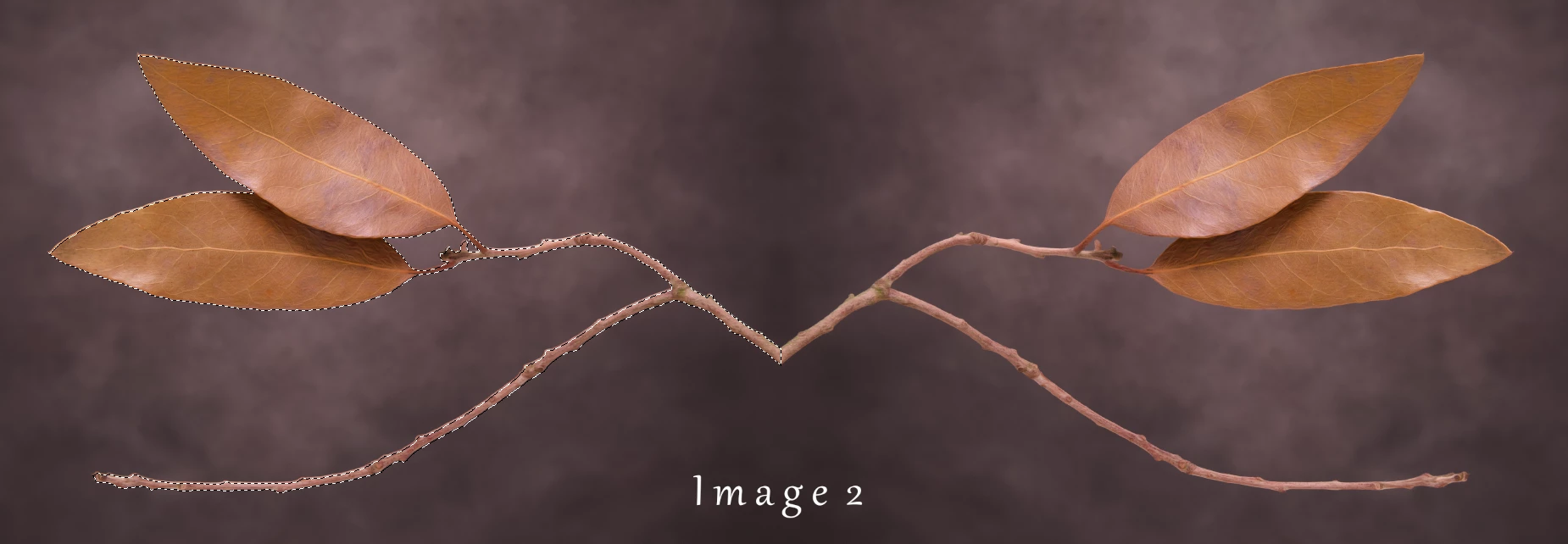
I hope someone might be able to help with this query here. I have an action which takes an image, duplicates it and flips it horizontally (see images 1 and 2 below). The original image has a selection around the leaves and stem with a mask created, and when the image is flipped the selection/mask does not get transferred along with the duplicated image. What I would like to achieve is that the selection/mask gets duplicated and flipped along with the original image so that the final image is a mirror image of the original with selection/mask intact on the original and the duplicated image. I look forward to possible solutions. Thanks, Martin
 

This topic has been closed for replies.
Correct answer martins1508025

Thank you all for your replies. I will absorb your recommendations and try them all out before getting back to you. Thanks again.Martin

4 replies

martins1508025AuthorCorrect answer
Inspiring
December 12, 2020

Thank you all for your replies. I will absorb your recommendations and try them all out before getting back to you. Thanks again.Martin

JJMack
Community Expert
Community Expert
December 12, 2020

Save the original selection before the Ctrl+J the copy the selected ares into a the new layer that you transform flip horizontally.  The Ctrl+Click the new layer content thumbnail it the layer Palette. To select the layer pixels.  To that selection add the saved selection.  You would need to expand the canvas and move the  flipped layer into the  added canvas and add a background.

JJMack
Inspiring
December 12, 2020

Hi, Would you be willing to share that action? Thanks, Martin

JJMack
Community Expert
Community Expert
December 12, 2020

I deleted it. You can record it from the screen captures I showed.

JJMack
c.pfaffenbichler
Community Expert
Community Expert
December 12, 2020

As indicated please post screenshots including the relevant Panels. 


Have you considered using a Smart Object, then duplicating and flipping that? 

That would allow for further editing that updates in both instances. 

Bojan Živković11378569
Community Expert
Community Expert
December 12, 2020

Do you know for Transform Selection command? It can flip selection and such step in action is recordable.

Regarding mask flipping: it seems mask is unlinked from layer, otherwise it would flip with content.

In action step you must target mask then transform it-flip it- if mask is unlinked from layer content.


If you can not figure out how to fix things, please post screenshots with Ps window, Layers panel and action step expanded.