
Inspiring
March 24, 2023
Question

Easy way to extract text and symbols from an image layer?

  • March 24, 2023
  • 1 reply
  • 1731 views

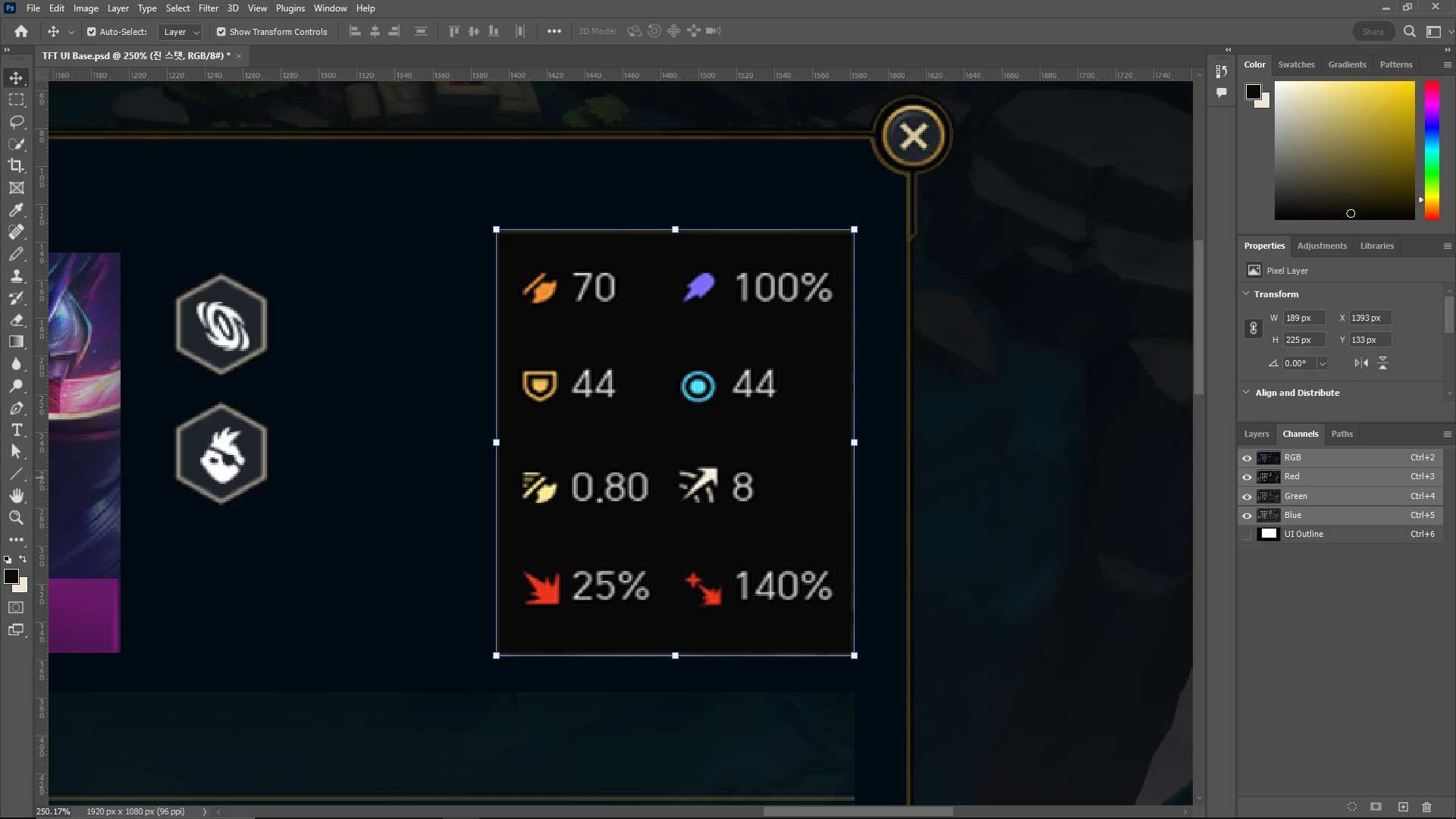
Hi, I want to blend the selected layer into the background so that only the numbers and the symbols are visible (currently the selected layer has slightly darker background color and a yellow outline that surrounds it). Is there a way to do this relatively easily? Thank you
 

This topic has been closed for replies.

1 reply

Dan Rodney
Community Expert
Community Expert
March 24, 2023

Set that layer's blending mode to Lighten:

  1. Make sure the layer with the text/symbols is selected in the Layers panel.
  2. At the top left of the Layers panel click on the menu that says Normal and choose Lighten.
— Adobe Certified Expert & Instructor at Noble Desktop | Web Developer, Designer, InDesign Scriptor
Inspiring
March 24, 2023

Doesn't do anything unfortunately