
Known Participant
October 7, 2020
Question

Editing an action to remove references to my username?

  • October 7, 2020
  • 1 reply
  • 530 views

Hi,


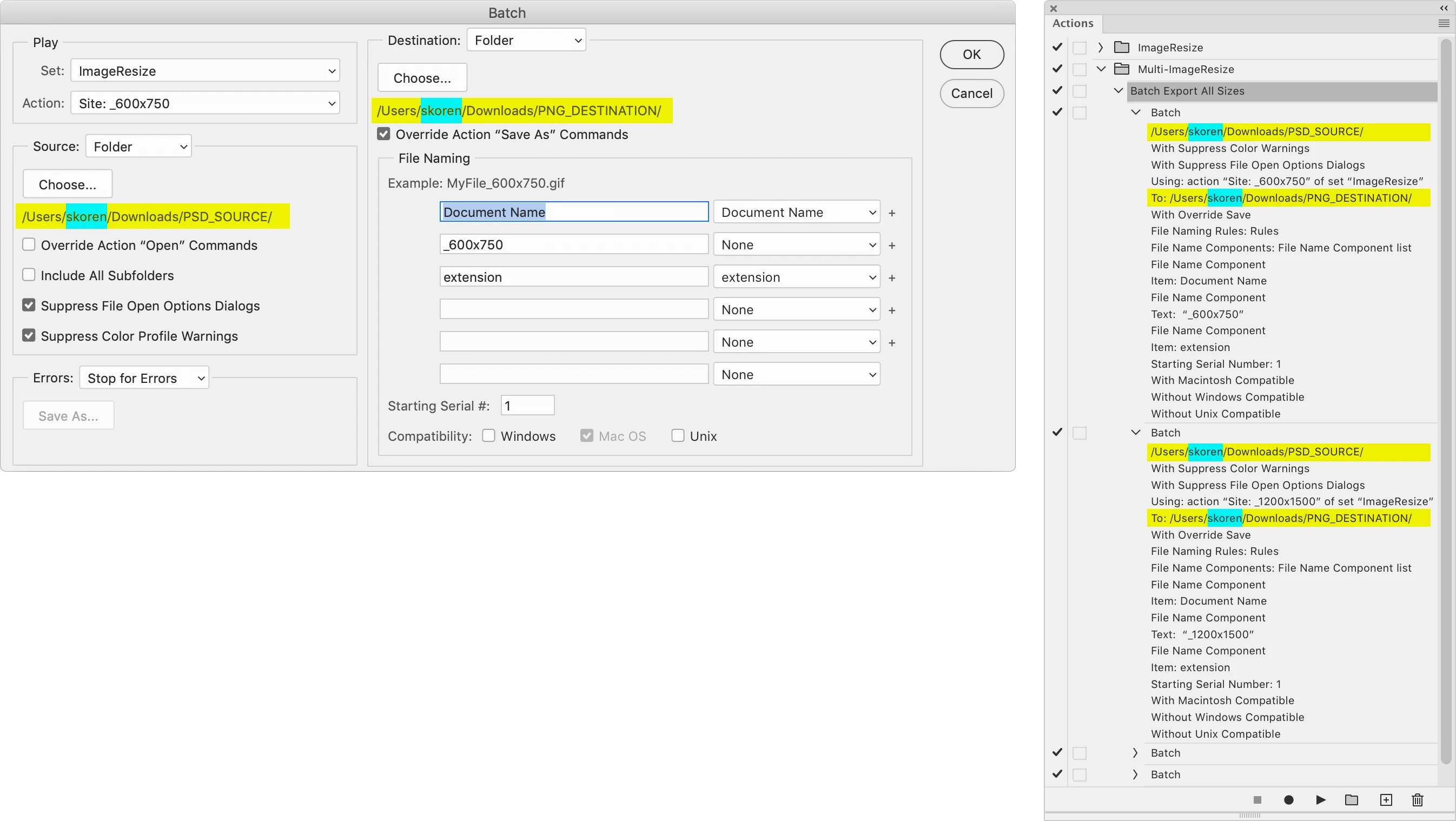
Is there a way to edit a Photoshop action in this way... 


  • I have 2 folders in my computer's Downloads folder... One is called PSD_SOURCE... The other is called PNG_DESTINATION.
  • Can I change the action so instead of pointing to MY USER Downloads folder, it would  instead point to ANY USER's Downloads folder?


So this: 

/Users/MYusername/Downloads/PSD_SOURCE 

/Users/MYusername/Downloads/PNG_DESTINATION


would instead point to: 

/Users/ANYONESusername/Downloads/PSD_SOURCE

/Users/ANYONESusername/Downloads/PNG_DESTINATION


The reason — I want to send a series of complex actions (that call other actions) to multiple coworkers around the world. Because there are many steps, I want to eliminate all the pop up windows asking them to set new source and destination folders each time. I'd rather just tell them in the beginning to create the two folders they need and put them in their Downloads folder, and then have the actions work seamlessly... 
 

This topic has been closed for replies.

1 reply

JJMack
Community Expert
Community Expert
October 7, 2020

In xTools there are app scripts "ActionFileToJavascript.jsx",  "ActionFileToXML.jsx" and "ActionFileFromXML.jsx",  You use these on you Action Sets .atn files. "ActionFileToJavascript.jsx" will make Photoshop scripts  from you actions,    "ActionFileToXML.jsx" will convert you action set to XLM  so  you can edit the actions with a text editor then use  "ActionFileFromXML.jsx" on the xml file to create an updated Action set.


You may be able to change

/Users/MYusername/Downloads/PSD_SOURCE 

/Users/MYusername/Downloads/PNG_DESTINATION

to

~/Downloads/PSD_SOURCE 

~/Downloads/PNG_DESTINATION


In Photoshop scripting  ~/  is use on Windows and Mac for current  users root space  ie on windows /c/Users/"CurrentUserId"/ Of it doe not wotm via the XML route  it should work via the Script route


JJMack
Known Participant
October 7, 2020

Thank you so much!