
Participant
April 1, 2022
Question

Editing Masks

  • April 1, 2022
  • 1 reply
  • 157 views

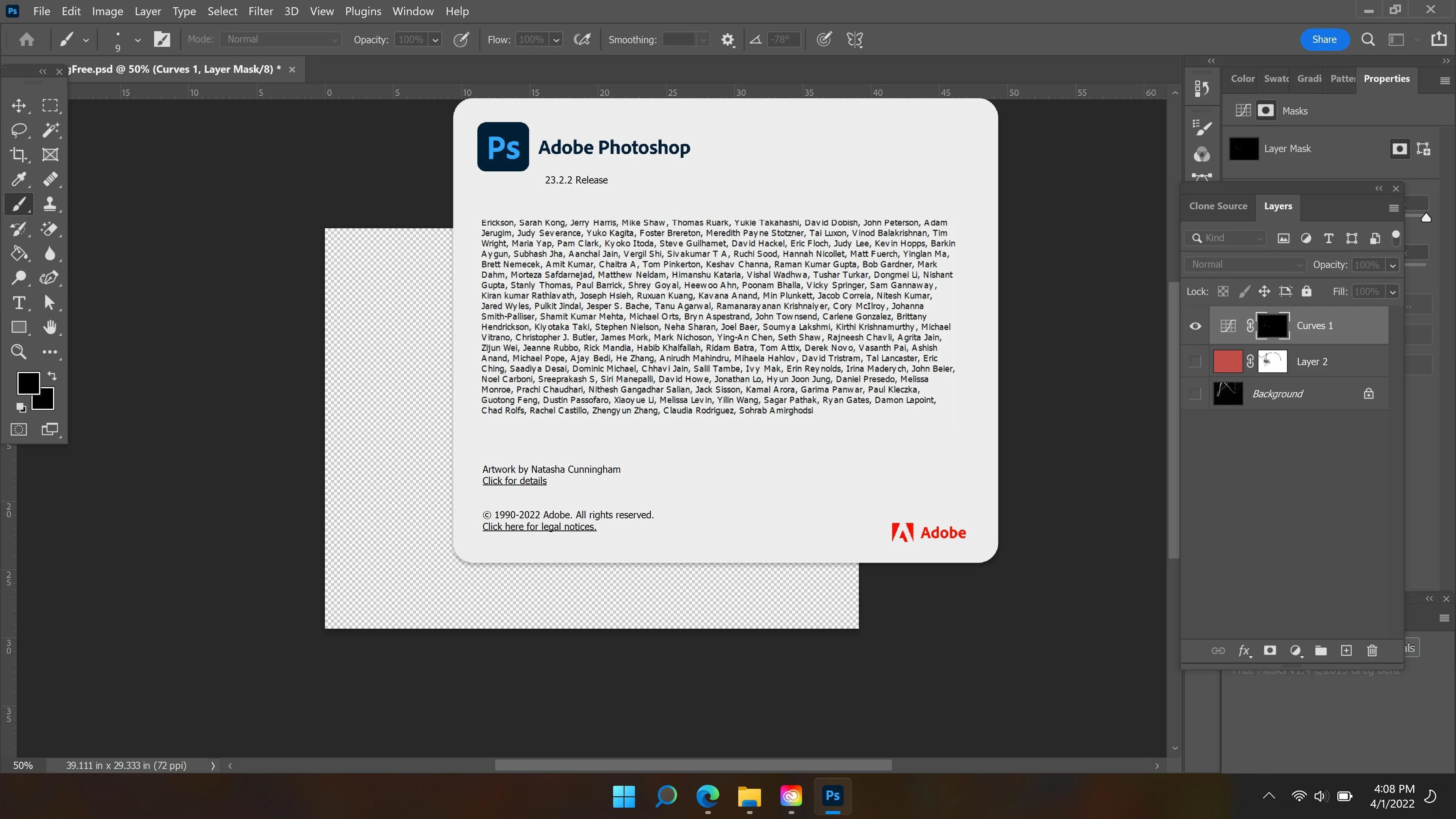
I don't see how to see what I'm editing when I'm editing a mask. 

See the screen shot below.  I seem to have the mask in the 'Curves 1' layer active, but it doesn't appear in the main viewing area.  I can use the brush to make changes, but the changes only appear in the tiny little thumbnail making credible changes impossible.  

I appreciate this opportunity to present my issue and maybe get an answer.
This topic has been closed for replies.

1 reply

Bojan Živković11378569
Community Expert
Community Expert
April 2, 2022

Other layers are hidden so Curve is applied to transparency (read nothing). You must click on eyeball (square to appear eyeball) on the left side of thumbnails below to show content and then to expect to see impact of what are you doing on Curves. Usually Curves is used with continious tone images and curve must be changed/modified in order to see some effect or changes.