May 10, 2022
Answered

Embed Color Profile

  • May 10, 2022
  • 1 reply
  • 533 views

Hi,


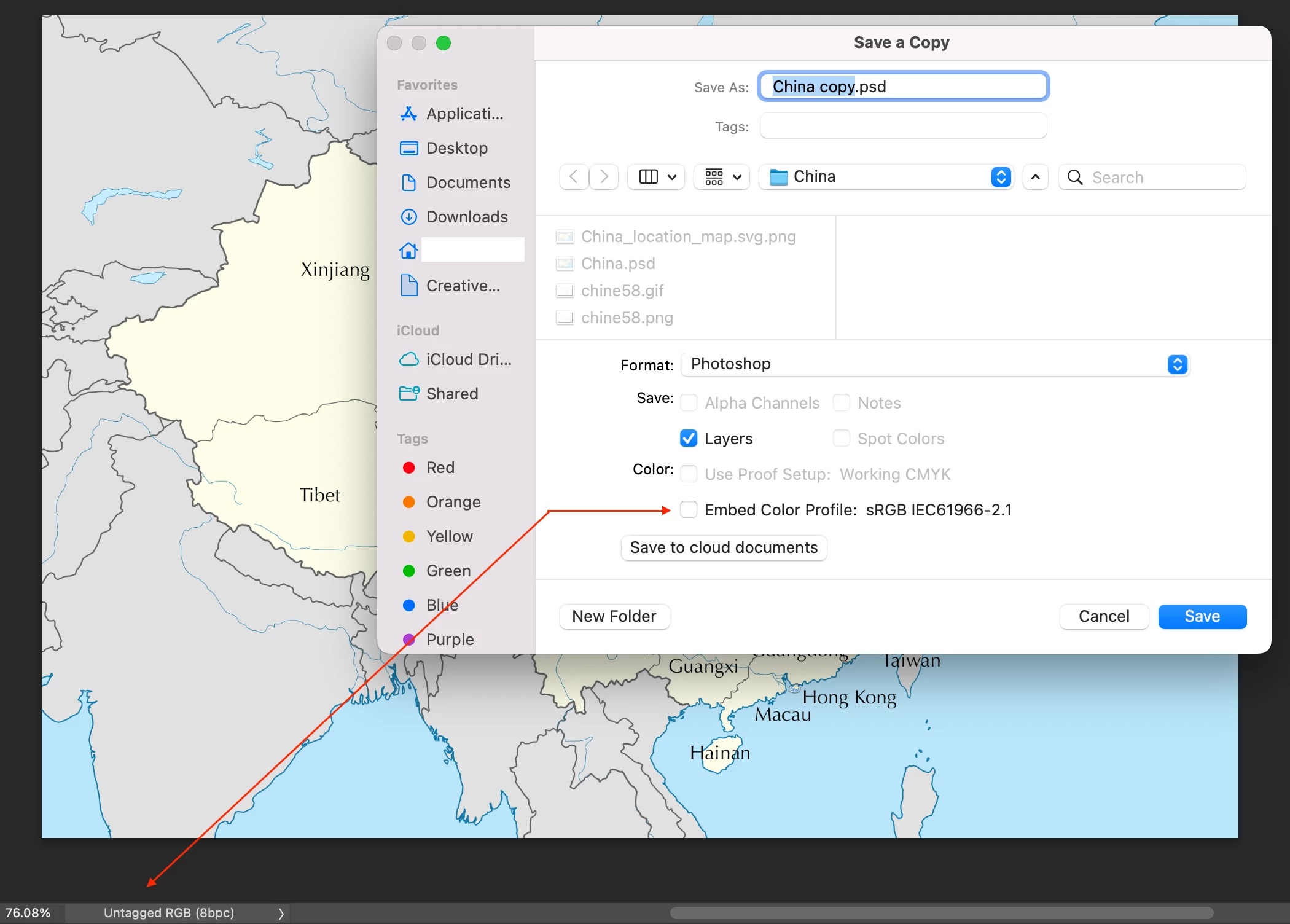
In the screenshot below, I can't tick Embed Color Profile.


Is it OK with Untagged RGB?


Hosun


This topic has been closed for replies.
Correct answer TheDigitalDog

Because that document is Untagged. First, use the Assign Profile command and assign sRGB. I know, it should let you. It doesn't. But that will fix the issue.

1 reply

TheDigitalDog
TheDigitalDogCorrect answer
Inspiring
May 10, 2022

Because that document is Untagged. First, use the Assign Profile command and assign sRGB. I know, it should let you. It doesn't. But that will fix the issue.

Author “Color Management for Photographers" & "Photoshop CC Color Management/pluralsight"
May 10, 2022

Thank you very much.


Hosun

NB, colourmanagement
Community Expert
Community Expert
May 16, 2022

Good that you asked Hosun, all images, by default, need embedded ICC profiles, unless there's a very good reason (rare) to not embed. The embedded profile provides machines and users down the line with the information needed so that they should see what you saw onscreen. [given calibrated & profiled displays] 


I hope this helps
neil barstow, colourmanagement net :: adobe forum volunteer:: co-author: 'getting colour right'
google me "neil barstow colourmanagement" for lots of free articles on colour management
