
Inspiring
November 22, 2020
Answered
Epson Print Layout missing in Photoshop
- November 22, 2020
- 5 replies
- 15602 views
I am on a Macbook Pro runing Big Sur and the latest versions of Lightroom and Photoshop.
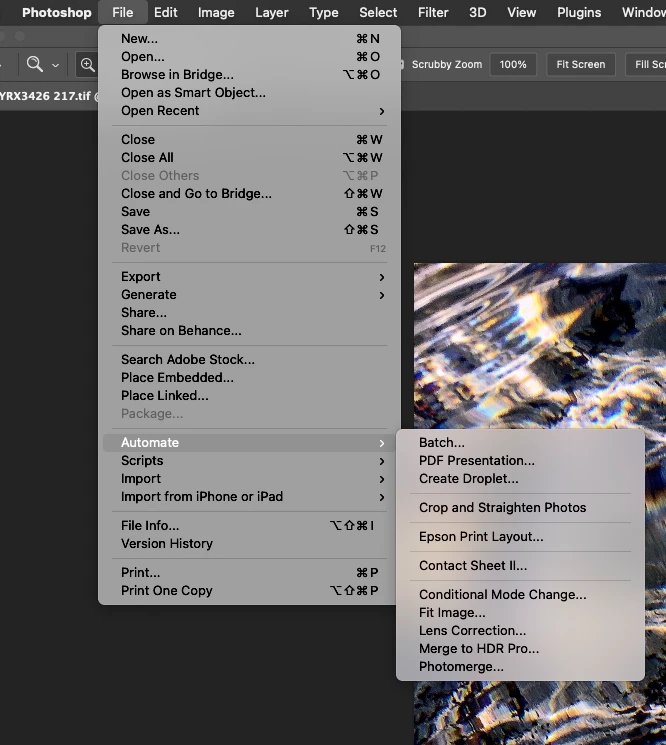
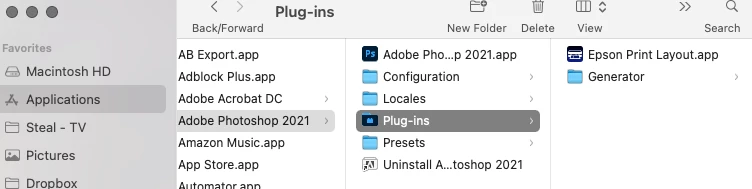
I have an Epson P900 printer and have installed Epson Print Layout. The Print Layout workls as a stand alone program and interfaces with Lightroom as expected, but in Photoshop I am supposed to be able to open a selected image in the Print Layout software by clicking in Photoshop File/ Automate/ and then Epson Print Layout. Epson Print Layout does not show up in the drop down menu.
Anyone else see this issue and have a fix?
 AdChoices