I don't know where you are at with this by now, but you do realise that you can use any brush preset with the eraser?
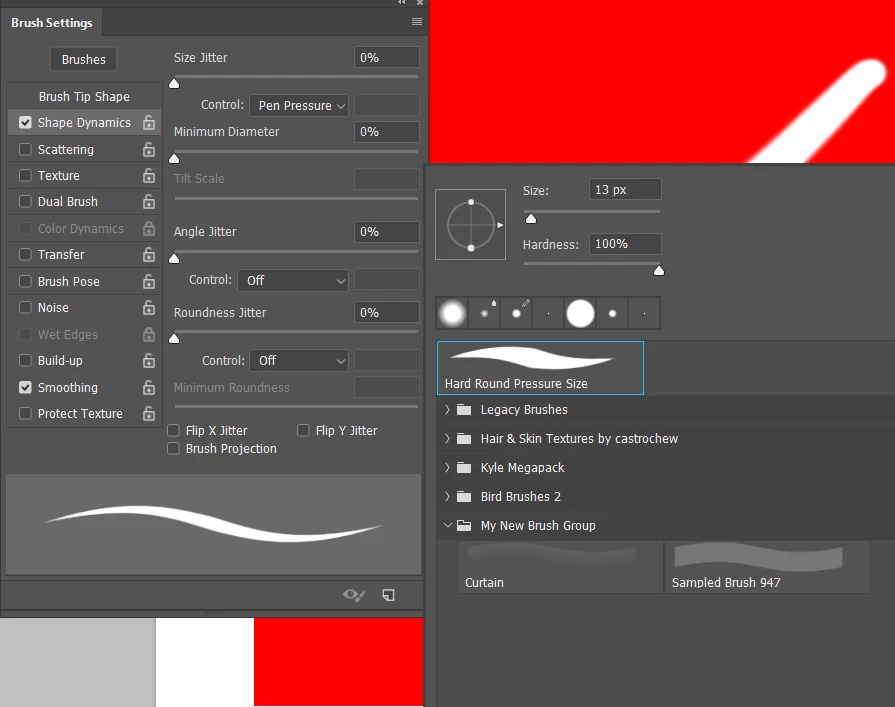
When I hit the E key I see I have a semi hard pressure/size preset
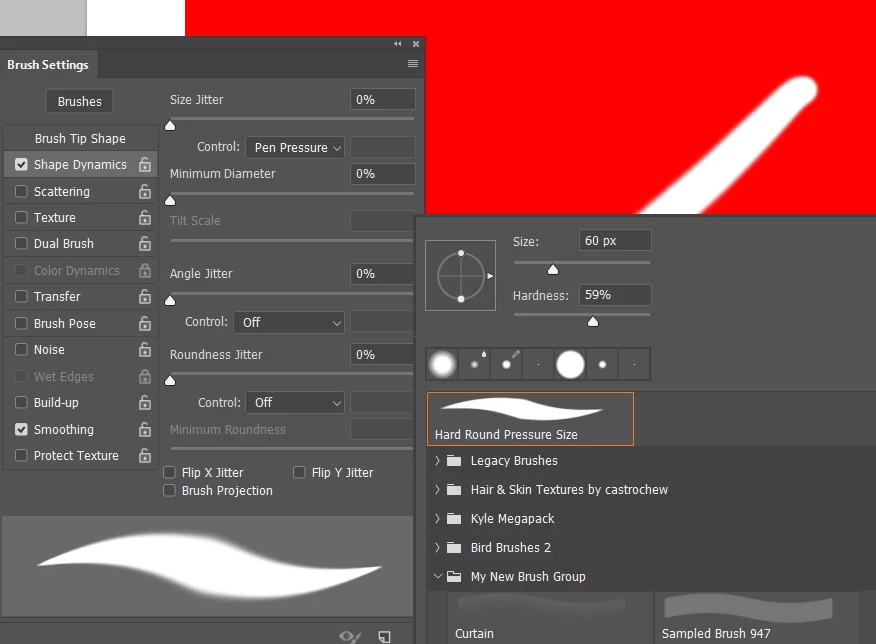
I wasn't sure whether resetting the Eraser would affect the preset, but apparently it does. Resetting also returns a low opacity preset to 100%
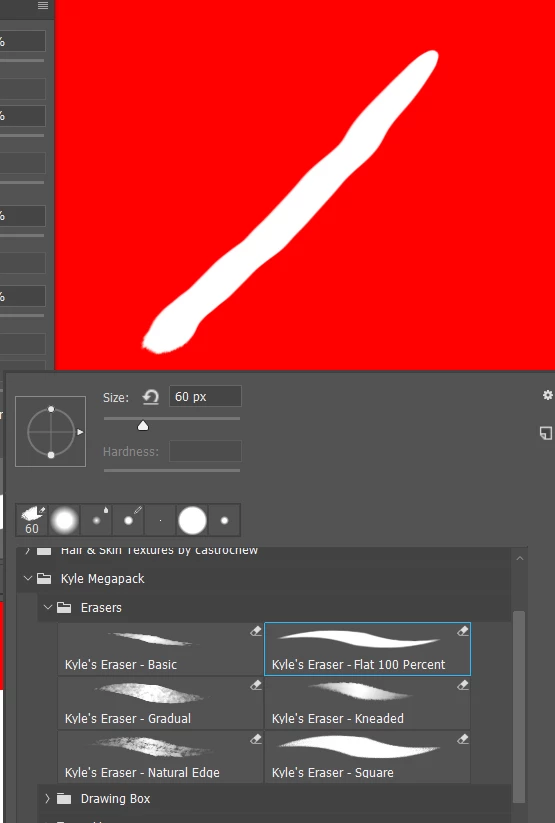
The Kyle Webster Mega Pack has some eraser specific presets
What I would do in your case, where this an ongoing issue, is to make an Action that returns everything to defaults, and give it a shortcut. This forum's regular posters will be mightily sick of hearing about my gaming keyboard and mouse, but I can not over emphasis how much I love being about change the workspace, or toggle Lazy Nezumi, or run a wee sharpening action, or even paste often used URLs into this forum with a single keystroke. In fact the workspace changes (and reset) I do with Function keys. F6 and F7, for instance, default to toggling panels on and off, but that function becomes redundant if resetting the entire workspace, so I 'borrow' them. I do keep F5 to toggle the Brush panels, because I often work with them on my main screen, and like to temporarily hide them.
[EDIT] I'm thinking that a person who writes about disruptions to their workflow on this forum, is someone who likes to work quickly, and gets frustrated when the UI slows them down. This is exactly the sort of person who would benefit from the sort of Actions I described above. I have a Logitech G910 keyboard, and G602 mouse. I also have a Razer Orbweaver keyboard. The Orbweaver has a lot of programmable keys, but the Logitech Gaming Software is better in my experience and opinion. For instance, the long URLs can be pasted as strings into a Logitech G key function. Razer's Synapse software can not do that. Synapse does score in that it has much better app context sensitivity. With Logitech I have to tell it it is in Chrome mode now. Synapse senses and changes automatically.


 AdChoices