
Erasing background noise from scanner

Hi guys,
I've faced this issue for years now in photoshop and wondered if any one had a hack.
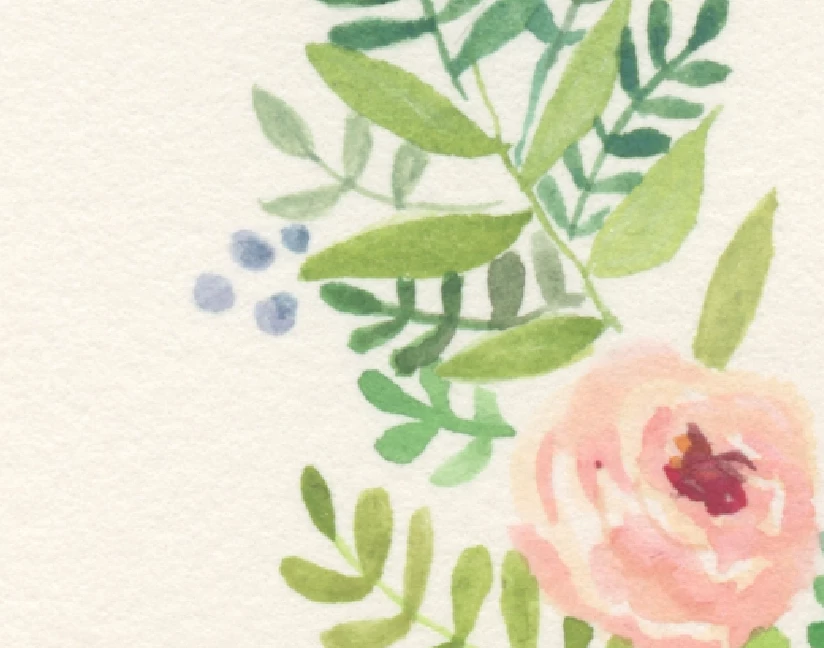
So I scan my watercolour artwork and upload it in photoshop. The light from the scanner combined with the texture of my paper creates shadowy 'noise' in the white background of my artwork. *See 1st image*.
So in order to have clean white background I have to chop up the existing background using the lasso tool. *See 2nd image* and erase it so it doesn't print with any noise. As i do quite intricate work this takes hours. I've used levels but it reaches a point where it starts taking away from my artworks colour if I pull back to far to get a clean white background.
I really wish there was a way to select only the painted area and erase the entire background. I know the magic wand tool can do this but it takes the fine edge off my painting. Any ideas from the Brains trust? Much appreciated!!
 AdChoices