Exit
  • Global community
    • Language:
      • Deutsch
      • English
      • Español
      • Français
      • Português
  • 日本語コミュニティ
  • 한국 커뮤니티
3

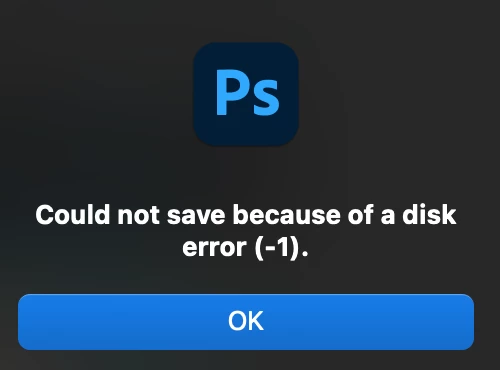
Error: Could not save because of a disk error

Community Beginner ,
May 17, 2024 May 17, 2024

photoshop error -1

-ps error.png

can't save files.


Tried disk check in utility, tried reinstall photoshop, no luck.


can't find any way to contact adobe support despite looking for hours.  disappointed.


mac m1 pro


cheers


Subject edited for clarity. Was "how do i speak to someone to get support at adobe?"


TOPICS
macOS
565
Translate
Report
Community guidelines
Be kind and respectful, give credit to the original source of content, and search for duplicates before posting. Learn more
community guidelines
Adobe
Community Expert ,
May 17, 2024 May 17, 2024

@same764354535 to contact Adobe support.
Chat support: https://helpx.adobe.com/contact.html?rghtup=autoOpen

Type agent in the chat box to speak to a real person
You will need to be on a browser that allows pop-ups and cookies, or the icon won't show.
Twitter: @AdobeCare https://twitter.com/AdobeCare

Translate
Report
Community guidelines
Be kind and respectful, give credit to the original source of content, and search for duplicates before posting. Learn more
community guidelines
Community Expert ,
May 17, 2024 May 17, 2024


@same764354535 


The first thing to try is to give Photoshop full disk access. This is part of Apple's security and attempt to protect you.

  • In macOS 13 or later: System Settings > Privacy & Security > Privacy

  • In macOS 12 or earlier: System Preferences > Security & Privacy > Privacy


Details here:

https://support.apple.com/guide/security/controlling-app-access-to-files-secddd1d86a6/web


If this doesn't work, see Ged's directions to contact Adobe by Chat or by X. Adobe staff can look at your system. Volunteers cannot.


Jane


Translate
Report
Community guidelines
Be kind and respectful, give credit to the original source of content, and search for duplicates before posting. Learn more
community guidelines
Community Beginner ,
May 18, 2024 May 18, 2024

Hi Jane, disk access issue would only apply if it didn't save 100% of the time. This error only happens 5-30% of the time, so it can't be that.


PS has access to disk.


I can't find any links to contact adobe by chat & don't have X.

Translate
Report
Community guidelines
Be kind and respectful, give credit to the original source of content, and search for duplicates before posting. Learn more
community guidelines
Community Beginner ,
May 18, 2024 May 18, 2024

Update to this: adobe chat couldn't help much & kept asking the same question I'd already answered lol... I think it *might* be an OS issue. I'm running monterey while latest is sonama & I don't update due to it breaking other apps.


PS gives an info warning "I need the latest OS to "run stable" " according to the install dialogue box, which I had to ignore due to above reason.


disk util first aid & disk access all normal.


Here is *current* human chat link: https://helpx.adobe.com/uk/contact.html?rghtup=autoOpen

(until adobe makes it hard to find again!)


Hope this helps others


Translate
Report
Community guidelines
Be kind and respectful, give credit to the original source of content, and search for duplicates before posting. Learn more
community guidelines
Community Beginner ,
May 18, 2024 May 18, 2024
LATEST

EDIT2: shame I can't edit my above reply or posts but in interest of being complete, in addition to updating OS , adobe recommends resetting PS preferences.


hope this helps!

Translate
Report
Community guidelines
Be kind and respectful, give credit to the original source of content, and search for duplicates before posting. Learn more
community guidelines