
Participant
May 20, 2018
Question

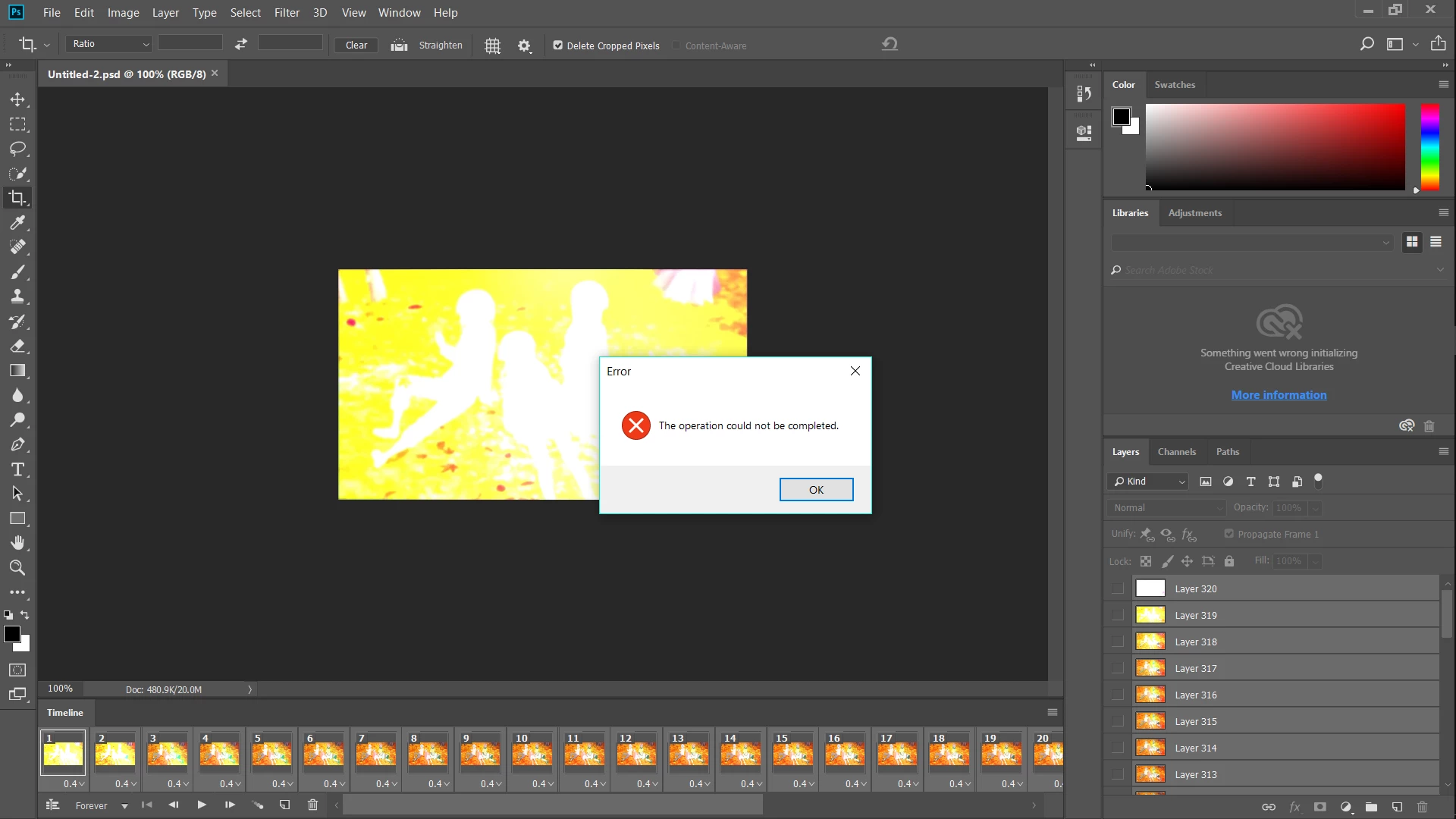
Error "Operation Could not be completed." How to fix?

  • May 20, 2018
  • 1 reply
  • 1728 views

I tried saving a GIF in Photoshop CC 2018 using "Save as web (Legacy)" and then this error message popped up. Tried with others already made GIF files but error message stills pops up any ideas on how to fix it?
This topic has been closed for replies.

1 reply

JJMack
Community Expert
Community Expert
May 20, 2018

If you can save the document with the frame animation as a psd file  upload it to a file sharing site and post a link to it? We can then test to see if your problem is in the document or in Photoshop. Does the animation play and loop for you in CC 2018 and is CC 2018 updated to version 19.1.4?

I also note there is some error with libraries shown in you screen capture.  I turn off libraries support I do not use them and see no reason to sync libraries.

JJMack
RAiNYAuthor
Participant
May 21, 2018

Hey JJMack, to answer your question I just updated Photoshop and CC to the latest version yesterday and the animation does play and loop for me in CC 2018 there's also nothing is wrong with my library I just don't sign in to CC whenever I use Photoshop thus resulting in that error.

Anywho I just uploaded the PSD folder to my Google Drive, here's the link: https://drive.google.com/open?id=19eH6s9CYXbZeqXb5Bz_Ae26LWQJwN4VW

Hopefully you'd be able to help me troubleshoot the problem

PECourtejoie
Community Expert
Community Expert
May 21, 2018

Hello, you did not state if the error also occurs on 19.1.4, I guess yes...