
RadwaRady
Participant
September 13, 2018
Answered

Error Rendering Video in Photoshop, "mp4" extension missing!

  • September 13, 2018
  • 1 reply
  • 4962 views

Hi,

I've been exporting video with my current psd version for a  while now and everything was fine, but suddenly for no reason at all:

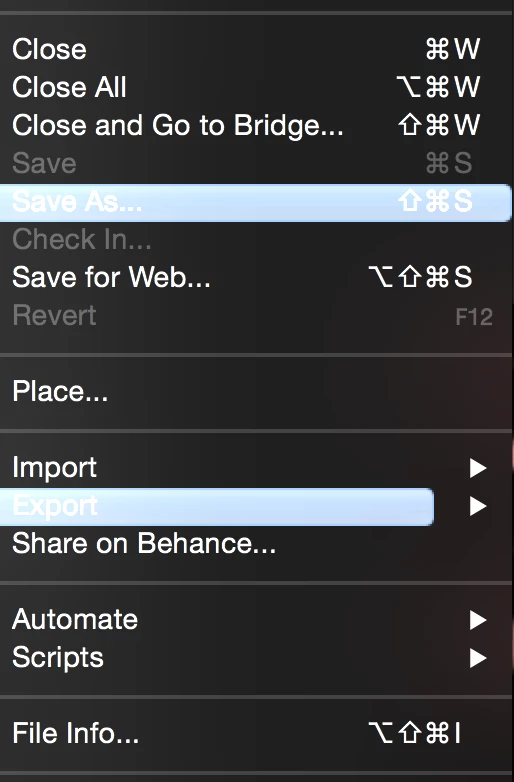
1. When I open the file menu, the "Save As" & "Export" tabs are highlighted in blue (maybe it means something maybe it doesn't).

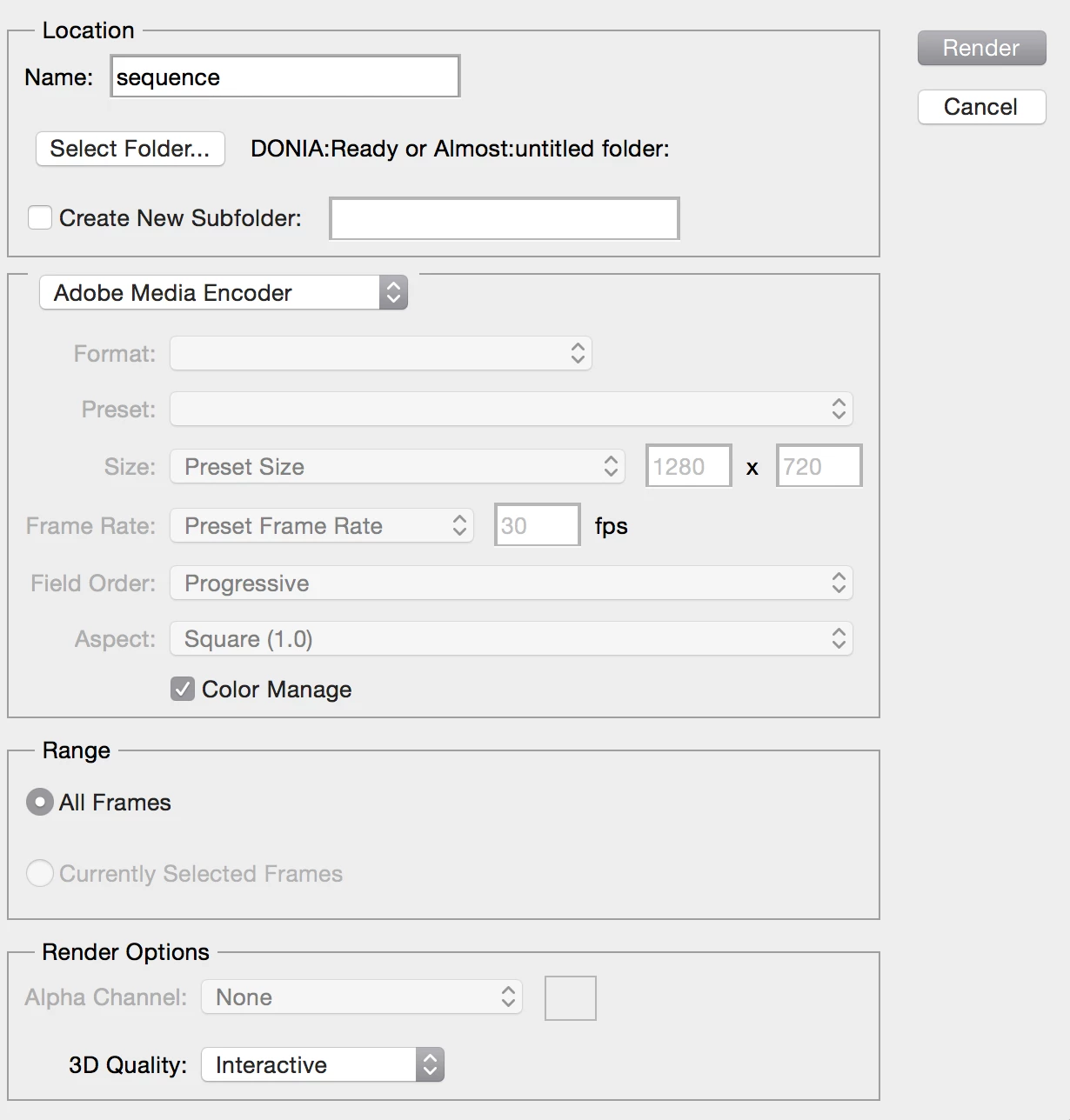
2. Anyways when I choose Export > Render Video and the window pops open, the video's name isn't followed by the default ".mp4" extension as usual, it's not followed by anything, unlike switching to "Photoshop Image Sequence", the ".jpg" extension appears and everything is normal.

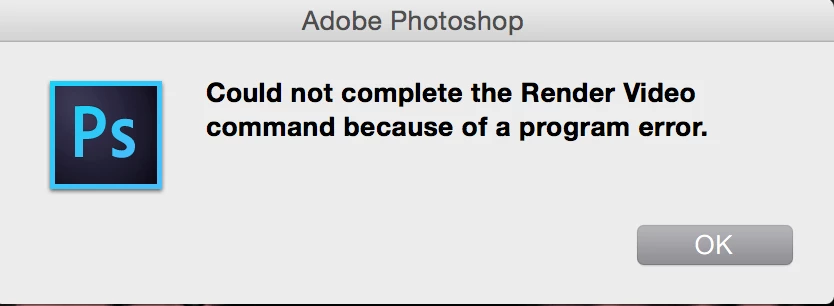
3. When I click "Render" (after I've switched back to the "Adobe Media Encoder" option that has no extension, a pop up message appears saying "command could not be completed because of a program error" 😕😕

pic .1
pic .2
pic .3
This topic has been closed for replies.
Correct answer JJMack

Yes, I checked the video folder in photoshop presets and it's empty, does that mean I have to uninstall and reinstall a new version, or there is a way to download the media encoder folder alone and reinstall it somehow?


You may want to do a search first on your disk for the three missing folders you may have move them by accident do a search for DPX and H264 and QuickTime If you find them you could move the back  Otherwise Uninstall and reinstall

1 reply

JJMack
Community Expert
Community Expert
September 13, 2018

The Dialog you show look incomplete? The format preset seem to be missing for H.264. Format seems to be grayed out???

BallCollage2.mp4

JJMack
RadwaRady
RadwaRadyAuthor
Participant
September 13, 2018

Yes, how do I fix that? The H.264 format is working just fine in my other adobe programmes

malakm21735624
Participant
December 7, 2020

Are you trying to render a Video Time Line or a frame Animation?


Hello,

I have the same problem. I can't render the video in mp4 as I used to do before. I checked the folders and they are all available in the right place. The adobe media encoder option is greyed out. I am working on a video timeline. Do you know if there is any solution for this? I need to do this urgently for a project. Apperciate your help.