Participant
June 13, 2023
Answered

Error: Some of the application components are missing... Windows 11

  • June 13, 2023
  • 6 replies
  • 4765 views

Hello,

So, I subscribed to a monthly plan for Lightroom and photoshop and, while Lightroom is working as expected, I can't get photoshop to even start. I get the same error over and over again - Some of the application components are missing from the Application directory. Please reistall the application.

I have tried uninstalling and reinstalling Photosho multiple times. Nothing changed. I even uninstalled Lightroom Classic and Photoshop, but nothing is working.


I have Photoshop version 24.5 on Windows 11 Home version 22H2, build 22621.1778
Processor AMD Ryzen 7 5800H with Radeon Graphics 3.20 GHz, RAM 16,0 GB, secondary graphic card Nvidia Geforce RTX 3070 Laptop GPU.

The only posts I found on help forums are for MAC OS and didn't seem relative.

Please advise.
 

This topic has been closed for replies.
Correct answer Gašper30457617y53w

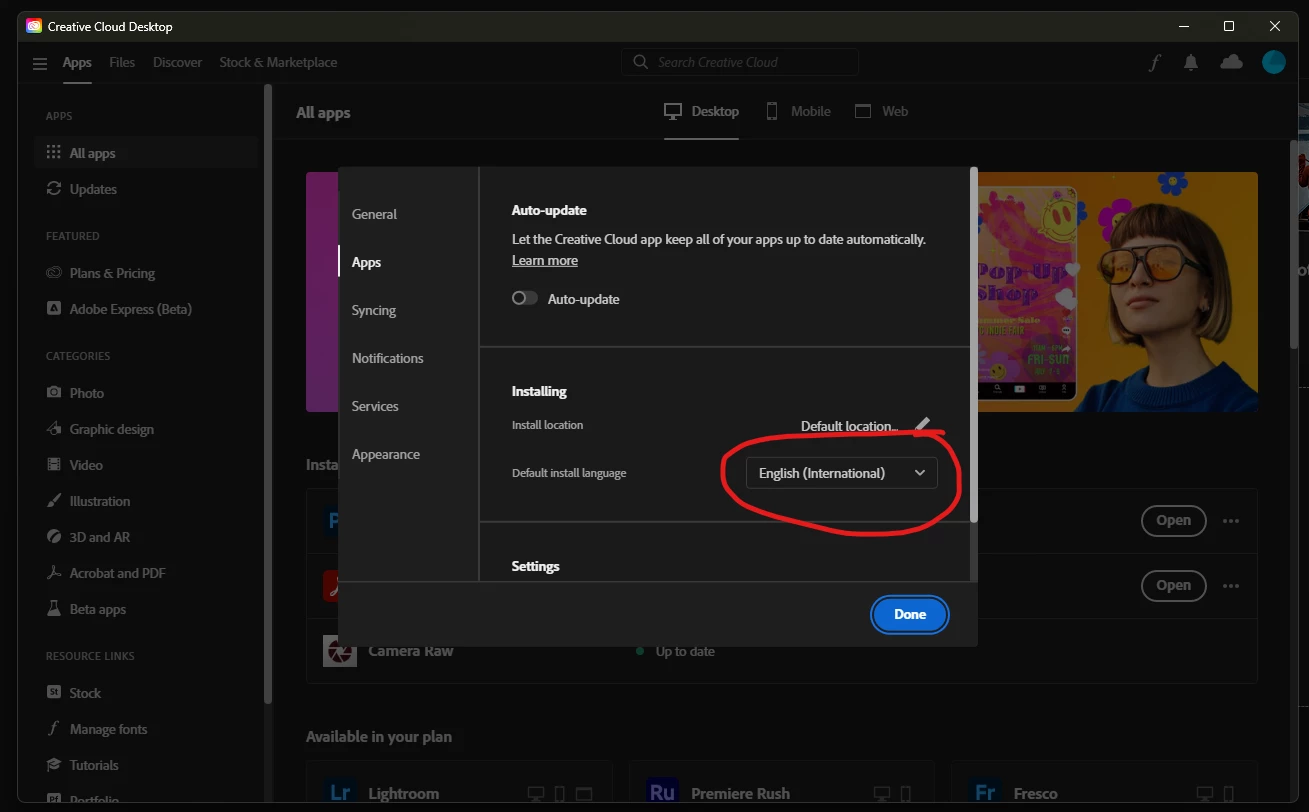
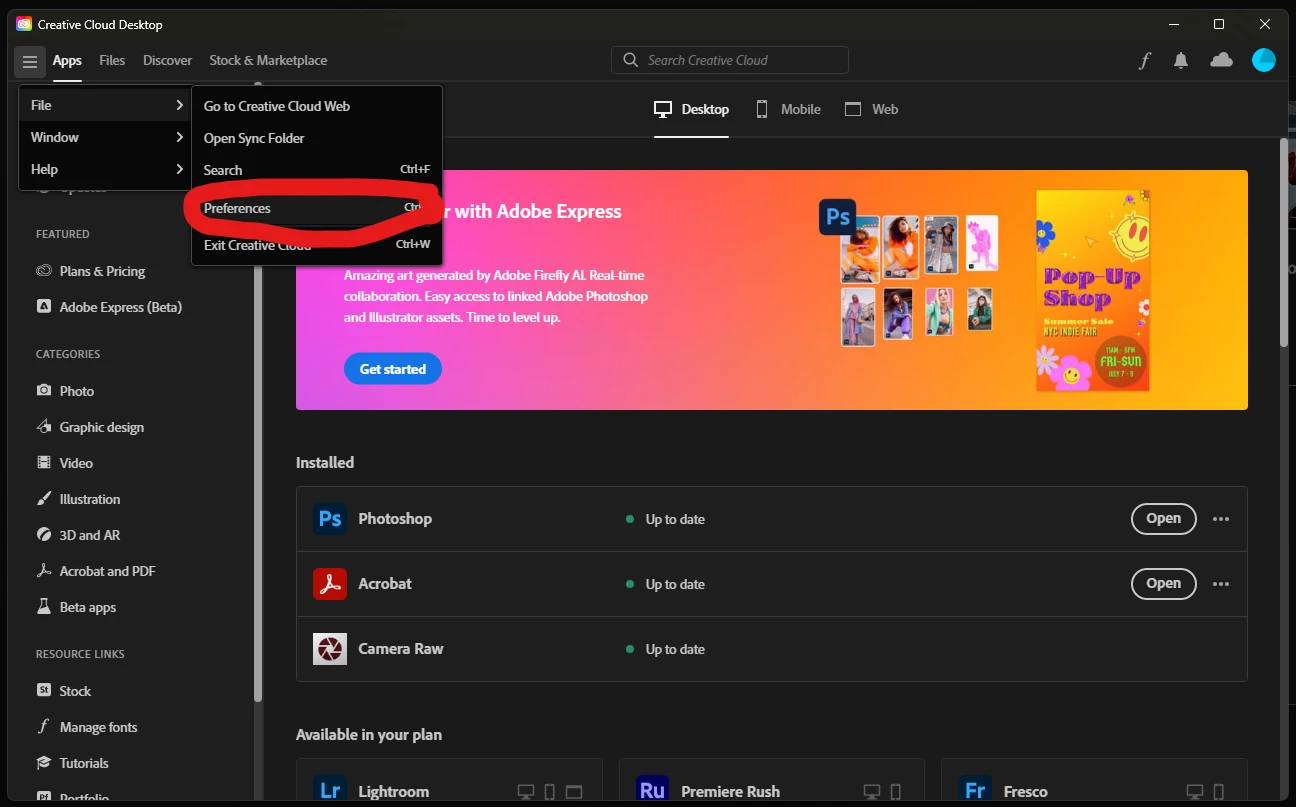
So, I found the solution! Turns out changing the default install language to English (International) was the solution. I guess my native language isn't supported by the Photoshop so it was creating a problem.

If anyone else is having the same problem, give this a try!

Go to three lines in the upper left corner > File > Preferences > in the Apps tab, set the Default install language to English (International).

6 replies

Participant
September 4, 2023

I have a similar problem when installing a license to a new PC (Win10, SLO language). I removed it on the old one and removed the rights to the user in the admin console and then returned them again. I received an Adobe invitation to install. Took over Photoshop.exe and installed it. After 100% installation, he reported the same mistake as you. When I found your solution, I eliminated the PH version with a mistake and in Creativ Cloud, set the language to English (International) and drove the installation again. He did not report the mistake, but only the Tryel version installed me

Participant
June 14, 2023

Hi Kevin, looks like we came to the same conclusion simultaneously! Thanks for the help!

Kevin Stohlmeyer
Community Expert
Community Expert
June 14, 2023

What language is your OS in and what language did you install? Try English US and see what happens.

Gašper30457617y53wAuthorCorrect answer
Participant
June 14, 2023

So, I found the solution! Turns out changing the default install language to English (International) was the solution. I guess my native language isn't supported by the Photoshop so it was creating a problem.

If anyone else is having the same problem, give this a try!

Go to three lines in the upper left corner > File > Preferences > in the Apps tab, set the Default install language to English (International).

ValentinRozman
Participant
July 7, 2023

Thanks, I had the same problem and changing the install language from Slovenian to English fixed the problem.

Participant
June 14, 2023

Hi kevin, I installed the app via the Creative Cloud, and it's set to the default location on the C: disk. I only have one disc so I think there should be no problems about the location of the installation. I'll try changing the default language to English (international) to see if that helps. I tried installing the older version of Photoshop (22) and the error said something about language pack?

Kevin Stohlmeyer
Community Expert
Community Expert
June 13, 2023

Hi @Gašper30457617y53w where are you installing Photoshop? It requires installation on the same drive as the system OS and user profiles.