
Answered
Evenly lighting a face ..?
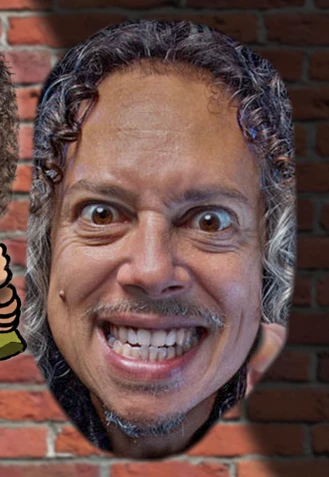
Can anyone give me any advice on how to even out the lighting on this face (I'd like to essentially remove the shadow on the lower right side)? Is the dodge/burn tool the best method? Thnx!


Can anyone give me any advice on how to even out the lighting on this face (I'd like to essentially remove the shadow on the lower right side)? Is the dodge/burn tool the best method? Thnx!
I agree with Randy. The Camera RAW filter is almost a one stop fix-all tool.
As well as reducing Highlights and boosting shadows, use its local brush (shortcut K) and target local areas to obtain further adjustment.
When brightening shadow areas, you'll find they lack saturation, so you'll need to increase that as well.
Finally use the Dodge & Burn tools set to Midtones. Put the opacity at 10%, and slowly build up the corrections.
You can go crazy and get a similar flat tone right cross the face, but it looks unreal and horrible.
Already have an account? Login
Enter your E-mail address. We'll send you an e-mail with instructions to reset your password.
 AdChoices