
Participant
February 15, 2024
Answered

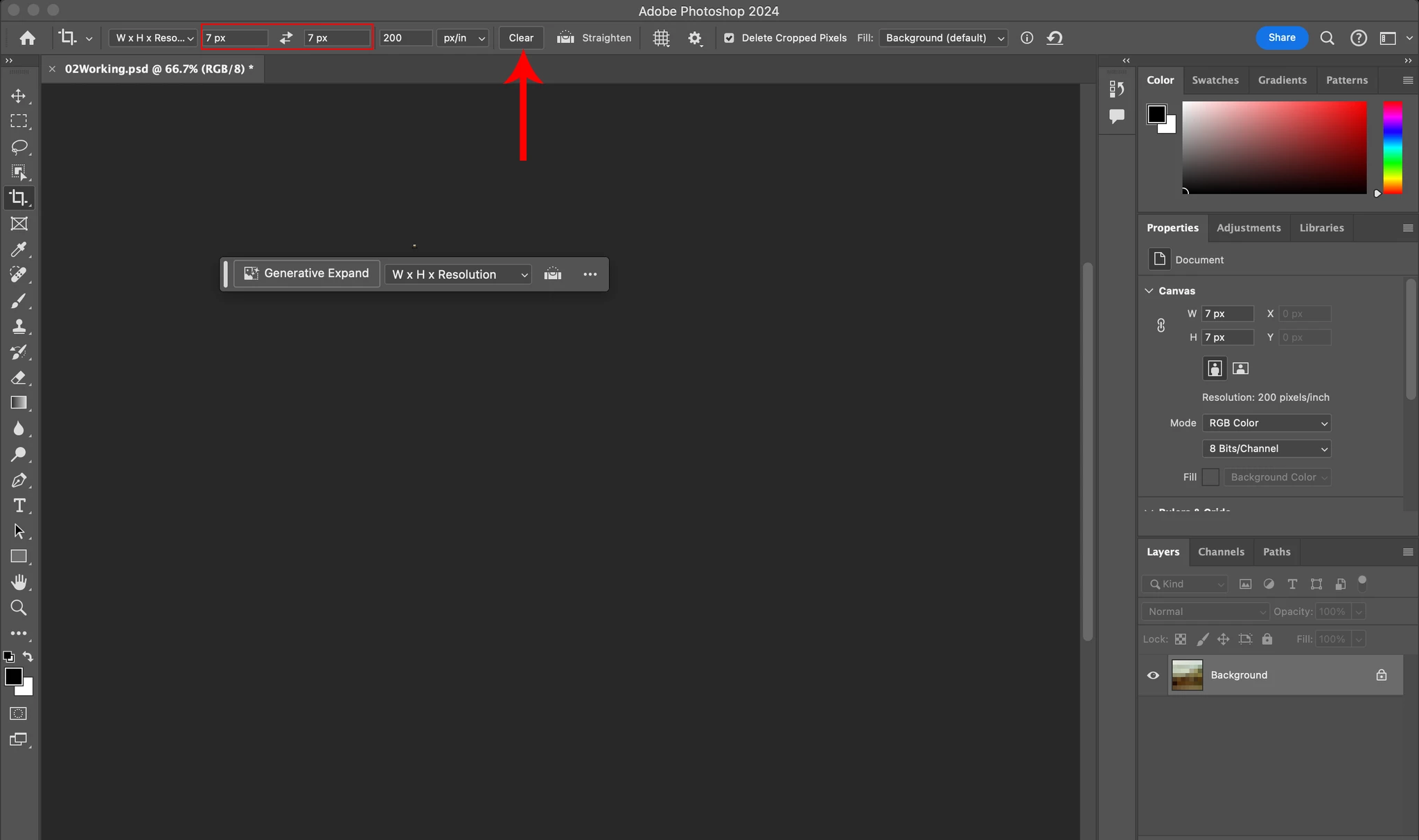
Everytime i try to crop it crops to this small pixelated square.

  • February 15, 2024
  • 1 reply
  • 783 views

I have a MacBook Pro 13-inch, 2016, Monterey 12.7.3

2.9 GHz Dual-Core Intel Core i5, 

8 GB 2133 MHz LPDDR3, 

Intel Iris Graphics 550 1536 MB, 


Everytime i try to crop it crops to this small pixelated square. Im following along in the "Photoshop Classroom in a Book" and have googled all i can to solve the issue or at least get an answer to what could be wrong. Is my computer out dated or something? I keep trying to run an older version of Ps but it automatically switches me back to 2024. I hope the screenshots are useful.
This topic has been closed for replies.
Correct answer Jeff Arola

Yes you have really small values entered in the Crop Tool Width and Height filelds.

Click on the Clear button in the tool options bar


1 reply

Jeff Arola
Community Expert
Jeff ArolaCommunity ExpertCorrect answer
Community Expert
February 15, 2024

Yes you have really small values entered in the Crop Tool Width and Height filelds.

Click on the Clear button in the tool options bar


ErrbiiesAuthor
Participant
February 15, 2024

Thats why im so confused bc those are the values the book says to put. Should i clear the values before I push crop? 

Jeff Arola
Community Expert
Community Expert
February 15, 2024

Your values are 7 px (pixels) instead of 7 in (inches) like in the last screenshot you posted and that's why the image is so small after being cropped.


Enter 7 in instead of 7 px