


Participating Frequently
July 6, 2017
Answered

Export Layers (Different sizes) as Tiff

  • July 6, 2017
  • 2 replies
  • 3351 views

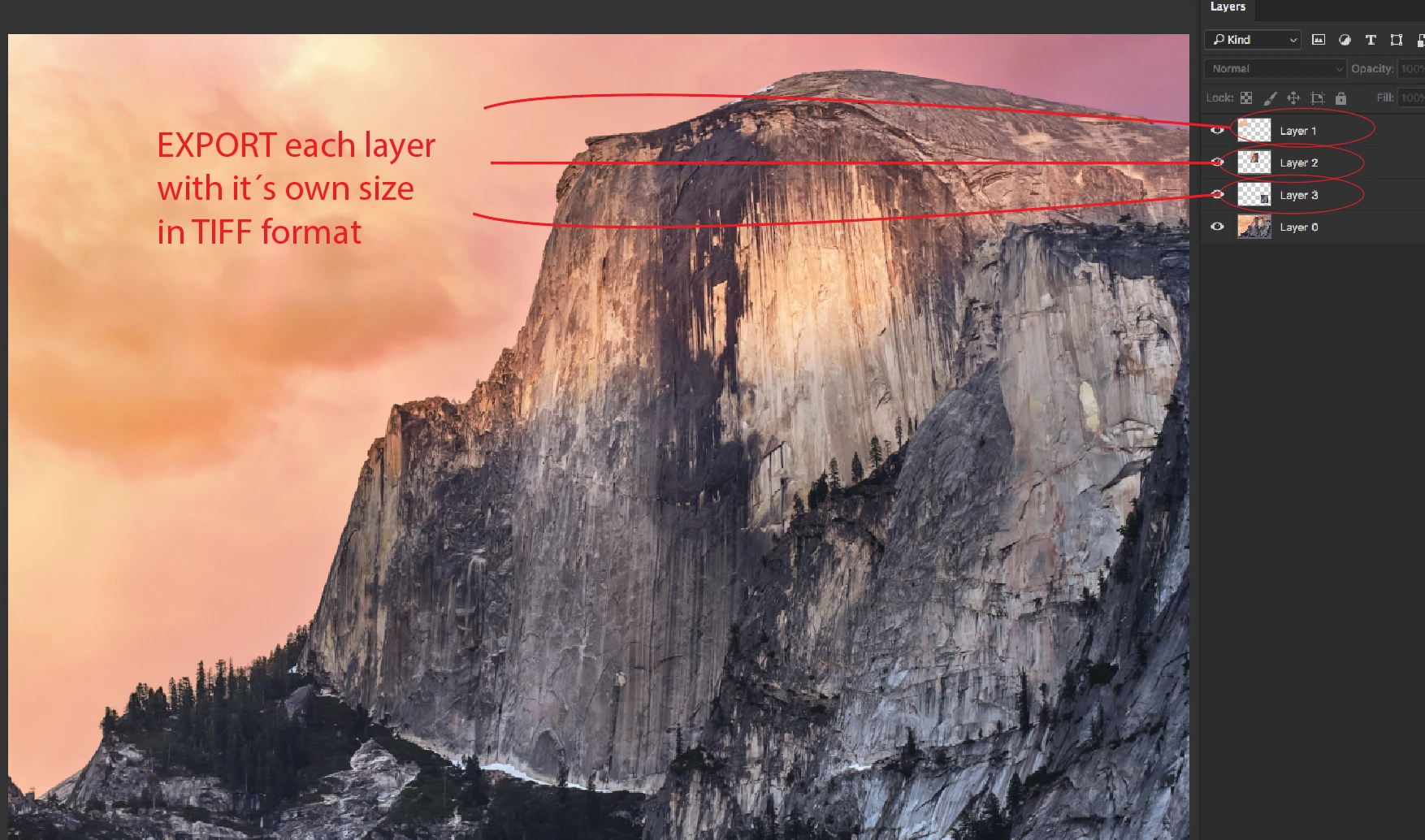
hello, i have tried of many ways without success to export several layers in TIFF format. I have a PSD file with multiple layers, i need to export each one to a TIFF file with the size of the content of each layer ( It´s like apply a trim to each layer).

The Photoshop fuction to do this, exports each layer with the same size and i doesn´t work for me.

Thank you for the help.
This topic has been closed for replies.
Correct answer SuperMerlin

You could try Paul's "Layer Saver" script.

PS-Scripts/Layer Saver.jsx at master · Paul-Riggott/PS-Scripts · GitHub

2 replies

SuperMerlin
SuperMerlinCorrect answer
Inspiring
July 7, 2017
JJMack
Community Expert
Community Expert
July 6, 2017

I think you may want you look at Adobe "Export Layers To Files.jsx"  it does what you want for PNG files.  Perhapse you could expand it TIFF output option and add a trim option.  Or you could export to trimmed PNG files then batch the png files to TIFF>

JJMack