
Inspiring
March 21, 2025
Answered

export RGBA PNG

  • March 21, 2025
  • 1 reply
  • 727 views

I'm trying to export RGBA as a PNG. 
I flattened the image due to smart objects not liking the conversion from 8bpc to 16. I have tried most of these permutations in both modes simply trying to get my alpha attached within PNG.
In the attached image you can see I have MODE=RGB, 8bpc (tho I really don't care if the final output is 8bpc or 16 since it will undergo yet another conversion outside of PS) ; you can see a nice Alpha in the channels. 
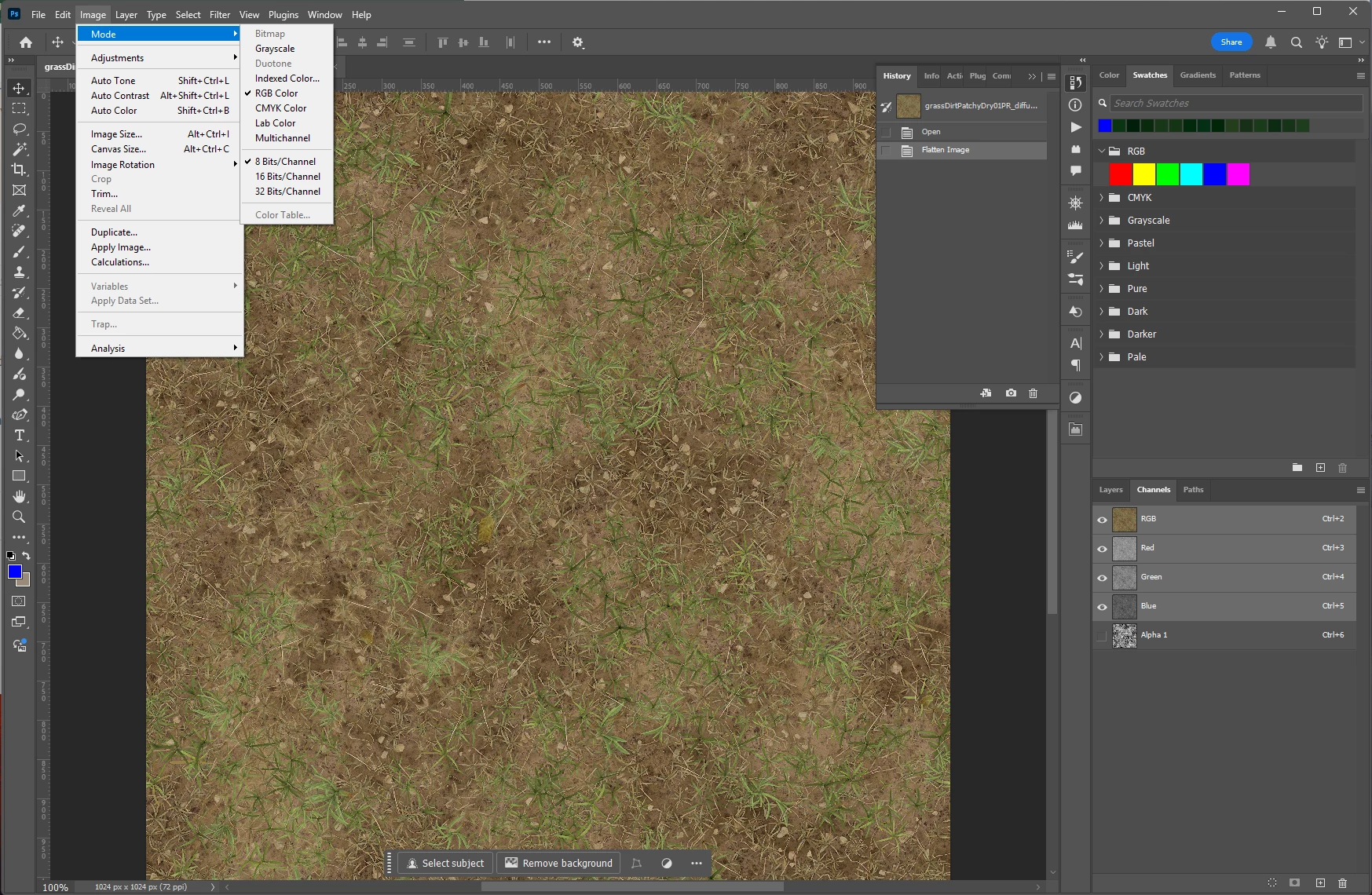

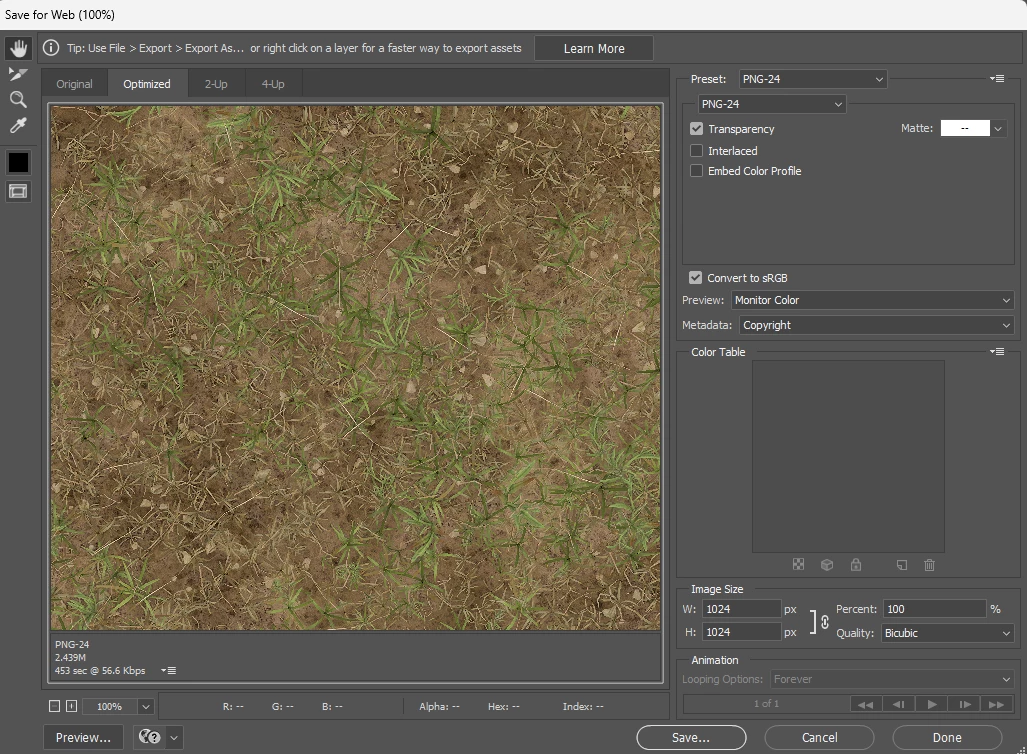
I thought I used to just export > legacy > select PNG-24 with transparency checked. 

I also tried quick export which just gives a 3-channel output 
I also tried Save as Copy but the transparency box is grayed out


Correct answer davescm

Sorry about that, it looks like their link is broken. Try this instead, it takes you to the page the other link should have gone to. https://www.fnord.com/  Scroll down for SuperPNG.


Dave

1 reply

davescm
Community Expert
Community Expert
March 21, 2025

Photoshop's PNG save will save transparancy to a PNG, but your example does not have transparancy. You are trying to save a separate alpha channel. To do that you will need a plug in such as SuperPNG which allows you to save that separate alpha channel in the PNG file.
https://github.com/fnordware/SuperPNG


Dave


Inspiring
March 21, 2025

Unfortunately the link therein is 404 Not Found. 
I downloaded the zip and searched it. There is no *.8bi therein.


davescm
Community Expert
davescmCommunity ExpertCorrect answer
Community Expert
March 21, 2025

Sorry about that, it looks like their link is broken. Try this instead, it takes you to the page the other link should have gone to. https://www.fnord.com/  Scroll down for SuperPNG.


Dave