
Inspiring
June 29, 2024
Answered

export to smaller file size has boudary?

  • June 29, 2024
  • 1 reply
  • 1023 views

Hi,


How to get the files size even smaller?

I have an image (3 MB) that I want in a smaller file size (150kB). But in PS the export as jpg quality setting makes the file output 350 kB. Also tried script/image processing / quality setting to 1, same result around 350 kB. 

There must be a way to compress even more? 


Also I want to do this in batch for a series of images, so if the solution could be able to, that would be great.
Correct answer Bojan Živković11378569

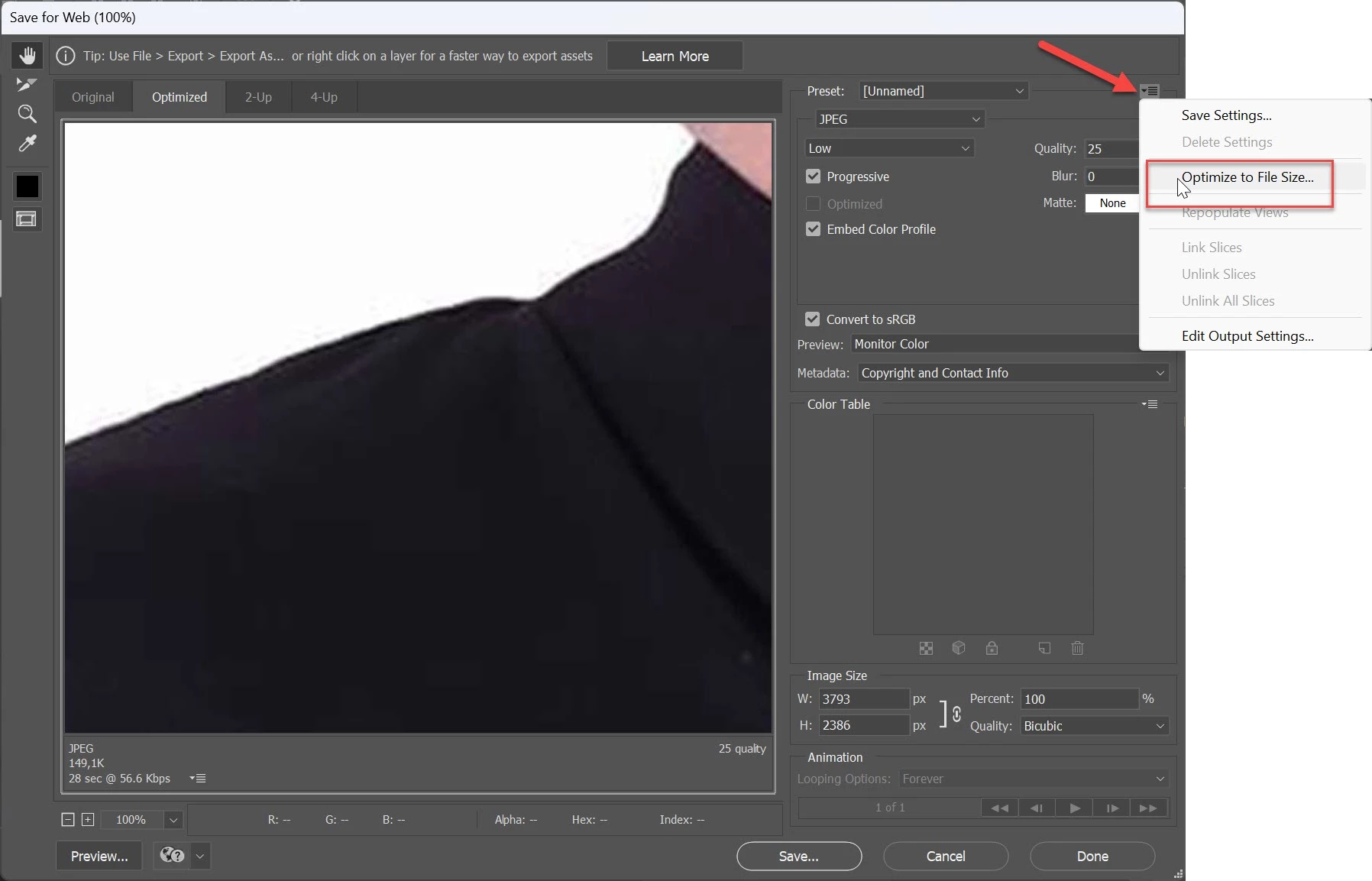
Have you tried Export > Save for Web > Optimize to File Size?

1 reply

didiermazier
Community Expert
Community Expert
June 29, 2024

Maybe if your pic is 16bits/channels convert first to 8 bits/channel…

What is the pixels size of these images?

Inspiring
June 29, 2024

images are 1920-1080 24 bit. But I see no 8 bit option on the jpg export selection.

Bojan Živković11378569
Community Expert
Community Expert
June 29, 2024

Have you tried Export > Save for Web > Optimize to File Size?