meefox
Participant
March 31, 2018
Question

Export to SVG gives shifted colors

  • March 31, 2018
  • 1 reply
  • 1613 views

I try to export assets from PSD to SVG.

And got shifted colors.

please check the image below:
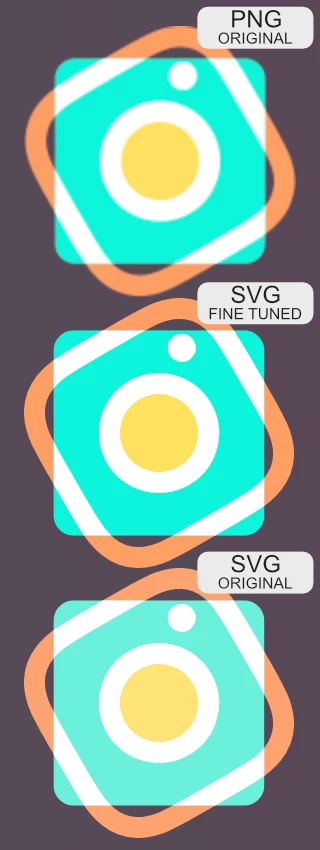
This picture shows how different pictures look in browsers.

PNG - is the same as PSD,

SVG fine-tuned, I just apply hex code from the PNG

SVG Original with this colors exported by default.

Is it possible to do something without applying RGB gamut and refine all the colors?

Thank you.

This topic has been closed for replies.

1 reply

D Fosse
Community Expert
Community Expert
March 31, 2018

This is why color management was invented. It solves exactly these problems.

Work in an appropriate color space (probably sRGB for this), make sure the icc profile is embedded in the file, and use only color managed software to view the file. That includes web browsers, image viewers and so on. Most of them are not color managed - so find those that are.

This is the only way to get color consistency. Color managed applications should always display identically.

meefox
meefoxAuthor
Participant
March 31, 2018

If you exporting to PNG you have an option to embed a color profile, but not for SVG.

rob day
Community Expert
Community Expert
March 31, 2018

Neither Photoshop or Illustrator let you embed a profile with an SVG. Looks like there is some support for profiles in SVG coding, but in the end you should just color correct in sRGB either via an assignment or setting your RGB working space to sRGB.

Color – SVG 1.1 (Second Edition)