Exit
  • Global community
    • Language:
      • Deutsch
      • English
      • Español
      • Français
      • Português
  • 日本語コミュニティ
  • 한국 커뮤니티
0

Exporting JPEG file cuts off image

Community Beginner ,
Oct 13, 2020 Oct 13, 2020

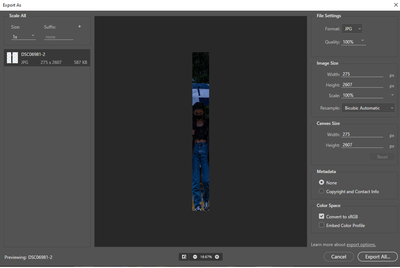
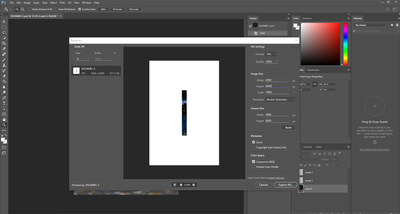
I am new to photoshop.  This is what my photoshop looks like when I try to export. 

xrp1.pngxrp1-1.png


As you can see, the image is cut off, I thought maybe it was just not loading the preview so I pressed export and the image was indeed cut off.

I noticed if I disabled Layer 2, the image isn't cut off.  


3.7K
Translate
Report
Community guidelines
Be kind and respectful, give credit to the original source of content, and search for duplicates before posting. Learn more
community guidelines

correct answers 1 Correct answer

Community Beginner , Oct 13, 2020 Oct 13, 2020

That seemed to have worked, thanks, wonder why it did that

Translate
Adobe
Community Expert ,
Oct 13, 2020 Oct 13, 2020

Hi fix the width value in export all will be ok.....regards

Ali Sajjad / Graphic Design Trainer / Freelancer / Adobe Certified Professional
Translate
Report
Community guidelines
Be kind and respectful, give credit to the original source of content, and search for duplicates before posting. Learn more
community guidelines
Community Beginner ,
Oct 13, 2020 Oct 13, 2020

It still didn't fix it, I first changed the canvas size to 4000x6000, the image size as well, but the image is still cut off:


jzhang172_0-1602640851290.png


Translate
Report
Community guidelines
Be kind and respectful, give credit to the original source of content, and search for duplicates before posting. Learn more
community guidelines
Community Expert ,
Oct 13, 2020 Oct 13, 2020

Hi use save for web command in export this will be easy for you....regards

Ali Sajjad / Graphic Design Trainer / Freelancer / Adobe Certified Professional
Translate
Report
Community guidelines
Be kind and respectful, give credit to the original source of content, and search for duplicates before posting. Learn more
community guidelines
Community Beginner ,
Oct 13, 2020 Oct 13, 2020

That seemed to have worked, thanks, wonder why it did that

Translate
Report
Community guidelines
Be kind and respectful, give credit to the original source of content, and search for duplicates before posting. Learn more
community guidelines
Community Expert ,
Oct 13, 2020 Oct 13, 2020

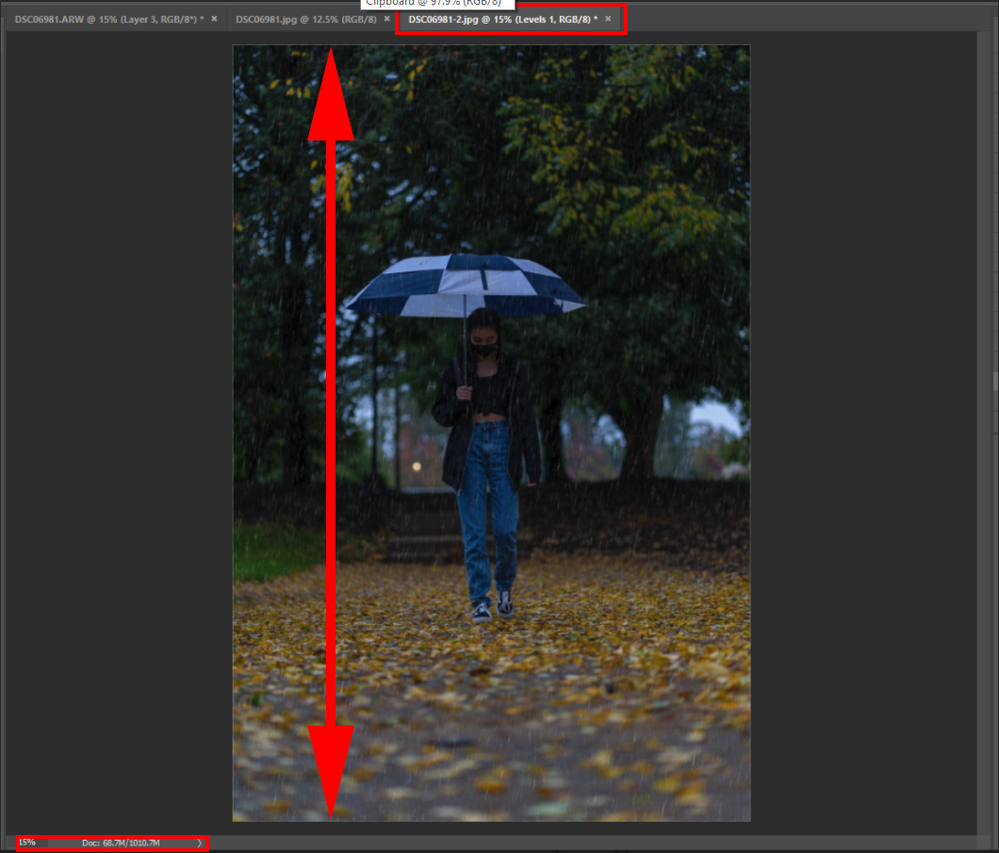
Export is a web tool. It has limitations and was designed to save web size images.  How big is your document canvas when it is zoomed to 15% the height nearly fills the height of Photoshop image display area? Your Document canvas is much larger than a web size image.

image.png

JJMack
Translate
Report
Community guidelines
Be kind and respectful, give credit to the original source of content, and search for duplicates before posting. Learn more
community guidelines
Community Beginner ,
Oct 13, 2020 Oct 13, 2020

The canvas size is 4000 pixels for width and 6000 pixels for height and 16.667 inches by 25 inches

Translate
Report
Community guidelines
Be kind and respectful, give credit to the original source of content, and search for duplicates before posting. Learn more
community guidelines
Community Expert ,
Oct 13, 2020 Oct 13, 2020
LATEST

Use Save As

JJMack
Translate
Report
Community guidelines
Be kind and respectful, give credit to the original source of content, and search for duplicates before posting. Learn more
community guidelines