
Exporting PNG files with 300 pixels/inch resolution and sRGB color profile
I am responsible for exporting graphic images from Photoshop into high resolution PNG files for use in both digital and paper crafting. I work on a MacOS Mojave and am currently using Photoshop CC 2019.
I am sharing my process below to demonstrate the problems I am having with retaining 300 pixels/inch resolution and sRGB color profile in my exported images.
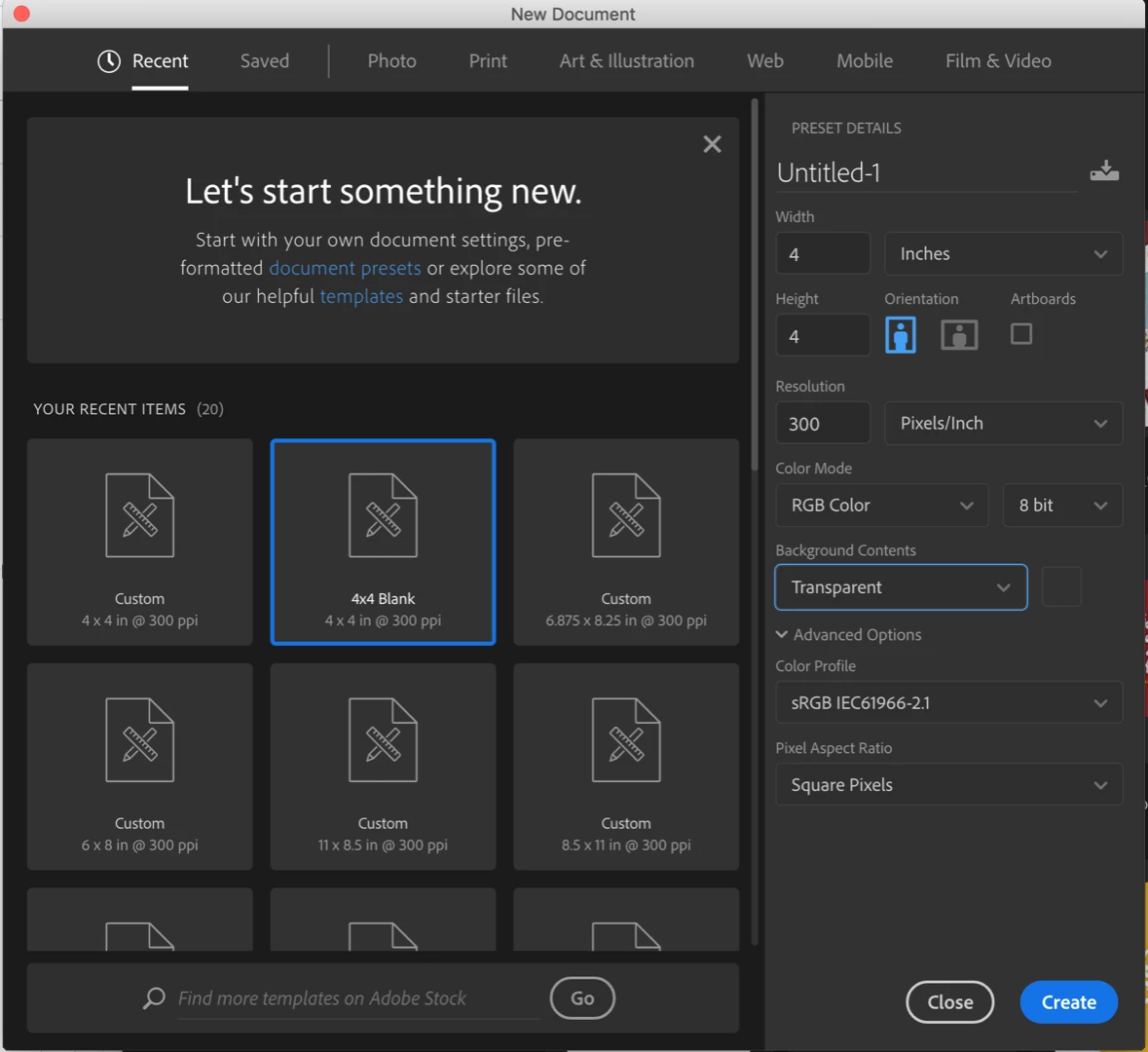
I start the process by creating a new document with a resolution of 300 pixels/inch and sRBG Color Profile.
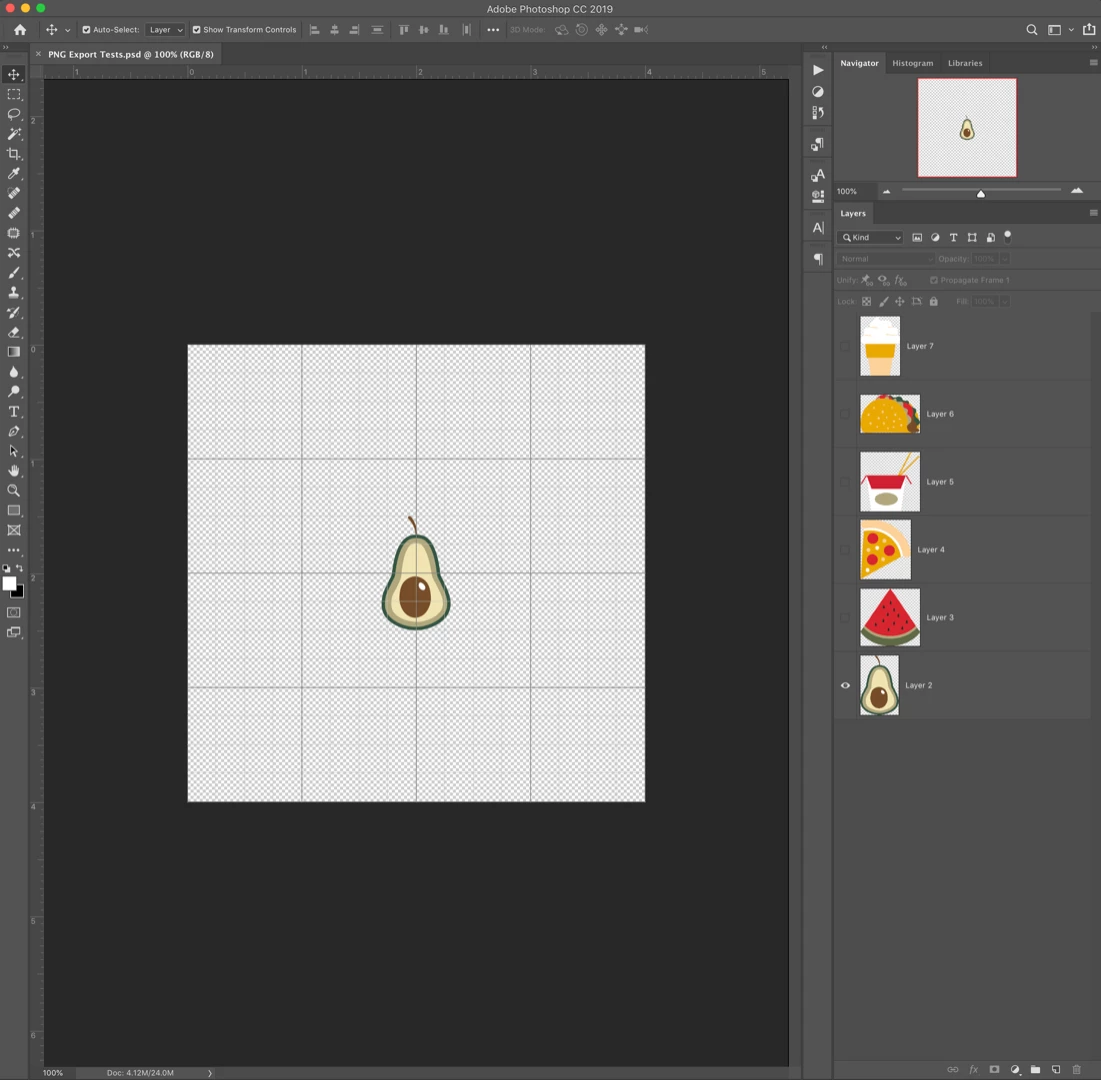
I then copy the graphic images from Illustrator into individual layers in my Photoshop document.
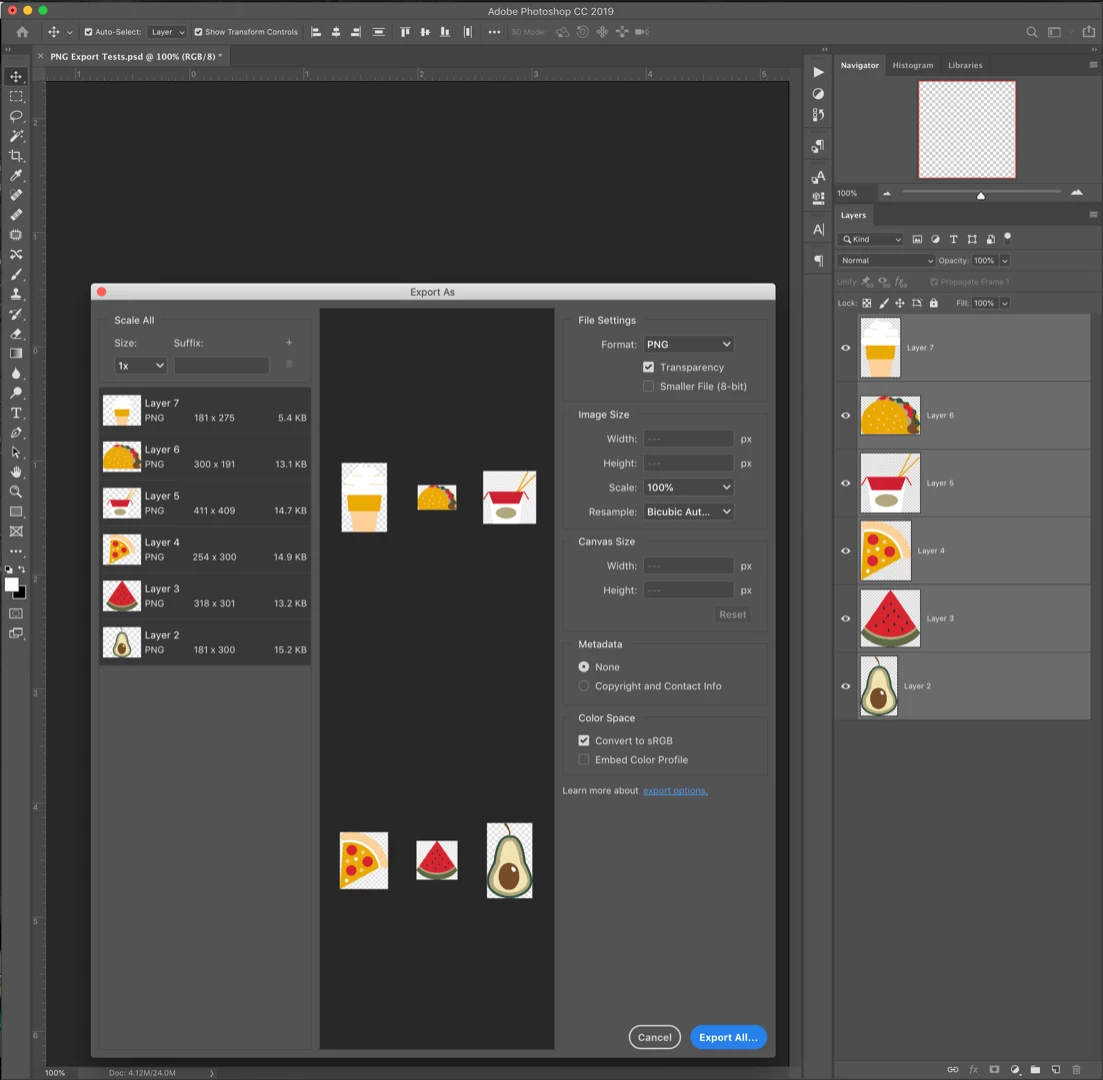
I have been using the 'Export As...' option in the layers panel as a shortcut because there are often hundreds of images to export in one kit. I select the PNG format, the 'Transparency' checkbox, and 'Convert to sRBG' checkbox.
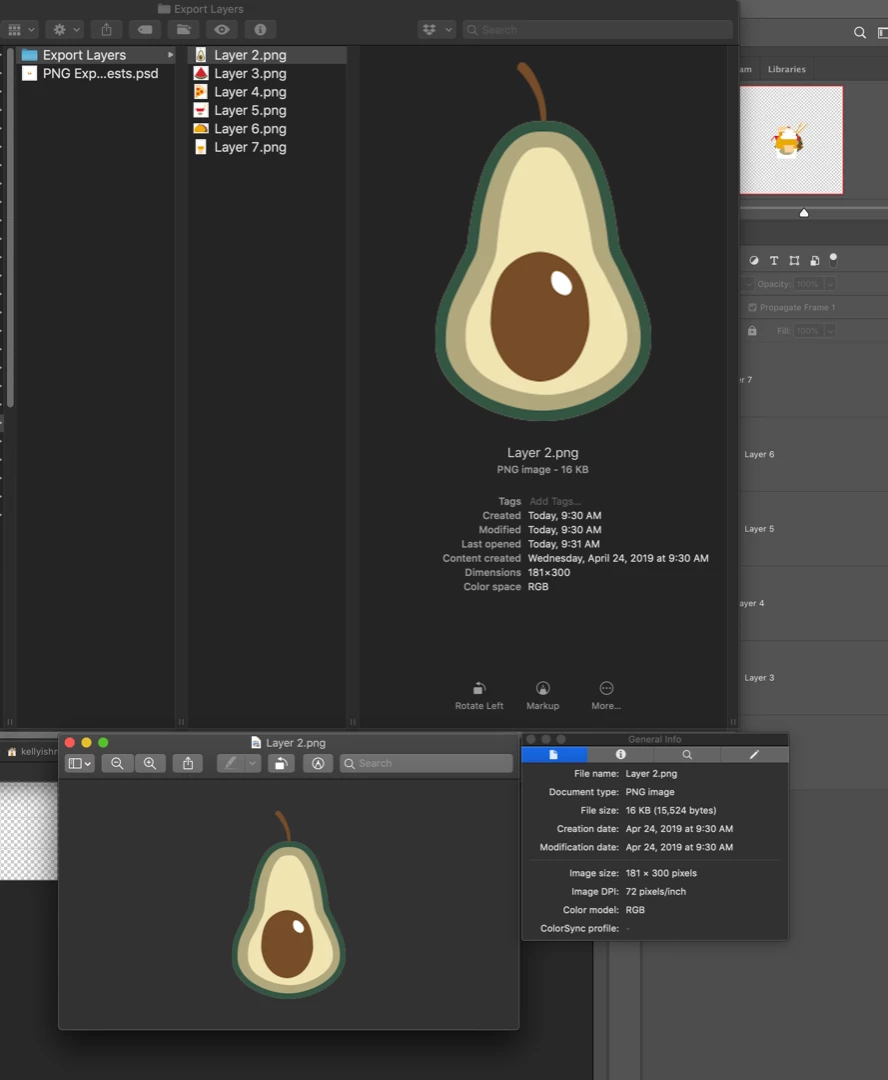
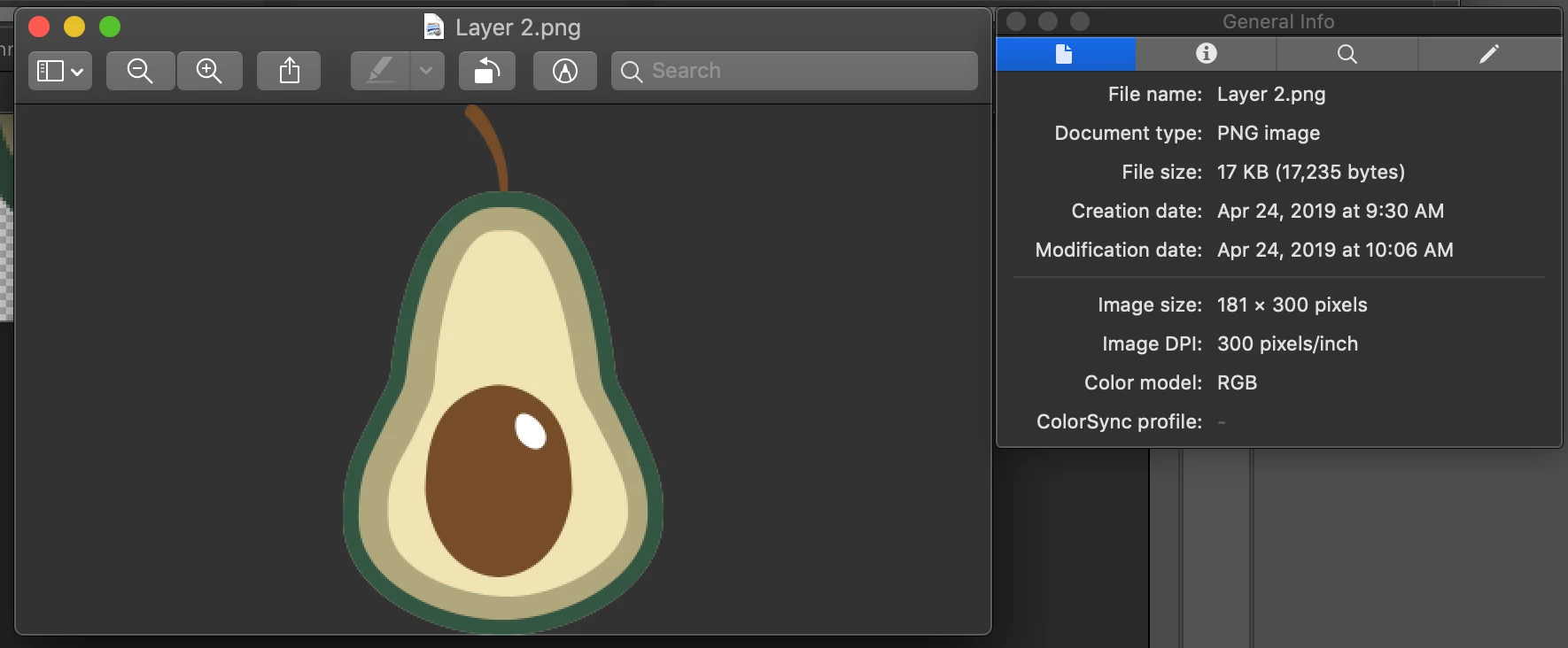
Upon viewing the image in Preview, the exported images did not appear to retain the sRGB Color Profile (according to the ColorSync profile) and the resolution is only 72 pixels/inch.
If I use the 'Save As...' option, it appears to retain both the 300 pixels/inch resolution and the sRBG color profile.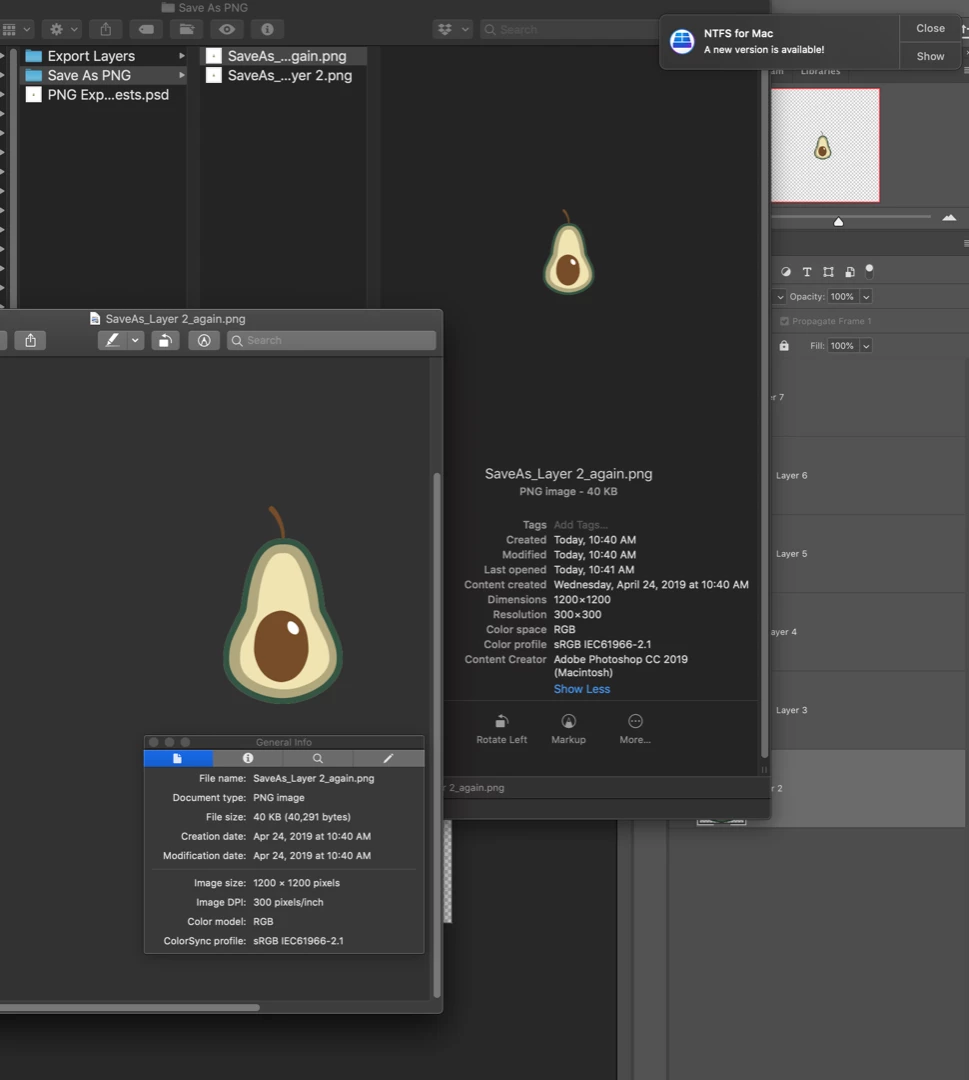
Once again, with hundreds (or even thousands) of images to export, the 'Save As...' is both extremely cumbersome and time-consuming.
I researched the problem with the resolution at length and discovered that the exported resolution of 72 pixels/inch is a known issue with the PNG layer export. In one of the other forums, I found a workaround for the resolution issue using the Batch processing tool to increase the resolution to 300 pixels/inch.
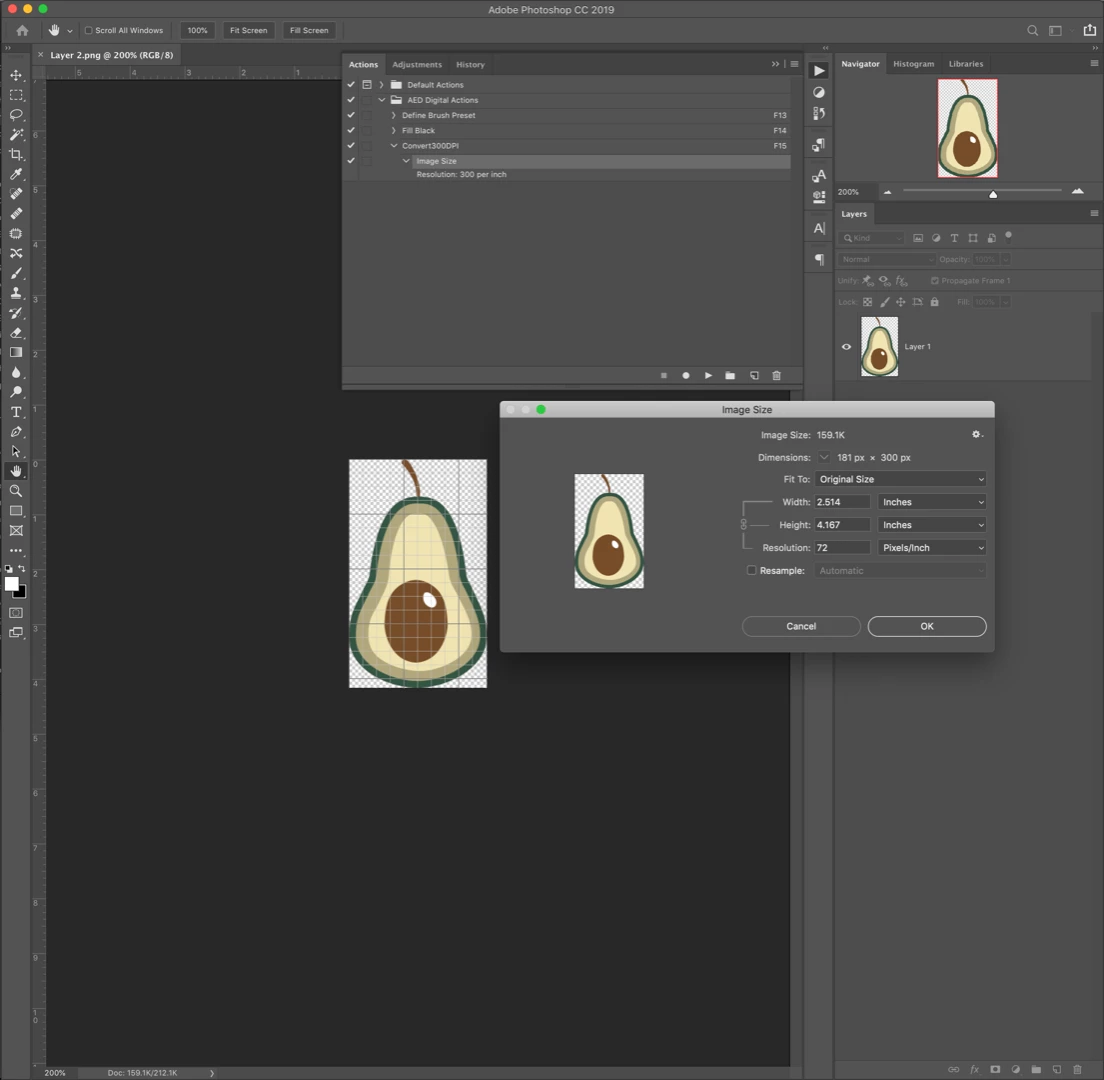
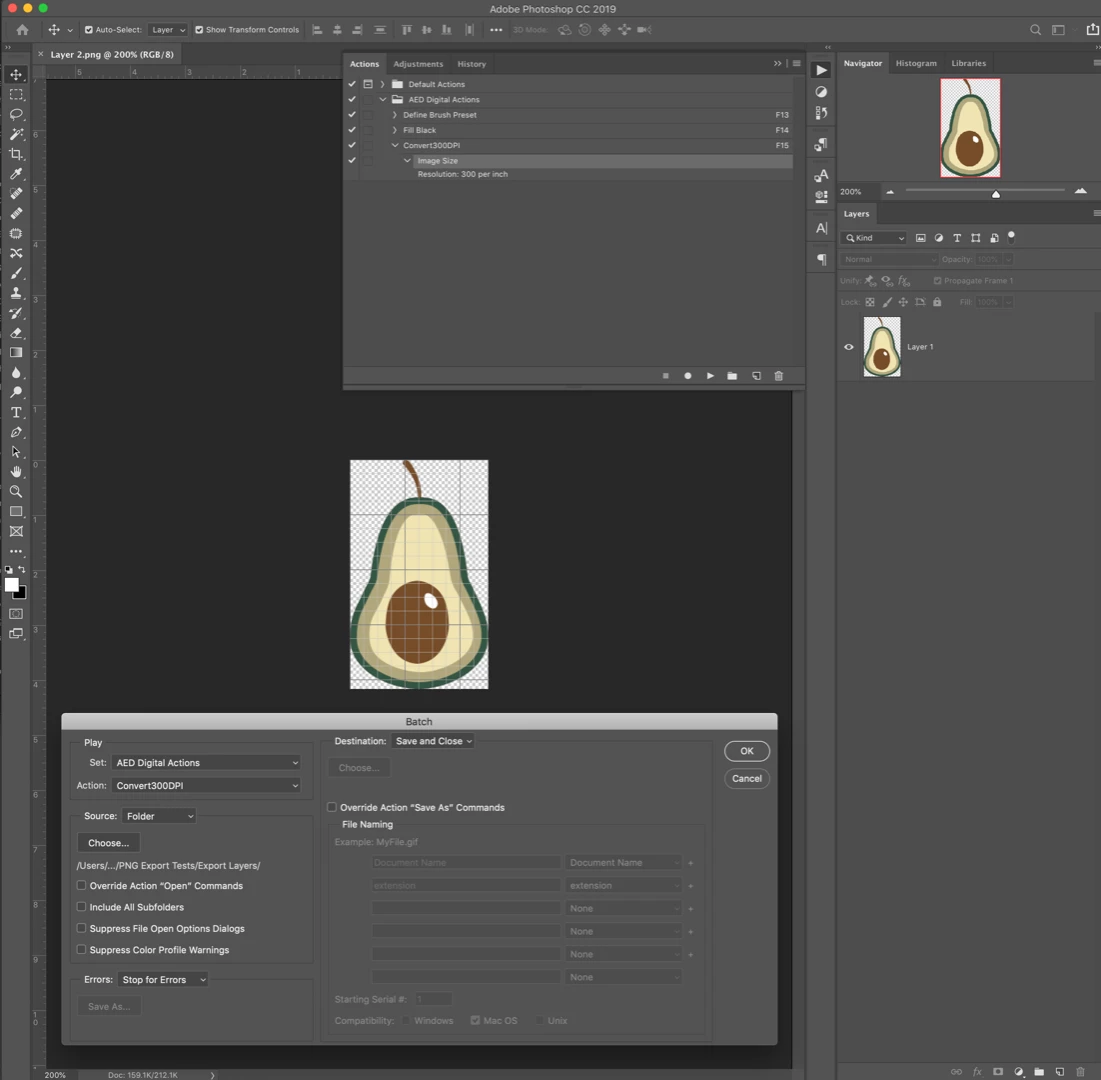
This batch action updated the resolution for all of the images in the folder as described in the workaround.
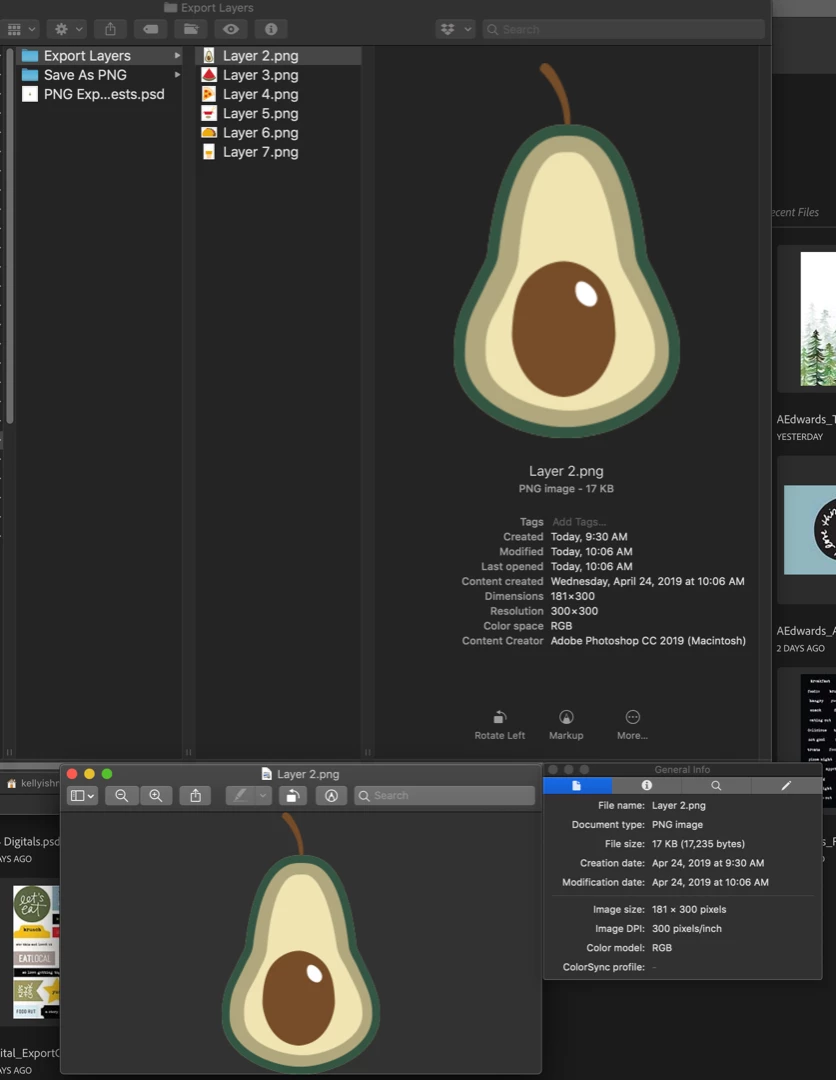
When I open the batch-processed image in Photoshop it confirms the resolution at 300 pixels/inch.
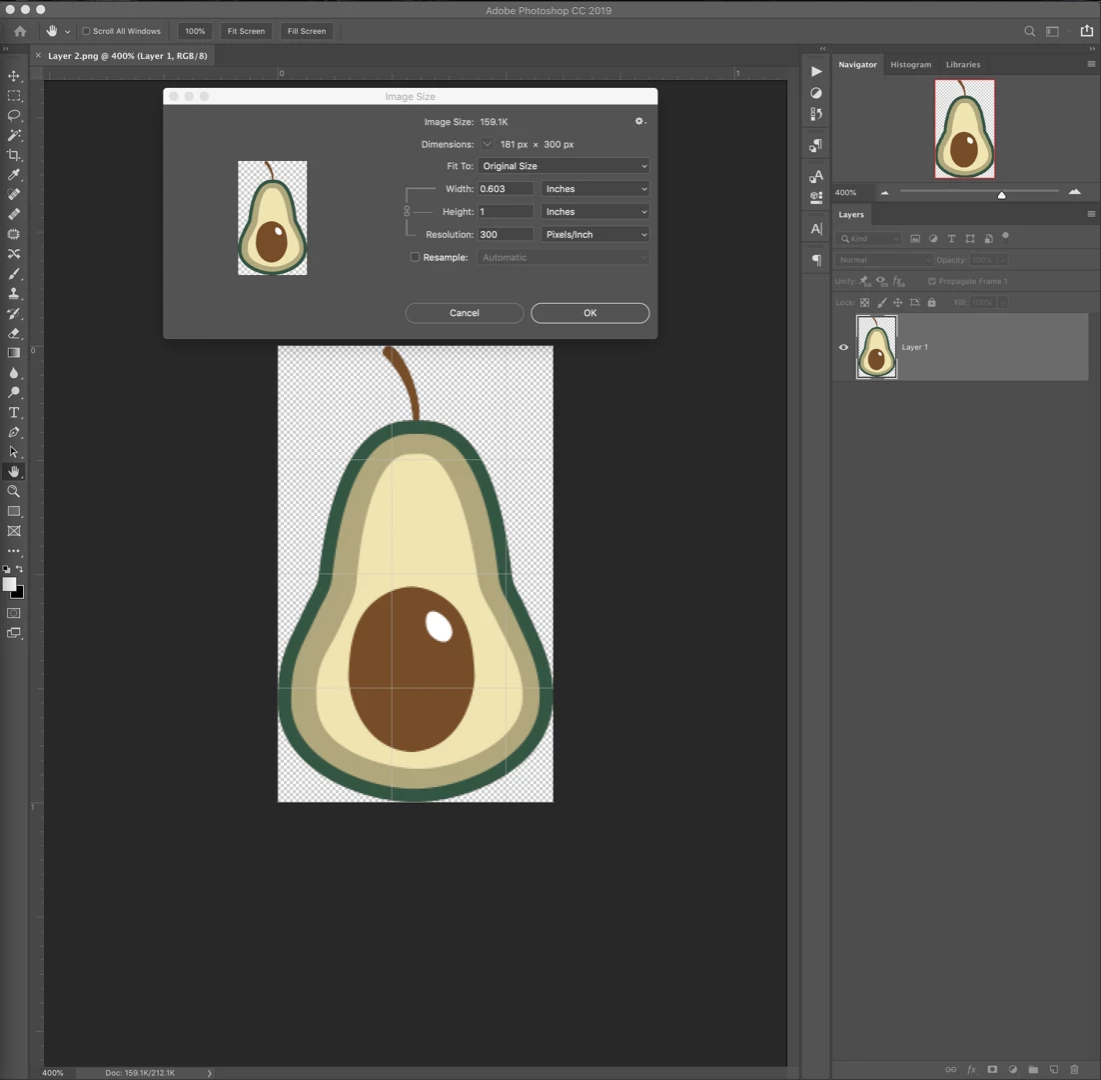
Regarding the Color Space issue, in Preview, based on the ColorSync profile, it appears that my images did not retain the sRGB profile.
But, when I check the colorspace by selecting Edit>Convert to Profile... I see that the Profile in the Source Space is sRGB.
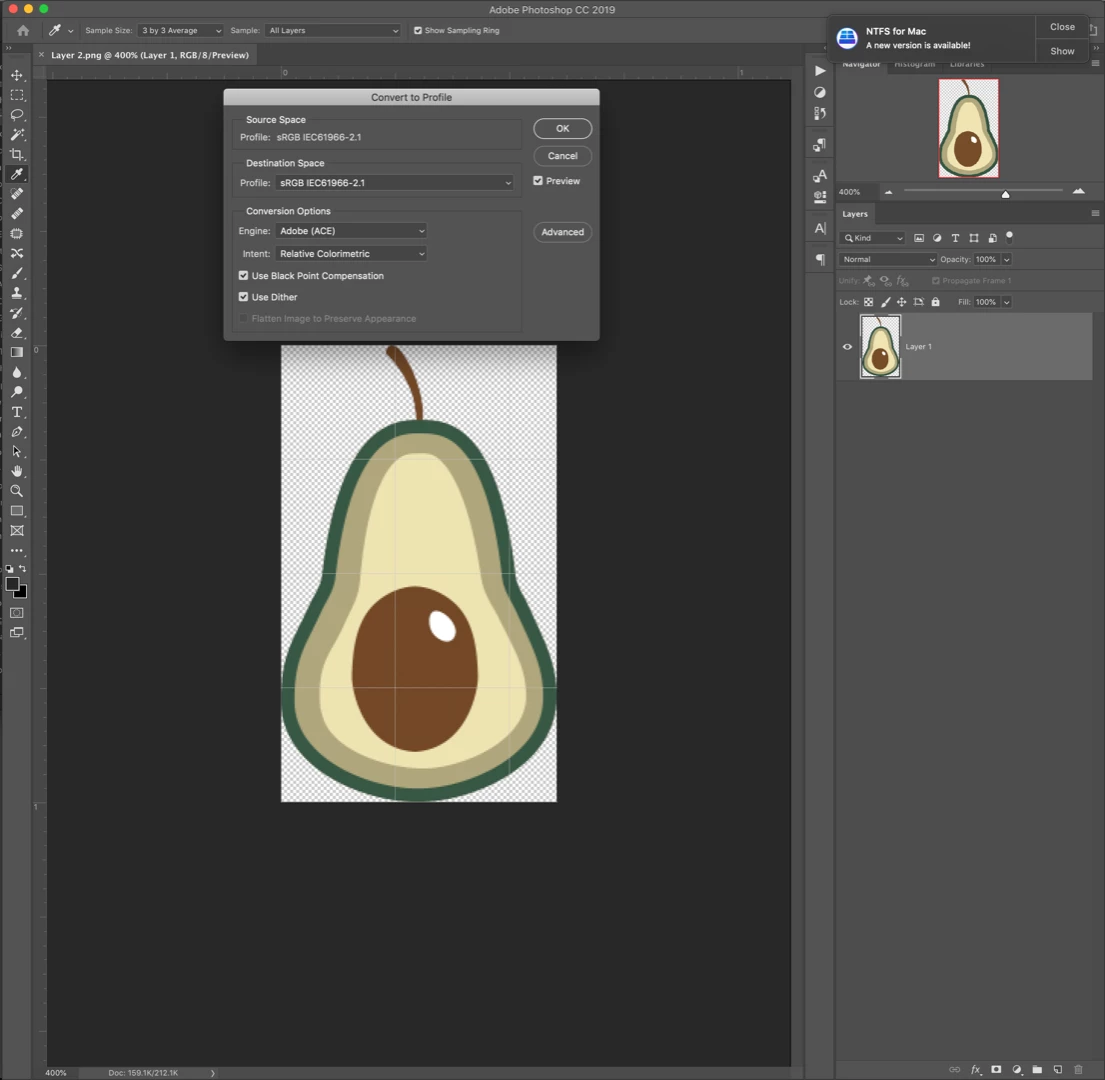
Does this mean that the sRGB color profile has been retained? Even if the ColorSync profile in the image preview information is blank?
Thank you in advance for your help. I would appreciate any insight on these issues as I am trying to making this process as efficient as possible.
Kelly Ishmael
 AdChoices