Known Participant
May 20, 2023
Answered

Exporting to PNG dramatically reduced file size

  • May 20, 2023
  • 2 replies
  • 2088 views

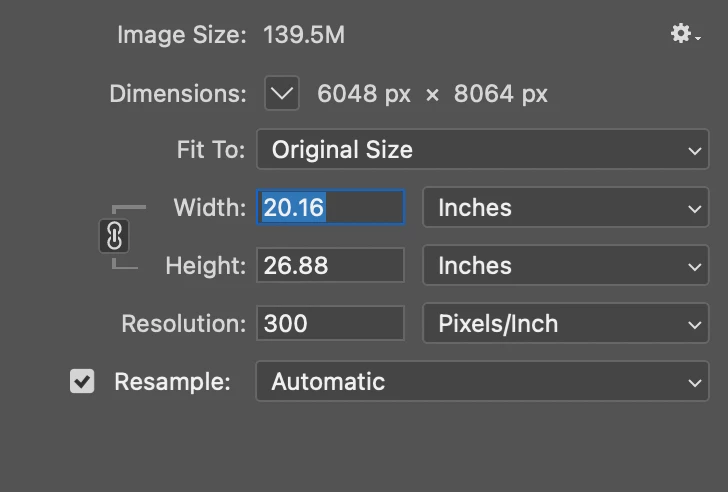
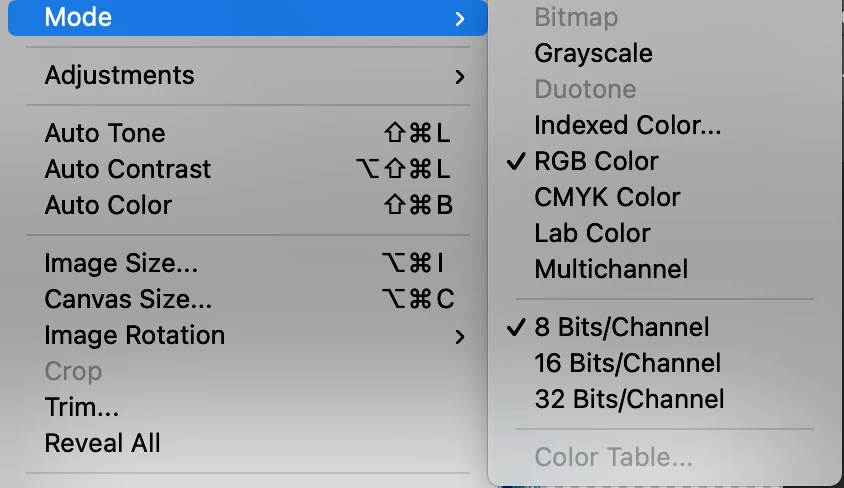
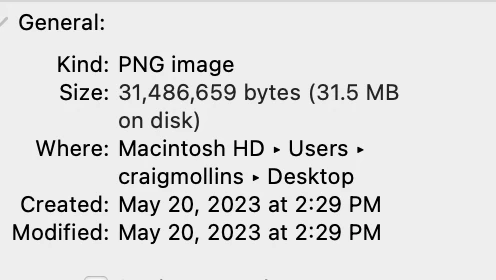
Hey Everyone. I'm exporting a file from photoshop, the file is 139 M. When I export to a PNG it arrives as 31 M. The mode is RBG 8 Bits channel. I've also tried "saving as PNG but that option is not available when I go to File, Save As. 
 

This topic has been closed for replies.
Correct answer davescm

Shortened version - PNG files stored on disk are compressed to save storage space, therefore are smaller than when the file is opened and in use on your PC. 🙂


Dave

2 replies

davescm
Community Expert
Community Expert
May 20, 2023

There is nothing wrong there. 139MB is the file size in computer memory (RAM) based on 48.8 MPixels x 3 bytes (one byte for each RGB color value)


When saved to disk, the file is compressed to save disk space. In the case of PNG the compression is lossless and every pixel will be opened at its original value when the file is reopened.


Note : The compression in PNG is lossless, as is TIFF and PSD. The compression in jpeg is lossy - so although files on disk are much smaller, all pixels are not returned to their original value on re-opening. That is why jpeg is not recommended for repeated editing.


Dave

Known Participant
May 20, 2023

Ok, that's great to hear. I don't fully get the tech details, but thank you, I appreciate your help.

davescm
Community Expert
davescmCommunity ExpertCorrect answer
Community Expert
May 20, 2023

Shortened version - PNG files stored on disk are compressed to save storage space, therefore are smaller than when the file is opened and in use on your PC. 🙂


Dave

Known Participant
May 20, 2023

Is there a way to export it to PNG that will retain close to the same file size?