Participant
March 15, 2023
Answered

Extra transparent pixel when resizing canvas & when exporting from Illustrator

  • March 15, 2023
  • 3 replies
  • 468 views

Hello! I am having two main issues with Photoshop.

Photoshop version: Adobe Photoshop Version: 24.2.0 20230218.r.315 28c9f72 x64

PC version: Windows 10 Pro


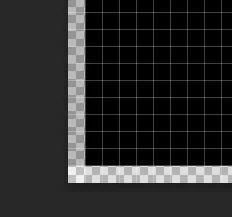
Issue one is that Photoshop adds a transparent px when resizing the files. This is not visible to the eye and inside photoshop it does not appear as if there is any transparency, but when uploading the file in the coding software the lowest layer becomes visible. Is there a way to solve or overcome this issue? 


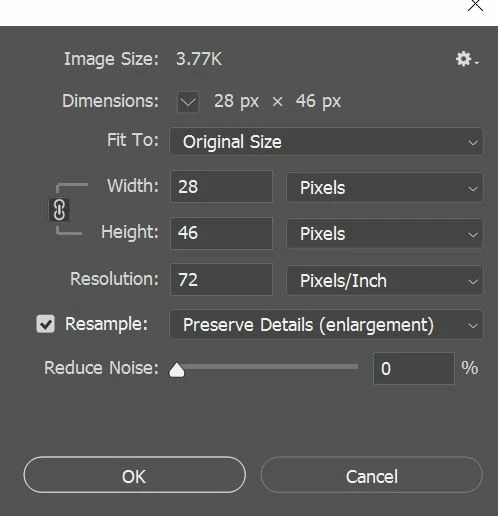
The second issue emerges when exporting as a .psd file from illustrator, the .psd file has 1px more in width and height (I added the walkthrough and screenshots below).

Step 1: open a new canvas in AI, place the icon on the canvas, and size it accordingly to the icon (e.g. 27x45)

Step 2: export > export as.. > type: photoshop (use artboards selected) > setting as follows
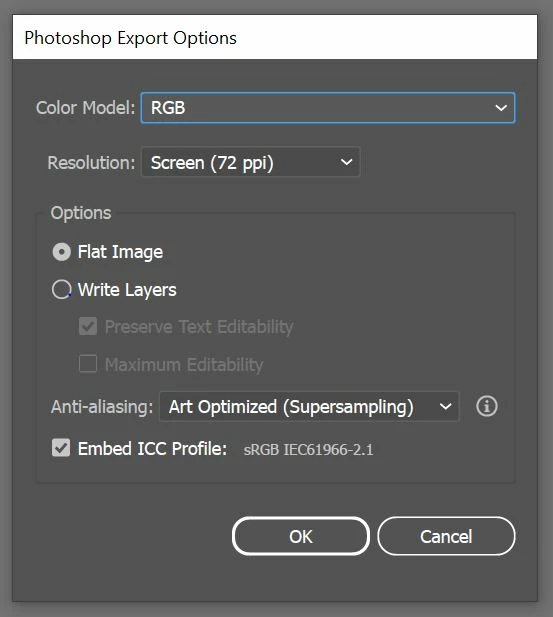
Step 3: open the .psd file in photoshop and the size is now different (28x46). An exrta pixel has been added 
This has caused many issues, especially when creating gifs, as the steps in the animation end up moving even so slightly by one pixel left or right when exporting the files from AI to photoshop.


I would be very grateful if anyone had any insight on these two topics.

Thank you!

This topic has been closed for replies.
Correct answer Kevin Stohlmeyer

Hi @ACRossi in Illustrator are you using Pixel Perfect workflows?

https://helpx.adobe.com/illustrator/how-to/pixel-perfect.html

If not - AI is adjusing/adding a pixel due to your artwork not being aligned to a single pixel grid.

3 replies

ACRossiAuthor
Participant
March 16, 2023

Hi @Kevin Stohlmeyer, thank you for your suggestion!

I didn't know about this workflow. With these settings, the additional pixel is not present anymore when exporting from AI to PS, and it should also avoid the need for resizing the file in photoshop as an extra step that also caused issues within the file.

I will have to discuss this with the developers' team to see if this process fixed the first issue (of the lower layer visible which created an unwanted border to appear in the software), but hopefully, this fixed the problem!

Kevin Stohlmeyer
Community Expert
Kevin StohlmeyerCommunity ExpertCorrect answer
Community Expert
March 15, 2023

Hi @ACRossi in Illustrator are you using Pixel Perfect workflows?

https://helpx.adobe.com/illustrator/how-to/pixel-perfect.html

If not - AI is adjusing/adding a pixel due to your artwork not being aligned to a single pixel grid.

Kevin Stohlmeyer
Community Expert
Community Expert
March 15, 2023

Hi @ACRossi what are your View>Snap To settings?