djile
Known Participant
January 3, 2020
Question

Extreme banding in photoshop CC 2020 Windows and macOS

  • January 3, 2020
  • 3 replies
  • 5266 views

Hi All,

This is the second time I've written about this problem, I thought I solved the problem but i didn't.
First of all I want to say, I have tried absolutely everything to solve this problem, and I failed.
- I tried all combinations Prefernces/performance/all combinations - failed
- I tried fresh installs,  windows, updates, drivers, without monitor calibration, and later with monitor calibration - failed 
- I tried windows 7 so it came back to windows 10 again... 
-  I tried with files 16 bits and 8 bits, converted 16 to 8 bits and vice versa... 
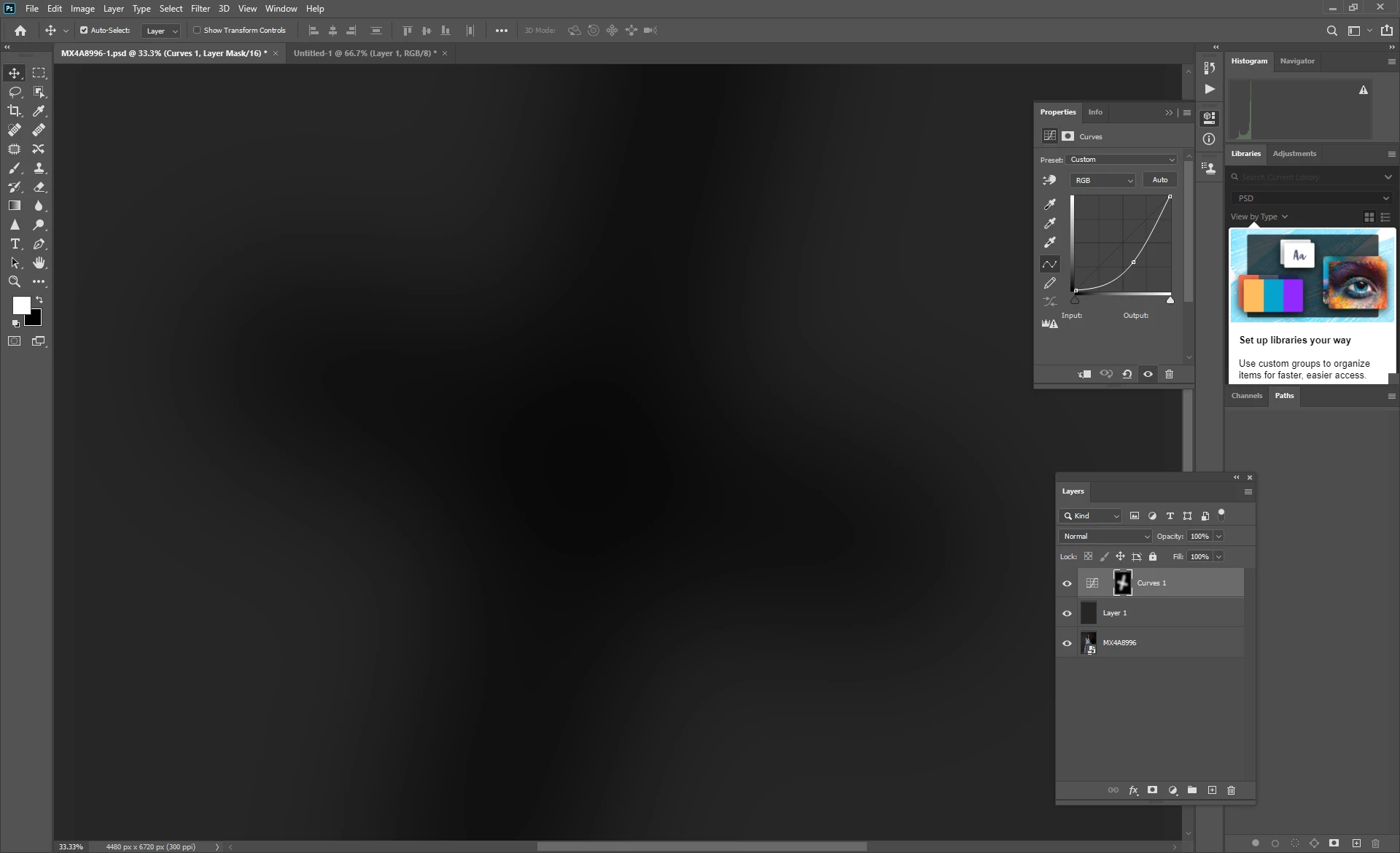
This is an example on the Solid color layer to make banding clearer, it is the same when I working with studio image 16 or 8 bits.
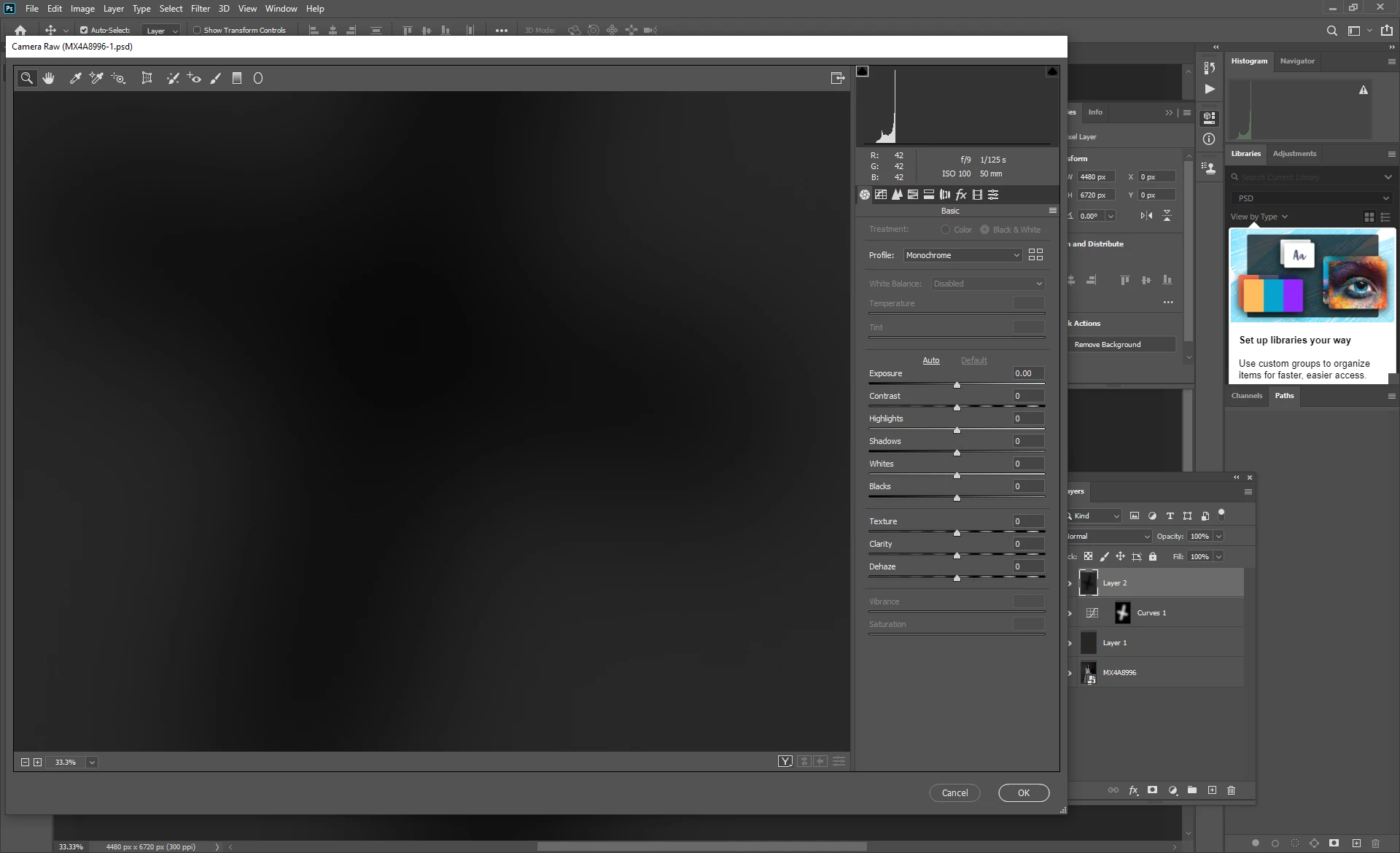
So banding appears in photoshop, but when I merge the layers and open in adobe camera raw, the banding disappears...
Therefore, it is more than obvious that some set-up is not good in photoshop so what's the problem?
Once again I have the same problem on windows PC and macbook pro, so the operating system is not a problem, drivers are not a problem, hardware is not a problem,...  (My Windows PC has a 10 bit monitor + radeon RX 580 )

Same problem on 2 operating systems!

https://drive.google.com/open?id=1uVutnGGf-PxOXmoKFN8PniDo6-Bzercf 
https://drive.google.com/open?id=1Ea1el5V3ei8WJFAJ0O-VpZ6pgGaxeiJS 
https://drive.google.com/open?id=14mEs9g1g4oFCMyHDykmhIDYdQLcV_RaI 


This topic has been closed for replies.

3 replies

Participant
November 13, 2024

Hi,


I have taken a series of night frames with my Nikon Z8 and some dark bias frames. In photoshop with 30 of those frames loaded as layers I change the blend mode to lighten and then flattening the image I can see strange ellpitical banding. I can only see the banding in photoshop after I flatten it or try to save it as jpeg etc. If I reduce the resolusion of the image from 8256 to 5000 pixels I can barely see the banding after flattening it. I then looked at my dark bias RAW frames (shots to find hot pixels taken at the same ISO, aperture & shutter with the lens cap on so no light can enter to reveal hot pixels) I can reaveal the banding by pushing the exposure up by 5 stops. I can't see the banding in Nikon NX software or if I export the dark frames as DNG's from lightroom so it appears that there is some feature in Lightroom/Photoshop causing it. I would be very grateful for help with this issue. 

Thx

Gareth

silk-m
Community Expert
Community Expert
January 4, 2020

Hi,

I can display 10bit in the following environment.

Photoshop ver. 21.0.2

macOS Catalina 10.15.2
Mac mini (2018) 3 GHz 6-Core i5
Monitor EIZO CS2730 + ColorNavigator 7.0.8.3

Intel UHD Graphics 630:

  •   Chipset Model: Intel UHD Graphics 630
  •   Type: GPU
  •   Bus: Built-In
  •   VRAM (Dynamic, Max): 1536 MB
  •   Vendor: Intel
  •   Device ID: 0x3e9b
  •   Revision ID: 0x0000
  •   Metal: Supported, feature set macOS GPUFamily2 v1

  Displays: CS2730:

  •   Resolution: 2560 x 1440 (QHD/WQHD - Wide Quad High Definition)
  •   UI Looks like: 2560 x 1440
  •   Framebuffer Depth: 30-Bit Color (ARGB2101010)
  •   Main Display: Yes
  •   Mirror: Off
  •   Online: Yes
  •   Rotation: Supported
  •   Automatically Adjust Brightness: No
  •   Connection Type: DisplayPort


I turned on and off the 30 Bit Display and took screenshots.


And apply the following tone curve to that 8bit screenshot.

30 Bit Display is OFF

30 Bit Display is ON

From this result, I think 30 bit display is possible.

--Susumu Iwasaki
D Fosse
Community Expert
Community Expert
January 4, 2020

In that case it has to be somehow run by the Metal framework in MacOS, not by the Intel GPU driver which does not support 30 bits. Intel GPUs have never, ever, supported 30 bit display. But perhaps this is why the video driver is integrated into MacOS, as opposed to a discrete and separate component as in Windows.


On Windows the requirement is strictly Radeon Pro, or nVidia Quadro. Recently, nVidia started to offer a "studio" branch of drivers for GeForce cards, which also supports OpenGL 30 bit color. I don't know how reliably that works, but on Quadro cards it's rock solid.

D Fosse
Community Expert
Community Expert
January 3, 2020

With an 8-bit display pipeline there will always be banding in a narrow gradient like this. You many have a 10-bit capable monitor - but you also need a 10-bit capable video card, i.e. a Radeon Pro series card.


In addition you need to view at 66.67% zoom ratio or higher. At lower zoom ratios Photoshop uses 8 bit previews.


ACR/Lightroom use dithering to conceal banding, so you won't see it there. This led many people to believe it supports 10 bits, but it doesn't.


10 bit display works perfectly on both my Windows systems, both with NVidia Quadros. But it was a while before I discovered that it has to be enabled in the driver. I assume it is the same with Radeon Pros.

djile
djileAuthor
Known Participant
January 3, 2020

Thanks for your reply but,
100% zoom

and? 🙂 and yes,  my graphic supports 10 bit

D Fosse
Community Expert
Community Expert
January 4, 2020

I use DisplayPort.
But the point is, I worked before graphic card with lower quality graphics card and I didn't have banding like this...
Suddenly when I did the update to photoshop CC 2020 (actually a clean install), the banding went crazy/posterization of the image/artifacts very visible in dark tones... I haven't had that before.

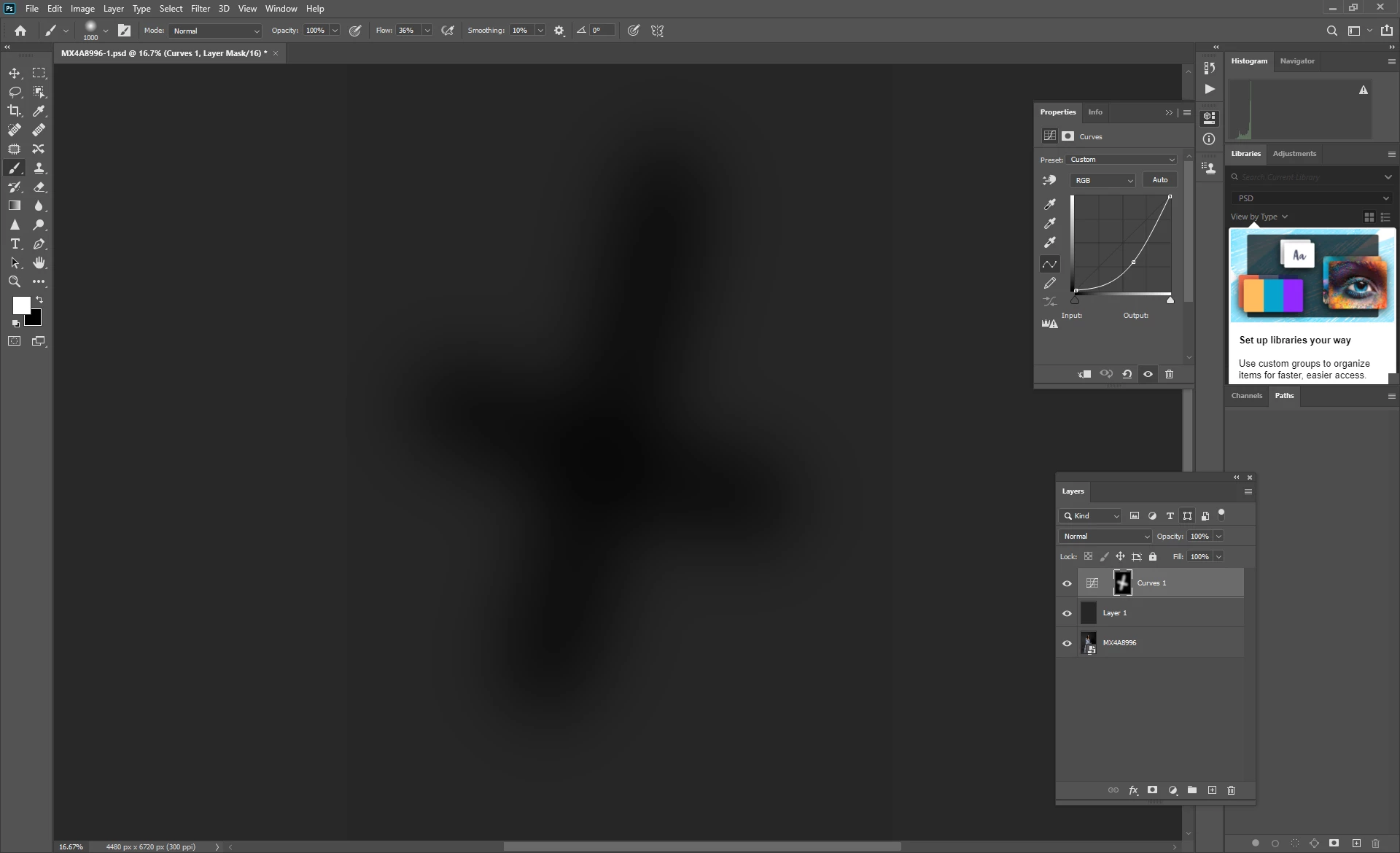
Another example in the photo.
Curves adjustment layer (pulled down to darken) soft brush (opacity 100 flow 100) masking , various sizes
Extra curves layer in contrast mode setting, to emphasize banding, to be more easily visible.
So this is not normal, never, but this has never happened to me like this now.
Even when I save to jpg, this banding stays. This is not normal and should not be this way.

https://drive.google.com/open?id=1gAj3eJeAdRNvynR4oh727mdqC3JAqib6 

jpg full size 8bit
https://drive.google.com/open?id=1jSHCpFV0H_WdAu6mvkHLDYtBbePdfjzh 


Jpeg is guaranteed to make any banding much worse. Not only is it 8 bit only, but the jpeg compression will introduce banding on its own.


Banding happens because there is 8 bit processing somewhere in the pipeline. That's what causes banding. Usually it's the display path. I need to be absolutely clear about this: unless you have a fully functional 10-bit display system, you will see banding in these gradients. And you only get that with a Radeon Pro card, not with a standard Radeon.


What could exaggerate it is a buggy video driver, or a severely broken monitor profile. What monitor, and what calibrator are you using with it? Have you tried updating the driver? How does it look if you turn off GPU in Preferences?