

Eye Photo Merge Iris Project - Help Needed
Hey, I'm needing some assitance before taking on a client's project, and I'm not sure of their methods or the best way to do it going forward. The client's project idea is to take 20-30 subpar photos, with plenty of obstructions from eye lids and lashes, and combine them into a single artistic image of the iris and pupil isolated. According to them, they recently began doing these with little Photoshop experience and can do 2-3 within an hour.
Without wanting to sink too much time into it, I approached the project the way someone would if they were trying to merge photos for an HDR effect or to highlight details of the night sky in photos taken from a tripod with slight movement. I couldn't get anything close to what they've done without doing a whole lot manually. Is there a better way to align, merge, and blend these images? Is this a situation where a little generational fill or other ML/AI technique could assist?
Here's an example of a final image and the cluster of images the client intends to provide me to work from: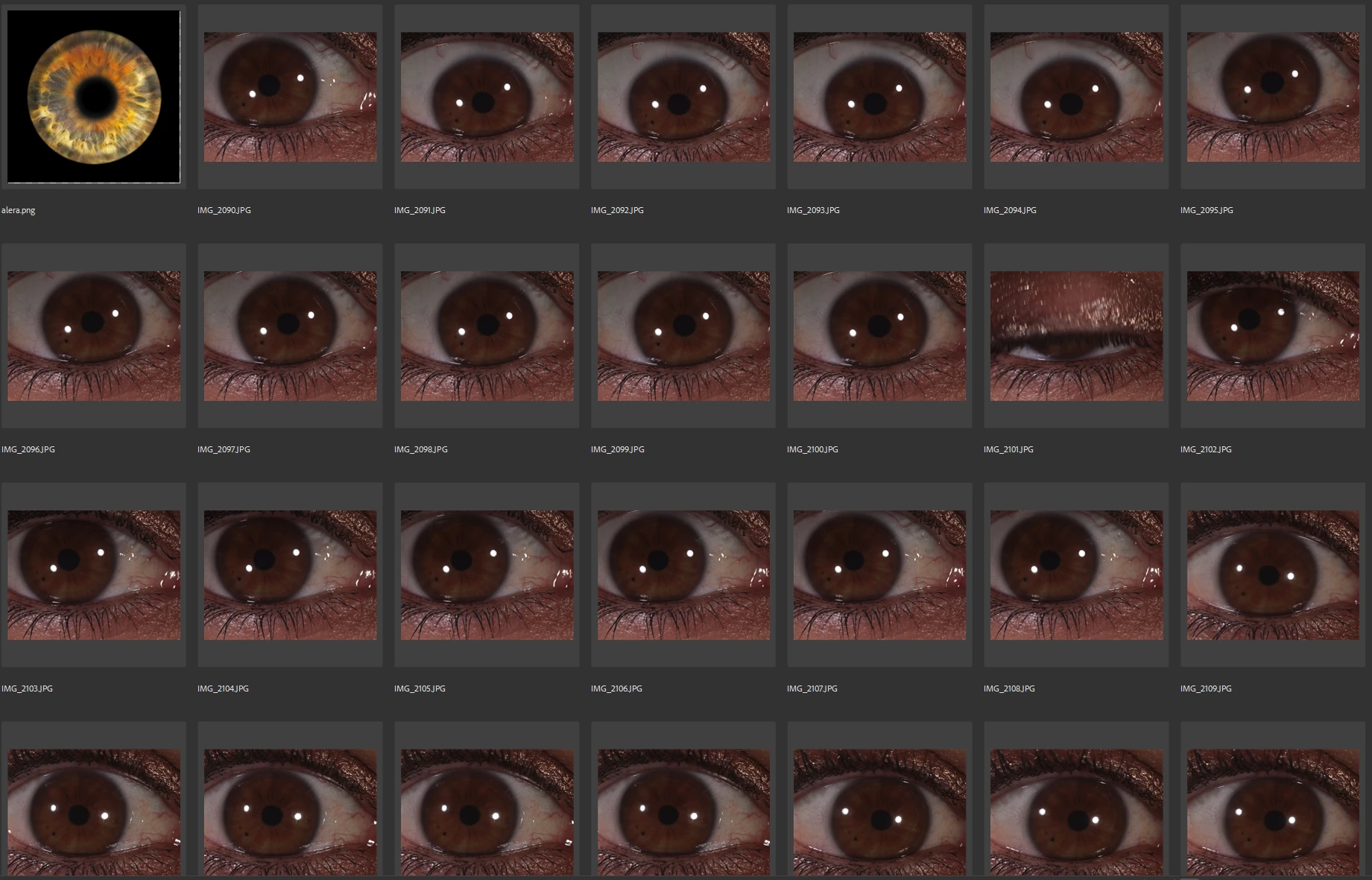
Thank you so much!
 AdChoices