
Eyedropper and Color Sampler tool not working correctly for 32bit greyscale images
1. Version of the App:
Photoshop 25.00
2. Platform and OS version:
Windows 11 pro x64 Version 10.0.22631 Build 22631
3. Basic steps to reproduce the problem (version 25.00)
The problem is to do with the Eyedropper sample tools using 32bit greyscale images. It occurs when using either the eyedropper or colour sampler tools.
When one opens a 32 bit greyscale image in photoshop, levels, curves, and exposure adjustment layers are often required to see the work which is being carried out due to the enormous DR of 32bit.
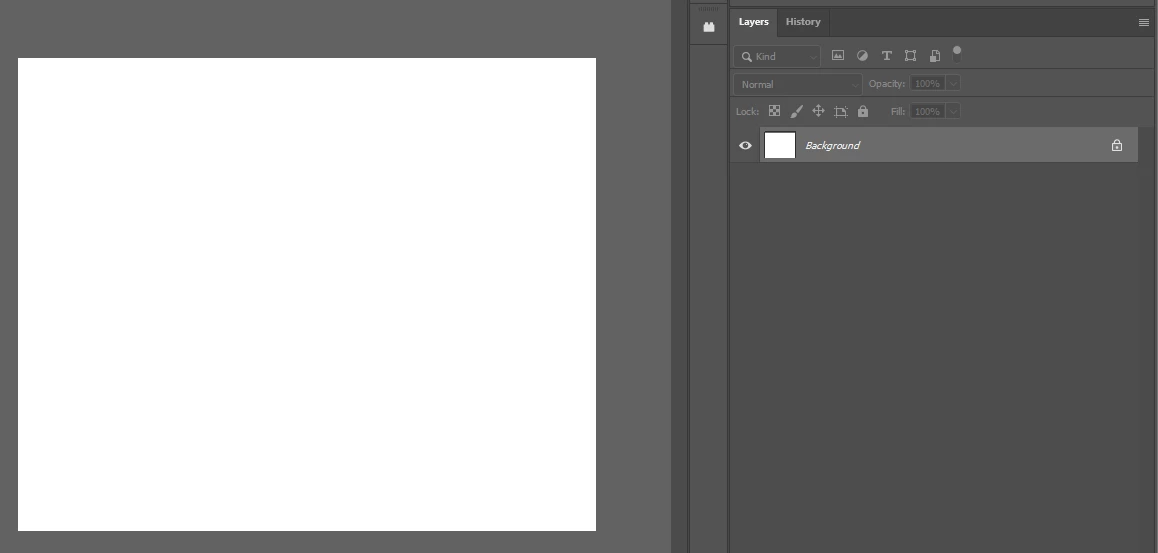
3.1 The image above shows the 32bit greyscale image without adjustment layers
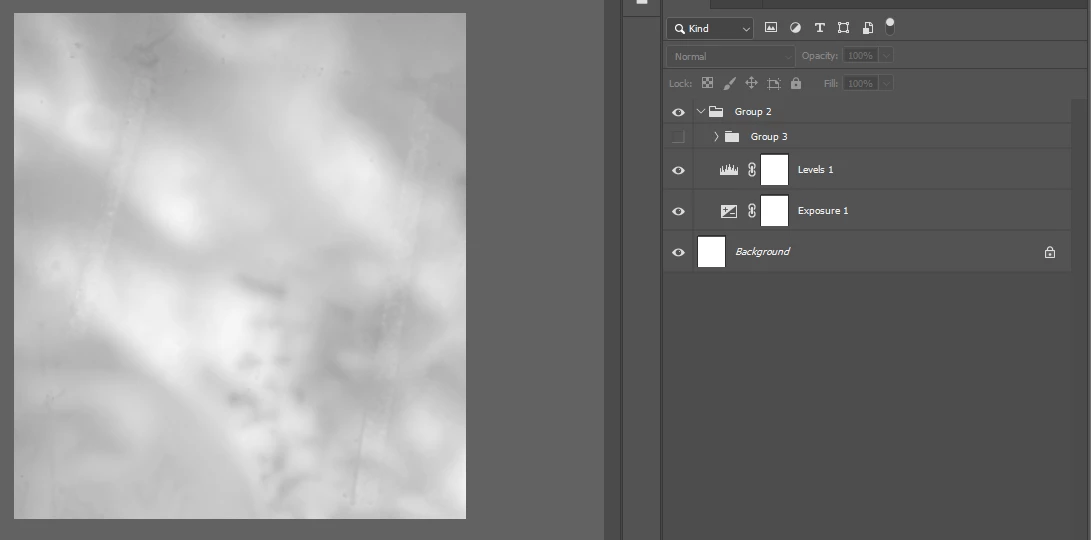
3.2 The 32bit image is now viewable with the adjustment layers and has nice contrast.
4. Expected result and actual result (version 25.00)
When sampling the 32bit greyscale values for a point or average sample, I want to be able to only sample the original true values WITHOUT the adjustment layer values. Currently, there is a bug where it still samples the adjustment layer values even when the settings are 'current and below no adjustments'.
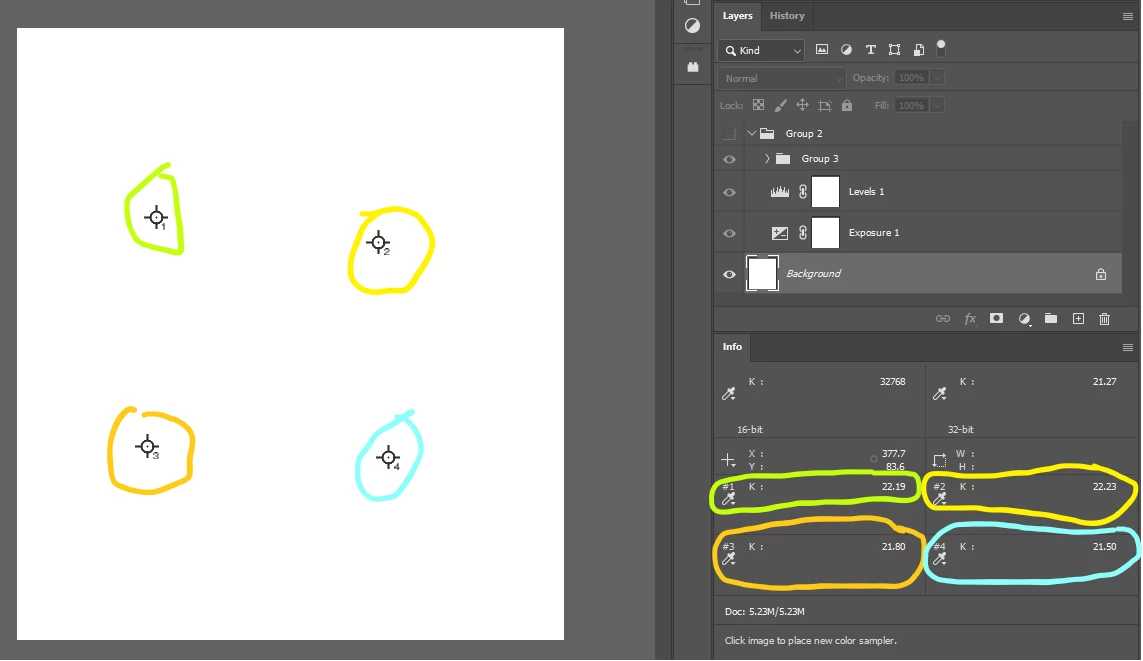
4.1 The image above shows four sample points on the base image without the adjustments turned on. The eyedropper tool has been set to 'current and below no adjustments'; the base layer has nothing below it.
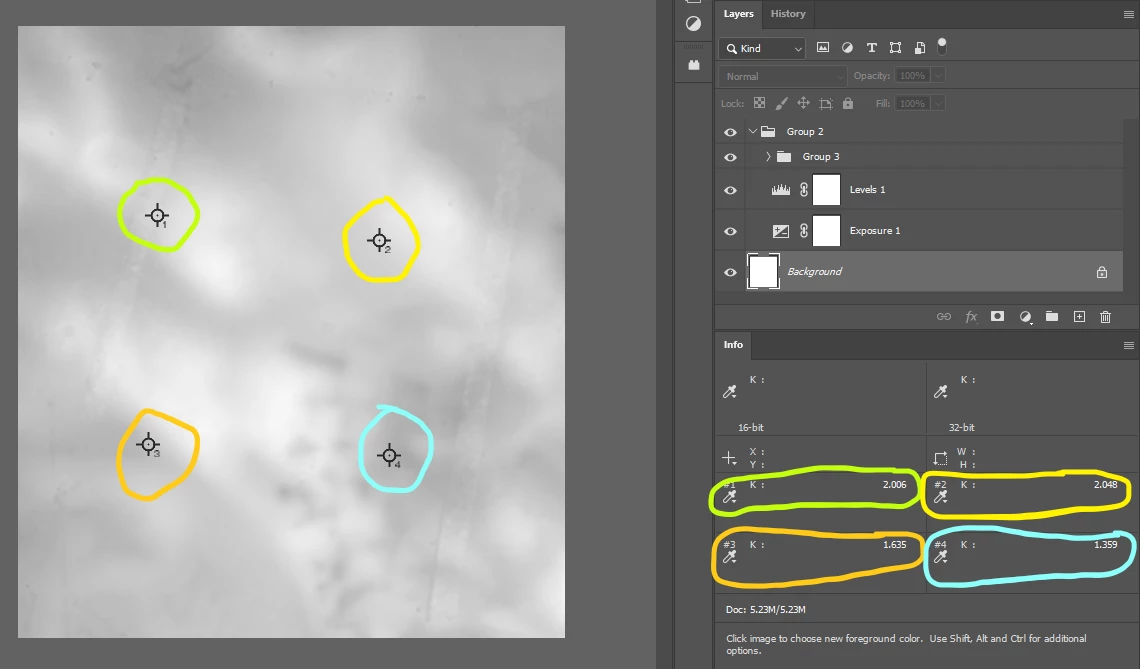
4.2 Note that with the adjusmtent layers on so I can see what is happening, the sample values have completely changed even with eyedropper set to 'current and below no adjustments'.
5 Conclusion
I believe that there is a bug relating to how Photoshop reads 32bit greyscale images and samples their values using the eyedropper or colour sampler tool. I need to be able to see what I'm doing (image 4.2), whilst knowing the sampled 32 bit values (image 4.1).
Cheers,
Jeremy
 AdChoices