
Participating Frequently
March 20, 2023
解決済み

EYEDROPPER while using BRUSH tool (witOPT/ALT) picks up background color instead of foreground color

  • March 20, 2023
  • 返信数 5.
  • 4308 ビュー

Ps 24.2.0

MacOS Big Sur


I've been using Ps for years and have always used OPT/ALT to quickly switch between BRUSH and EYEDROPPER tool to change the brush color, so when I'm using brush tool I temporarily hold on OPT key and select a different FOREGROUND colour.


Now I realize that in doing so eyedropper picks up the BACKGROUND colour and not the foreground, no problem if I need to do this once, since with X key I can switch between foreground and background, but it turns out to be pretty annoying if I need to do multiple changes of colour in a short time.
I've looked into the preferences but without finding any solution yet.


Any suggestion?
解決に役立った回答 Kevin Stohlmeyer

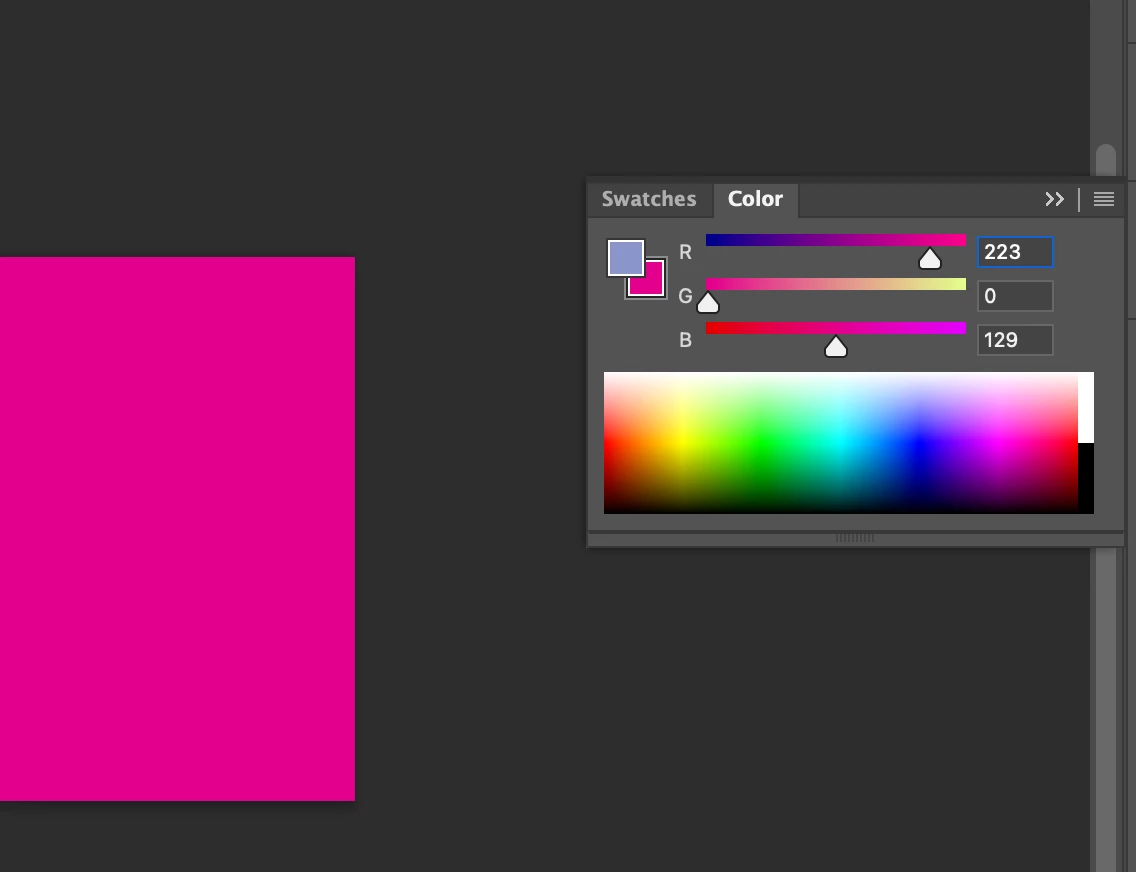
Hi @bergamar check your color panel - do you have the background swatch selected?

If unsure click the foreground color on this panel to confirm.


返信数 5

REI KANO
Participant
September 28, 2025

Photoshop Eyedropper Picks Background Instead of Foreground (macOS)

Common Causes & Fixes


  1. macOS Permissions denied on first launch


    • Go to System Settings → Privacy & Security.

    • Under Full Disk Access and Screen Recording, make sure Photoshop is added and enabled.


  2. Wrong swatch active


    • If the Background swatch is active instead of Foreground, the Eyedropper will always update Background.

    • Solution: click the Foreground swatch in the toolbar so it becomes active.


  3. Corrupted Preferences (often after crashes or updates)


    • Quit Photoshop.

    • Hold Option + Command + Shift while launching Photoshop.

    • Confirm: “Delete the Adobe Photoshop Settings file?”.

    • This resets all tools to default, including Eyedropper behavior.


After this, Option + Click works normally again = samples Foreground Color.

bergamar作成者
Participating Frequently
March 20, 2023

There it was! Thank you Kevin!

Kevin Stohlmeyer
Community Expert
Community Expert
March 20, 2023

Hi @bergamar check your color panel - do you have the background swatch selected?

If unsure click the foreground color on this panel to confirm.


Participant
May 7, 2024

Thank u so much Kevin 

bergamar作成者
Participating Frequently
March 20, 2023

Thank you Kevin but I'm sorry it doesn't work.

Honestly I don't know how these two privacy settings could be related to my problem...eyedropper tool works perfectly, it actually can pick up colours from my screen to Ps foreground colour, but if I activate it while I'm using a brush tool holding ALT key it does store in memory the right colour but as background colour instead of foreground colour.

Participating Frequently
October 27, 2023

I have the same problem as well, but only in Photoshop Beta. All Beta versions have done this.

Kevin Stohlmeyer
Community Expert
Community Expert
March 20, 2023

Hi @bergamar go to Apple System Preferences/Security and Privacy/Full Disk Access and making sure PS is listed and active. Then go to Privacy/Screen Capture (or Screen record depending on your OS version) and add Photoshop and check that as active as well.


When you first used the eyedropper a Mac OS warning came up to allow - you hit decline and so PS cannot capture color properly without these settings.