Participant
November 20, 2018
Answered

Farbverlauf
  • November 20, 2018
  • 2 replies
  • 532 views

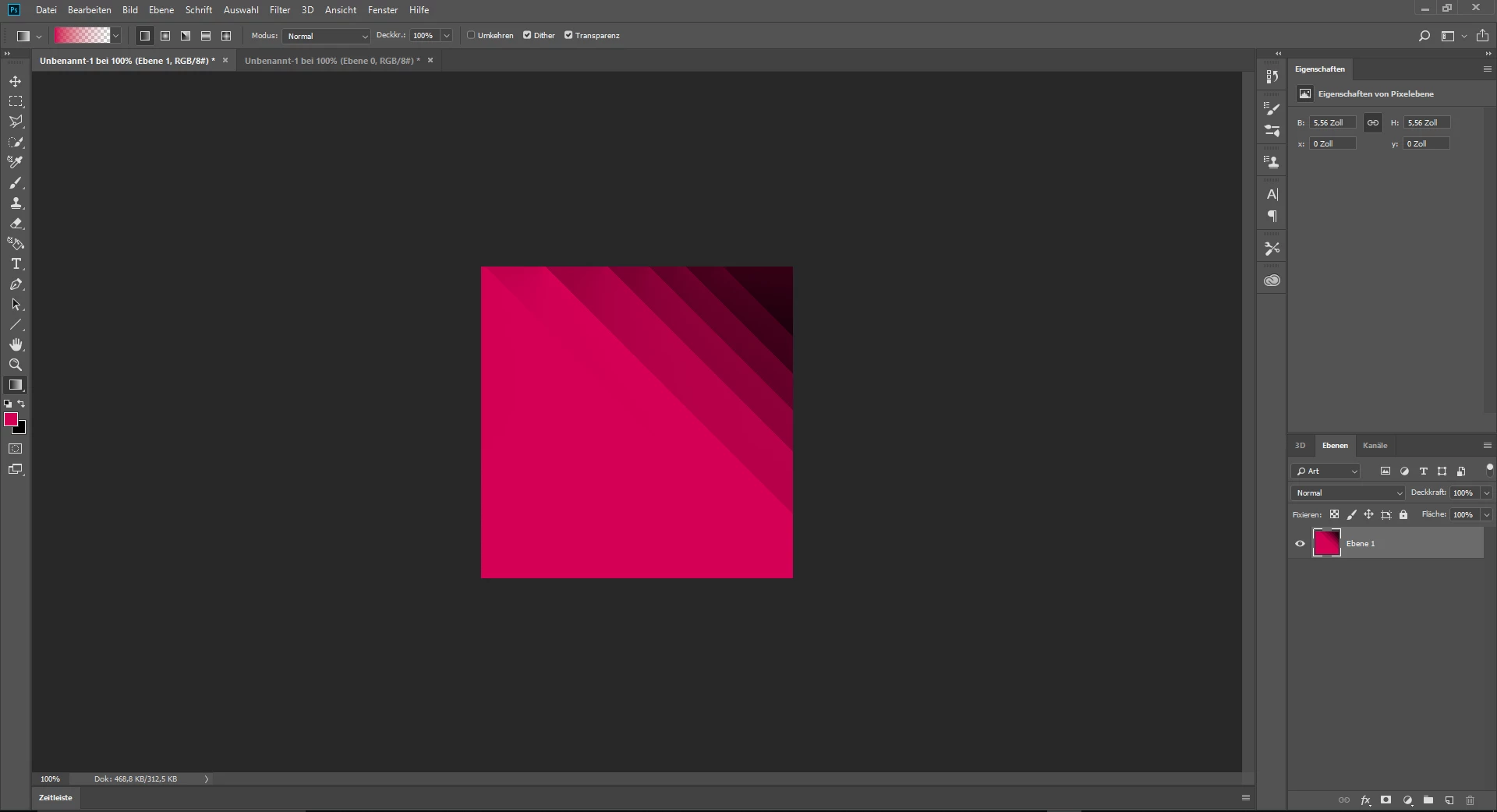
Ich würde gerne wissen wie ich diesen Farbverlauf hinbekommen habe. Sagen wir es mal so, ich habe einfach drauf los "Gemalt" und dabei kann irgendwie das heraus was ich auch ziemlich schön finde. Nun ist meine frage wie man das machen kann da ich es vergessen habe. Danke im vorraus

Software und Pc Specs:

•Software : Adobe Photoshop CC 2018

•Software : Windows 10 pro x64 ( Bit )

•Hardware : 32 GB G.Skill Trident Z RGB 4000 mhz

•Hardware : I7 8740K

•Hardware : GTX 1080

Danke im vorraus

Ps. Nico
This topic has been closed for replies.
Correct answer Trevor.Dennis

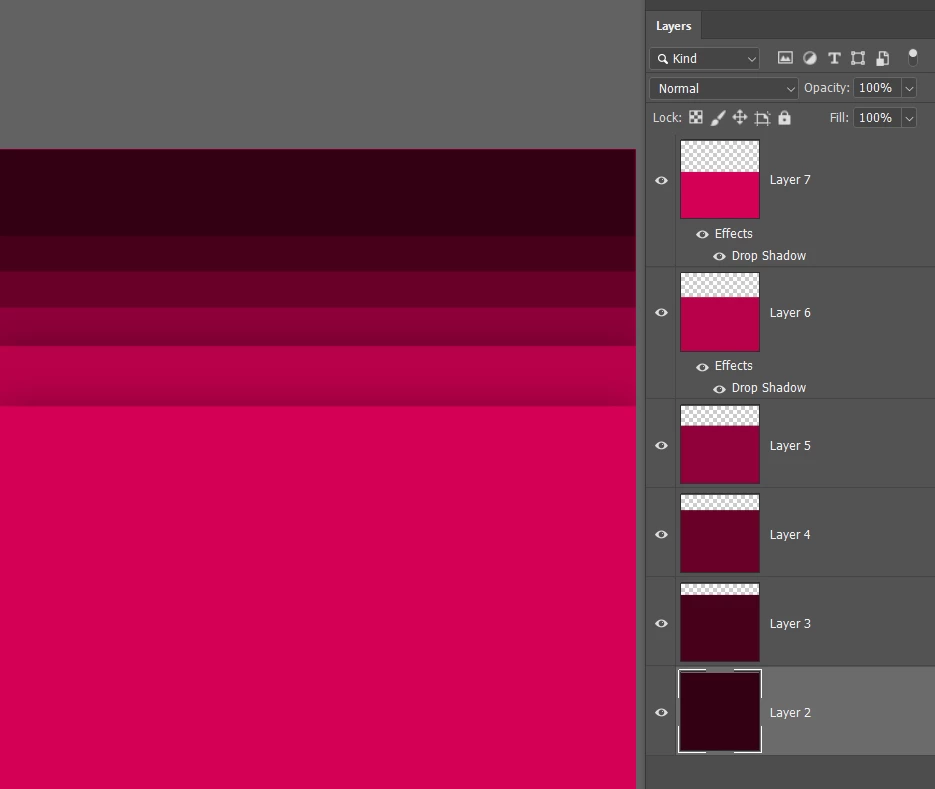
I like to build angled graphics perpendicular to the canvas bounds, and rotate when done.  Making those layers into a single Smart Object lets you go back and edit/fine tune. 

You'd need to produce it oversize to account for the lost are after rotating.

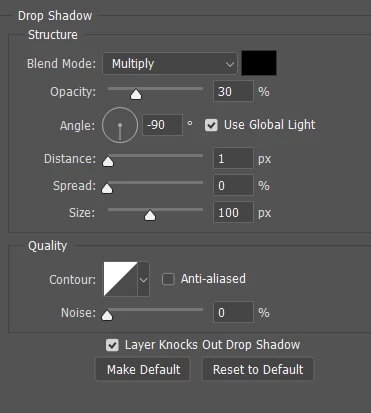
The drop shadow values I used.

2 replies

Trevor.Dennis
Community Expert
Trevor.DennisCommunity ExpertCorrect answer
Community Expert
November 20, 2018

I like to build angled graphics perpendicular to the canvas bounds, and rotate when done.  Making those layers into a single Smart Object lets you go back and edit/fine tune. 

You'd need to produce it oversize to account for the lost are after rotating.

The drop shadow values I used.

Participant
November 21, 2018

Thank you man . Love you <3

Norman Sanders
Legend
November 20, 2018

After creating the red rectangle, click on View Rulers and draw horizontal reference points for each of the gray steps and the left-most vertical reference point.

Add a blank layer. Set Blending Mode to Multiply.

Draw the all-encompassing triangle starting at the bottom right reference point aa shown in the left image above.

Edit > Fill with light black

Cmd+J to duplicate the triangle and its Beleng mode and drag that triangle up one reference line.

Repeat for each triangle.

Participant
November 21, 2018

Thank you man . Love you <3 ( Both answers are right )