

PNog
Inspiring
January 17, 2023
Question

File dimensions don't show up under the thumbnail

  • January 17, 2023
  • 8 replies
  • 669 views

Hello,
When saving a JPEG, the file dimensions are no longer displayed nor are they in the ‘Get Info’ window.
Is it some setting that I don't know about in Photoshop or is it a problem with macOS Ventura?
Thank you in advance.

Mac M1 - MacOS Ventura 13.1
Adobe Photoshop 24.1.0
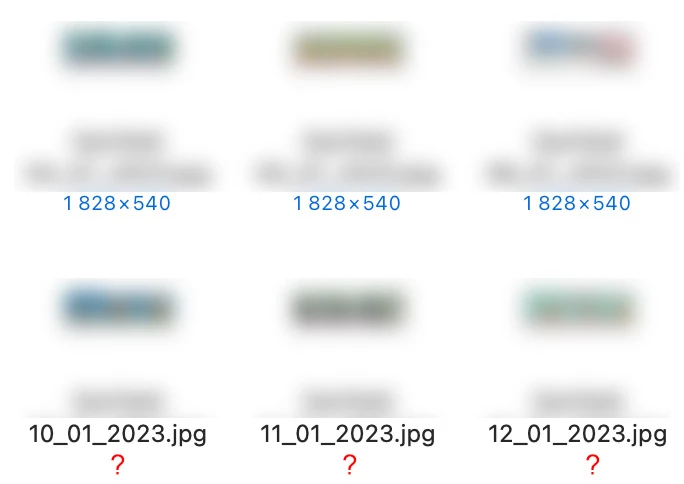

This topic has been closed for replies.

8 replies

PNog
PNogAuthor
Inspiring
January 18, 2023

I created a test folder on the desktop with the same files and the file size information appeared immediately, but as I said, this had never happened to me on the external disk. It's strange because it doesn't happen with all files. Sometimes the information appears, sometimes not.
Then I copied some to the external disk again and the information remained visible.
This is really weird 🙂
* The next day, when I turned the computer back on, the information regarding the file size disappeared again in the files on the external disk.

Legend
January 18, 2023

Does Photoshop have full disk access to that external drive? Does it happen for files on the boot drive?

PNog
PNogAuthor
Inspiring
January 17, 2023

The files are on a external SSD but I never had a problem whatsoever with it until now. By the date of some files, I think it coincides with the upgrade to Ventura but I'm not sure about it.

Legend
January 17, 2023

Hmm. Are the files on a local drive? External drive or server?


Wondering if it might be a permissions issue. Have you tried running from a new Admin user account? https://helpx.adobe.com/photoshop/kb/basic-troubleshooting.html#permissions

PNog
PNogAuthor
Inspiring
January 17, 2023

Yes, I have the “Show Item Info” check and the Photoshop file Info also shows the dimensions of the file.
The problem is that after saving the file, this information is no longer included in the "Get Info" window. This is very strange.


Legend
January 17, 2023

Hmm. It's showing here. Do you have "Show Item Info" check in the view options in macOS?


PNog
PNogAuthor
Inspiring
January 17, 2023

Hi Jeffrey,

Save As…

Legend
January 17, 2023

How are you saving or exporting your JPEG files?


Files > Save As...

File > Export As > Export As...

File > Export As > Save for Web...