
Participant
September 12, 2023
Question

Filling Selection makes color go outside of selection

  • September 12, 2023
  • 1 reply
  • 1978 views

Hi, I need to fill in selections without a single pixle going outside of the selection, aka without without any amount of color leak.


Here's an example of what I mean. I know it's a very small amount, but you can see a tiny blur outside of the green, going onto the blue.
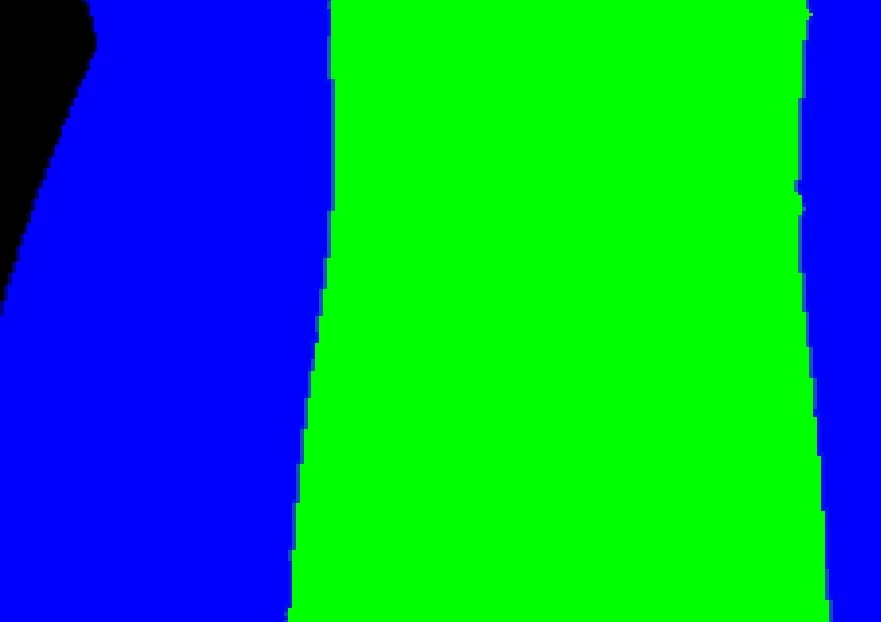
 

I have anti-alaising off, and I have Feather set to 0. Yet I will still get a small amount of smoothing, or going outside of the selection. I'm making a mask for another program, so I really need it to be solid only. How do I prevent this?


Thank you so much for any help!

This topic has been closed for replies.

1 reply

Semaphoric
Community Expert
Community Expert
September 12, 2023

How are you making the selection? If you save the selection or switch to Quick Mask mode, and view the selection in the Channels panel, are there any gray pixels?

Participant
September 12, 2023

There is some grey in the mask when I saved it! Is there a way to prevent any grey pixles in your selection?

Thank you so much!!!


Semaphoric
Community Expert
Community Expert
September 12, 2023

In the Channels panel with the Selection channel active, run Image > Adjustments > Threshold.