

Filter Gallery Disabled
Alrighty, I've searched over and again and cannot find a resolution to my problem within my means.
I have Photoshop CS5.
My filter gallery is disabled (grayed out).
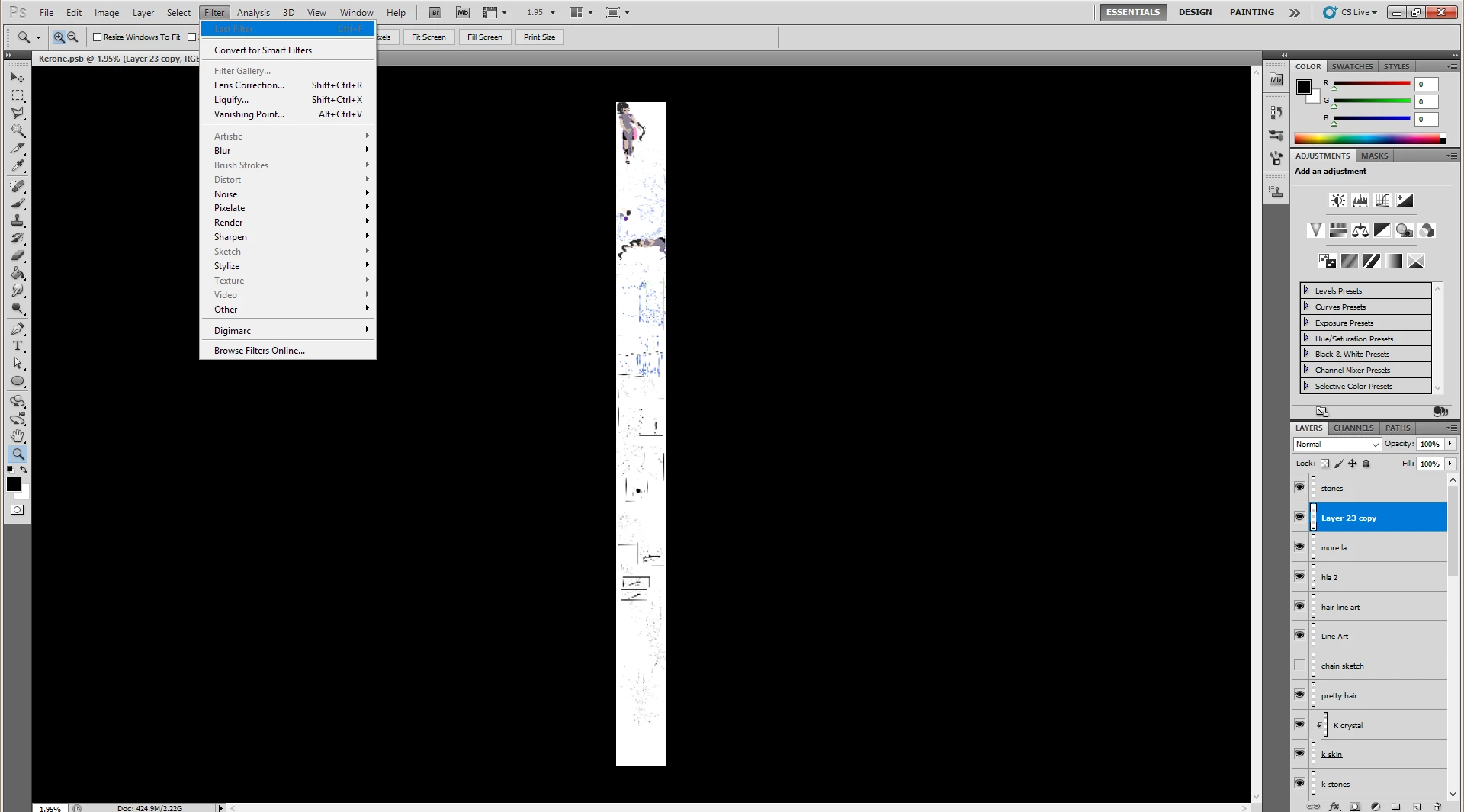
1. My document is set to 8-bit color.
2. My document is in RGB color mode.
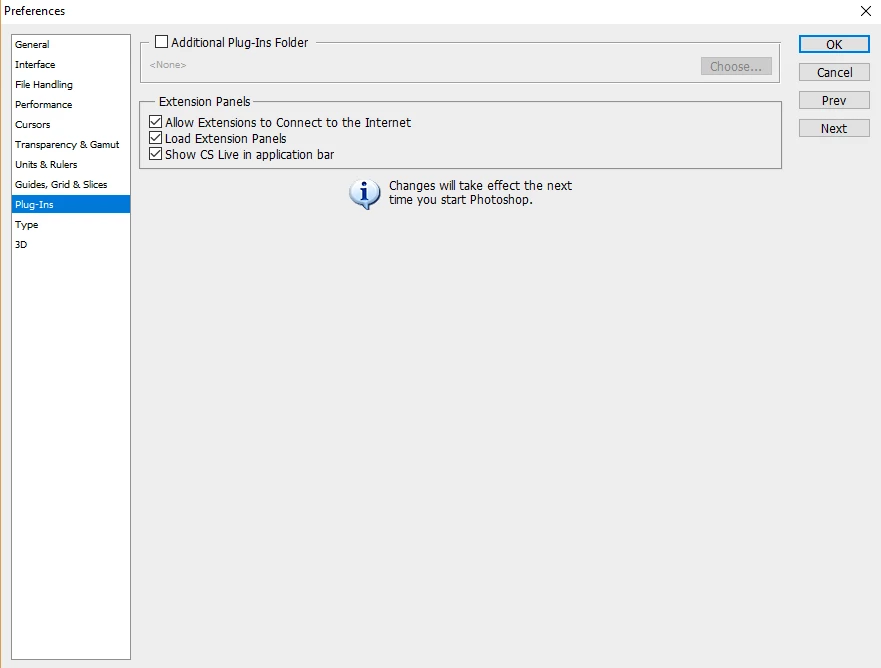
3. I have gone to edit > preferences > plugins and the whole option to "Show all Filter Gallery groups and names," is completely missing.
4. The document is a large PSB document.
5. Converting to smart object still doesn't work - filter gallery is still grayed out.
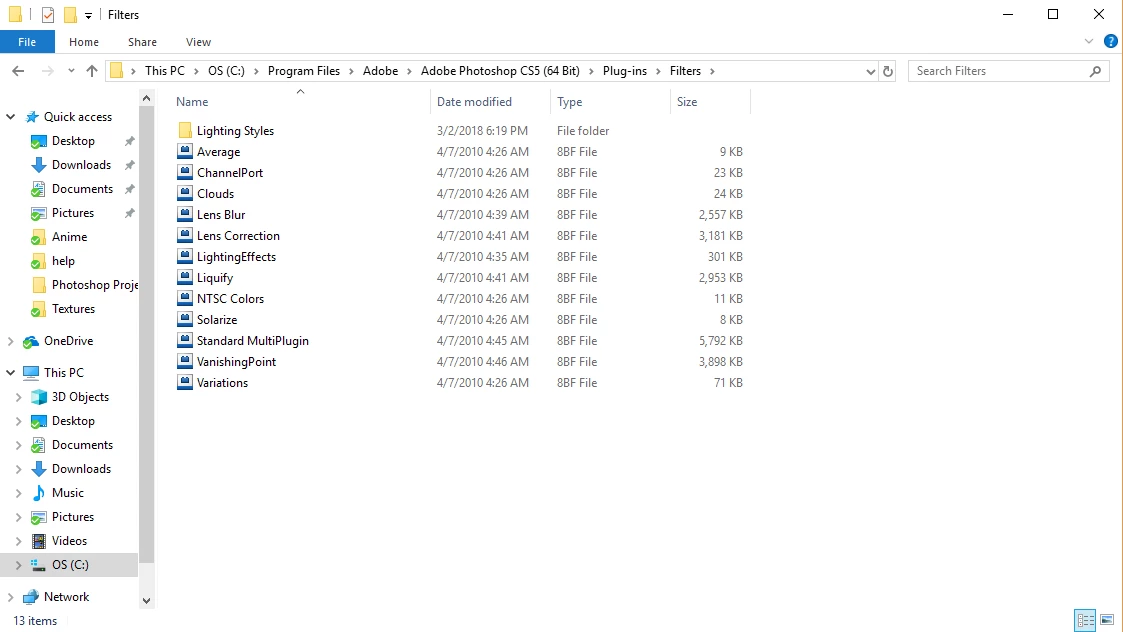
6. I feel the issue may have something to do with the fact that I just installed the program on my new laptop. When I navigate to Photoshop's filters folder, this is what I see.
7. I have reset preferences.
8. I can't find anything on the website that indicates I can download just the original, default filters to install.
9. I installed from direct download from Adobe and not a disk because my laptop doesn't have a disk drive.
I really appreciate any advice ya'll can give me... I'm stumped!
Thank you!!
 AdChoices