
Inspiring
April 29, 2020
Answered

Filter gallery... in Photoshop 2020 does not work

  • April 29, 2020
  • 2 replies
  • 5132 views

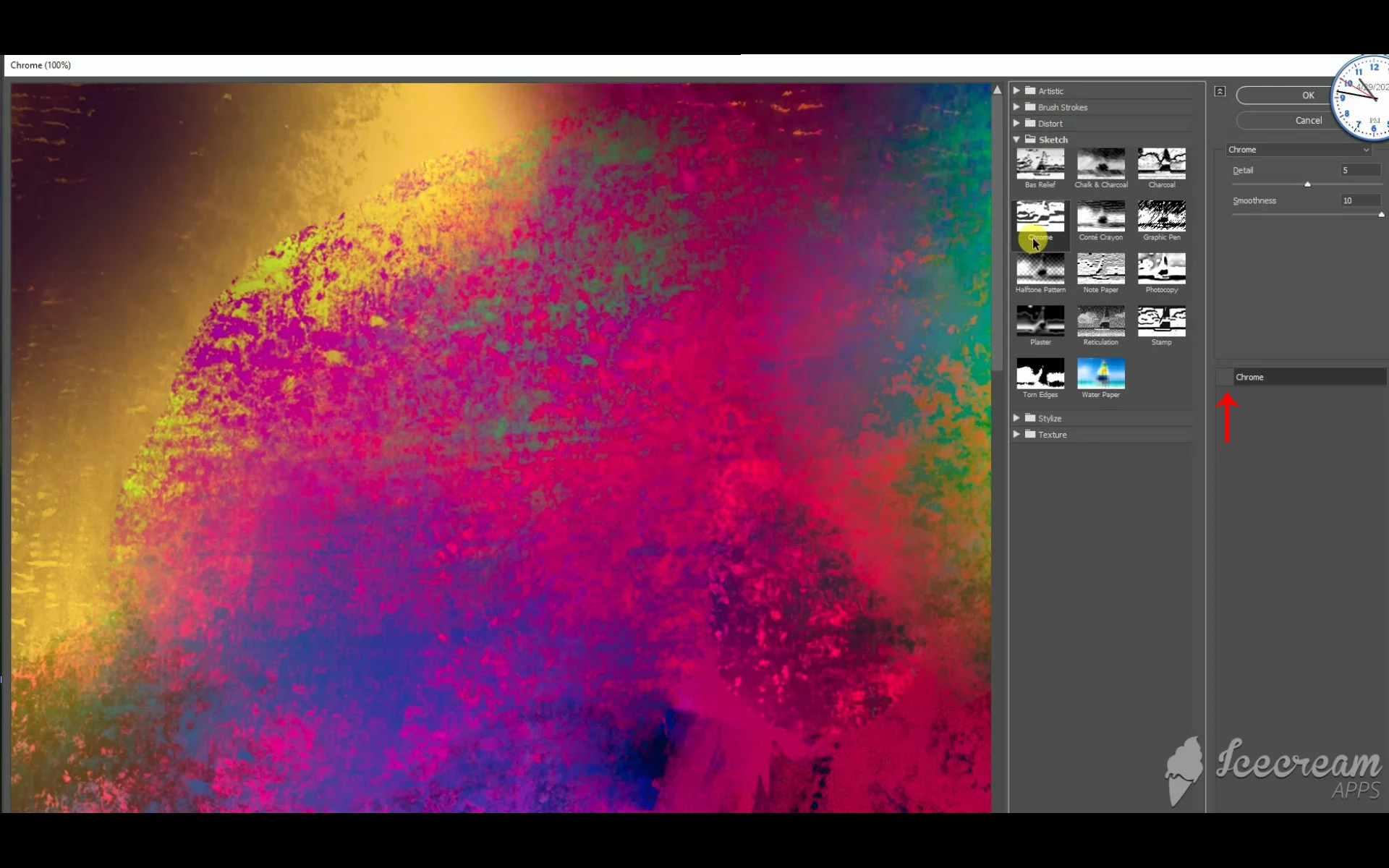
Filter Gallery... is not operational on my Photoshop 2020 application under windows 10. (I have a recognizable graphics card, nothing is grayed out, no errors are reported, and this is a brand new computer.) Not only is just Chrome under Sketch non-operational, which is what I wanted to apply, but every filter in the gallery is non-functional. All other filters under the Filter menu seem to be in perfect working order.

I have been using Photoshop for over fifteen years, and have never seen this happen before. Also, I will add a short video of what I'm doing in Photoshop in another post as soon as I can.
 

This topic has been closed for replies.
Correct answer Jeff Arola

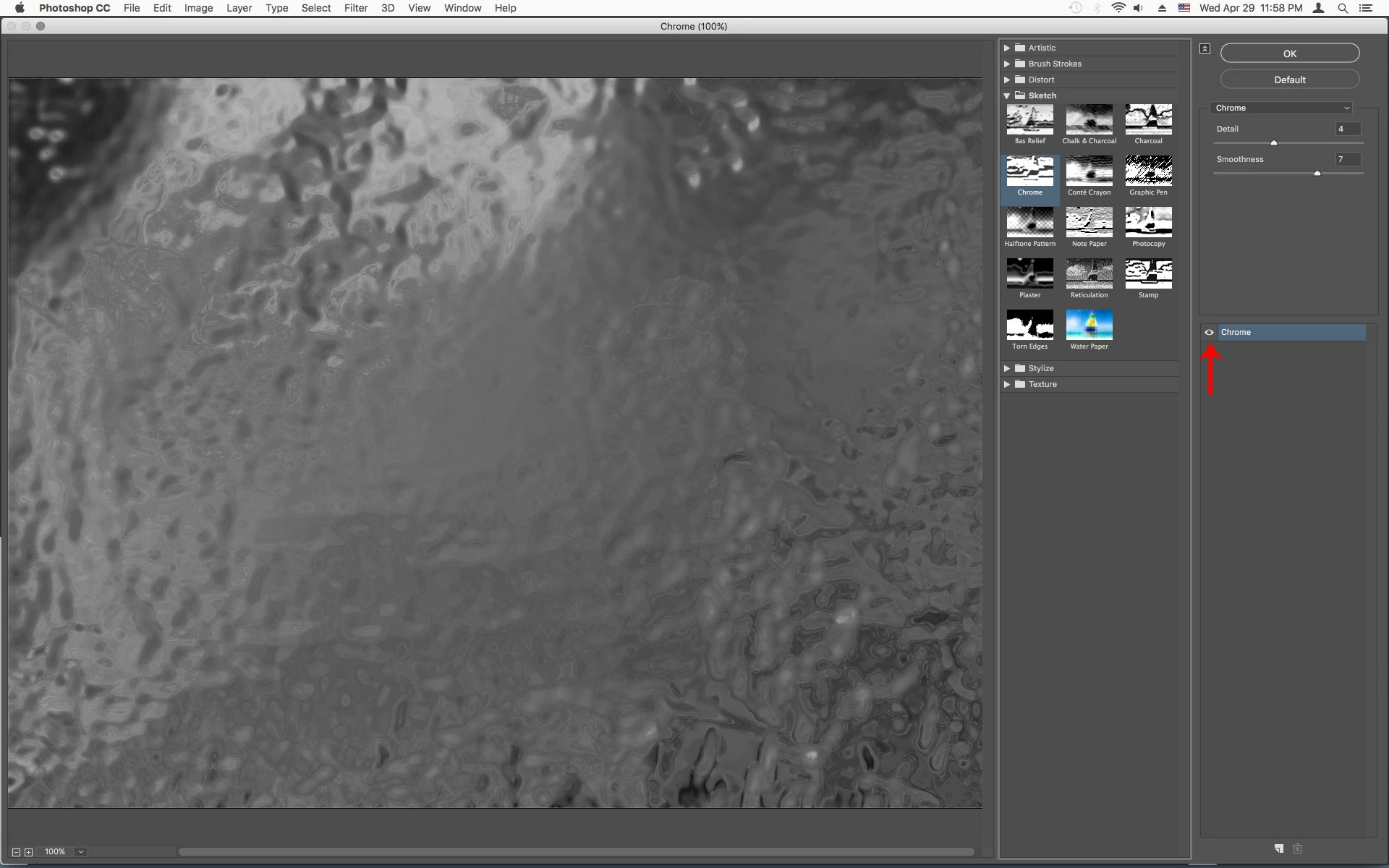
In the Filter Gallery click just to the left of where it says Chrome as shown below to see the Eye which turns on the Filter gallery preview.


2 replies

Jeff Arola
Community Expert
Jeff ArolaCommunity ExpertCorrect answer
Community Expert
April 30, 2020

In the Filter Gallery click just to the left of where it says Chrome as shown below to see the Eye which turns on the Filter gallery preview.


Known Participant
June 12, 2021

Thank you so much... That was it ! But why the eye icon doesn't show up for instance with a strikethrough to understand it's not active ?!!!

Akash Sharma
Legend
April 29, 2020

Hi there,


Sorry that you cannot use the Filter Gallery in Photoshop 2020. There could be a number of reasons why the filter gallery might not work with in the application.


Would you mind checking out the steps mentioned in this help page https://helpx.adobe.com/photoshop/kb/filter-effect-issues.html and let us know if that helps?


Thanks,

Akash

PS_BurnerAuthor
Inspiring
April 29, 2020

Thanks for the quick response, Akash.

Great suggetsion, BTW, but I happened to check out that help page before submitting my problem. I also went out to the computer manufacturer website and found that my GeForce GPU compatable graphics card driver is up to date. I'm getting the screen recorder ready to capture the steps I went through (since this is a new computer, I had to download and install the recorder I've been using on the old computer for years). Perhaps we'll find something in the video, which I'll be running tomorrow. 

Stay tuned and thank you.

PS_BurnerAuthor
Inspiring
April 30, 2020

Here's the video, Akash.

I hope the .webM format is okay (I can't convert it to .mp4 right now). As the video reveals, I have a smart object, set the foreground and background colors to default (black and white), activate the Filter Gsllery... and choose Chrome under Sketch. But nothing happens. The image should at least change to grayscle. I check my settings for the Chrome filter and they are okay. Then I try a few other filters and nothing happens with any of them. (I have tried a few other filters with the same result--nothing changes.) It's almost as if I had a blowout in the Filter Gallery section. Everything else under the Filter menu seems to work (but I haven't tried everything). Hope this helps.

Whoops. There doesn't appear to be a way to attach the video except by URL, so here goes https://shared-assets.adobe.com/link/d9b1d461-bac2-471f-4262-8e02359638a7.

Good luck.