Exit
  • Global community
    • Language:
      • Deutsch
      • English
      • Español
      • Français
      • Português
  • 日本語コミュニティ
  • 한국 커뮤니티
0

filtergallery

New Here ,
Jan 28, 2025 Jan 28, 2025

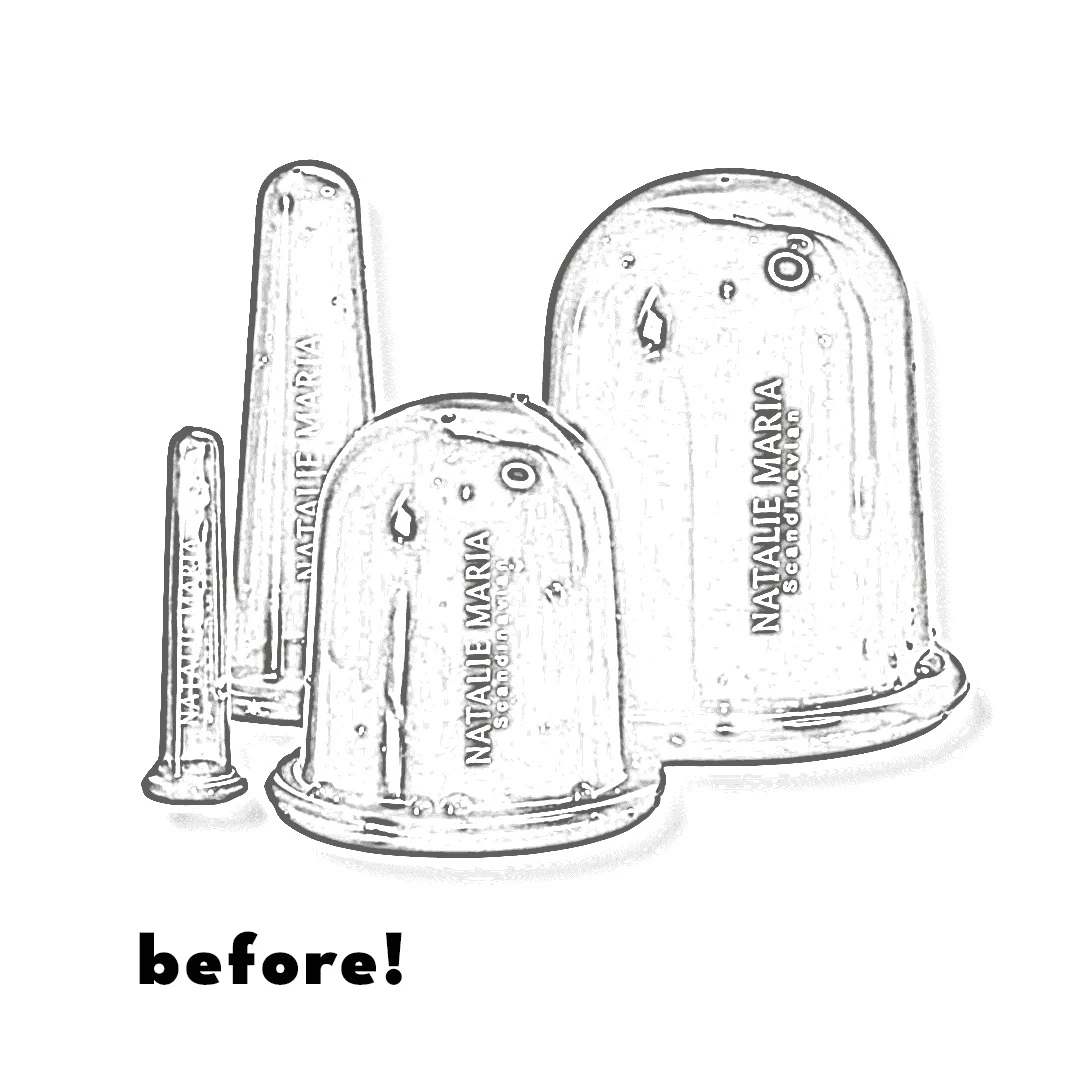
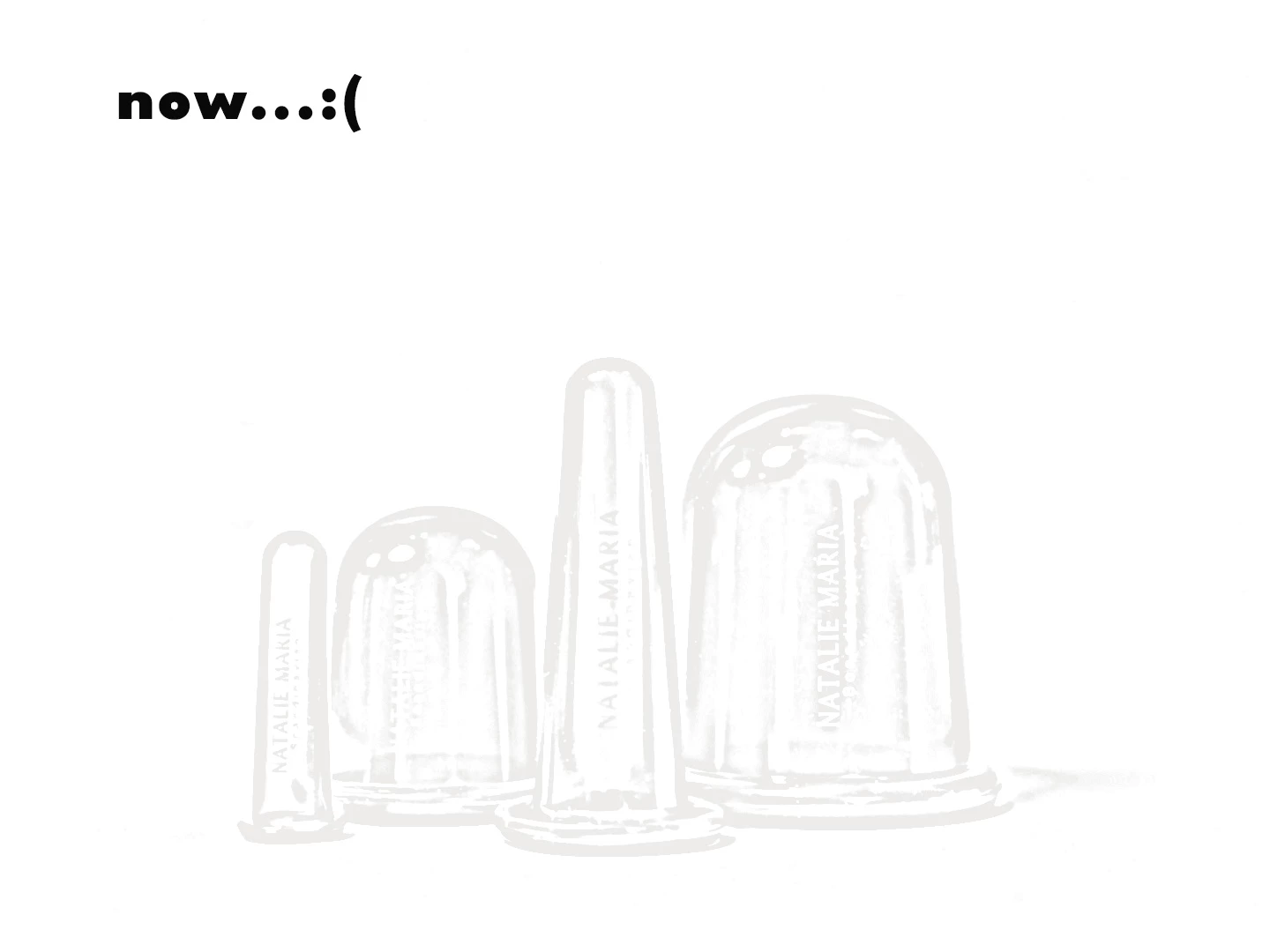
Hi. I have created a lot of images for some product material using the "Filter Gallery" and specifically the "Photocopy" filter. But the next time I open Photoshop, I can't get the images to look like the previous ones at all. Even if I try applying the filter to an image I have already edited before, I can't make it look the same anymore.

Has anyone experienced the Filter Gallery changing drastically, or am I missing something that has changed?

I really hope someone can help?

I have attached an image of the first time I used the filter and how it looks now.20240828_133323144_iOS.jpgpro1123.jpg
TOPICS
Windows
252
Translate
Report
Community guidelines
Be kind and respectful, give credit to the original source of content, and search for duplicates before posting. Learn more
community guidelines

correct answers 1 Correct answer

Community Expert , Jan 28, 2025 Jan 28, 2025

Your foreground and background colours are not set to black and white.  As I said above, press D before using Filter Gallery to set them to Black and White.
If you are already doing that, please show a full screen screenshot of the Filter Gallery itself, so we can see the filters and settings.

Dave

Translate
Adobe
Community Expert ,
Jan 28, 2025 Jan 28, 2025

Without seeing screenshots of the layer stack and the Filter Gallery settings we are limited in what we can advise. That said, my first thought is to make sure your foreground and background colours are set to black and white (shortcut D) before using Filter Gallery


Dave

Translate
Report
Community guidelines
Be kind and respectful, give credit to the original source of content, and search for duplicates before posting. Learn more
community guidelines
New Here ,
Jan 28, 2025 Jan 28, 2025

Thank you for answer! 


I looks like this - can you see anything from this?Skærmbillede 2025-01-28 121336.jpg

Translate
Report
Community guidelines
Be kind and respectful, give credit to the original source of content, and search for duplicates before posting. Learn more
community guidelines
Community Expert ,
Jan 28, 2025 Jan 28, 2025

Your foreground and background colours are not set to black and white.  As I said above, press D before using Filter Gallery to set them to Black and White.
If you are already doing that, please show a full screen screenshot of the Filter Gallery itself, so we can see the filters and settings.

Dave

Translate
Report
Community guidelines
Be kind and respectful, give credit to the original source of content, and search for duplicates before posting. Learn more
community guidelines
New Here ,
Feb 05, 2025 Feb 05, 2025
LATEST

Thank you SO much!! That solve my problem - Fantastic! 

Translate
Report
Community guidelines
Be kind and respectful, give credit to the original source of content, and search for duplicates before posting. Learn more
community guidelines