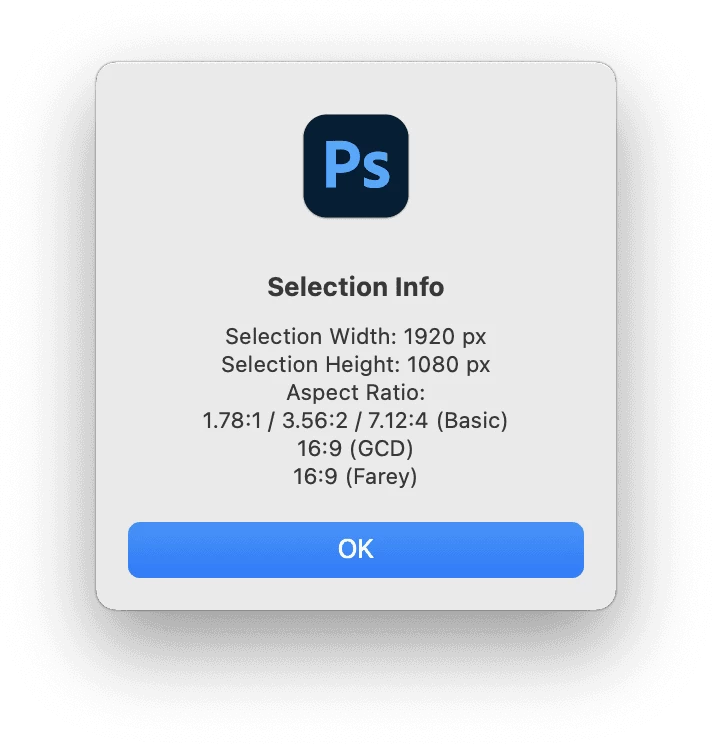
@TiagoRocha – Further to my previous reply, I have created an "offshoot" of the previously mentioned script to report on the active selection ratio:
/*
Photoshop Selection Info - Aspect Ratio.jsx
Stephen Marsh - v1.0, 3rd June 2022
*/

#target photoshop

var savedRuler = app.preferences.rulerUnits;
app.preferences.rulerUnits = Units.PIXELS;
var selectionBounds = activeDocument.selection.bounds;
/*
var selectionLeft = selectionBounds[0].value;
var selectionTop = selectionBounds[1].value;
var selectionRight = selectionBounds[2].value;
var selectionBottom = selectionBounds[3].value;
var selectionXCenter = (selectionBounds[0].value + selectionWidth) / 2;
var selectionYCenter = (selectionBounds[1].value + selectionHeight) / 2;
*/
var selectionWidth = selectionBounds[2].value - selectionBounds[0].value;
var selectionHeight = selectionBounds[3].value - selectionBounds[1].value;
var r = gcd(selectionWidth, selectionHeight);
var ratio = selectionWidth / selectionHeight;
alert(
    'Selection Info' + '\n' +
    'Selection Width: ' + selectionWidth + ' px' + '\n' +
    'Selection Height: ' + selectionHeight + ' px' + '\n' +
    'Aspect Ratio:' + '\n' + ratio.toFixed(2) + ':1' + ' / ' + ratio.toFixed(2) * 2 + ':2 / ' + ratio.toFixed(2) * 4 + ':4' + ' (Basic)' + '\n' +
    selectionWidth / r + ':' + selectionHeight / r + ' (GCD)' + '\n' +
    aspect_ratio(selectionWidth / selectionHeight, 50).toString().replace(',', ':') + ' (Farey)'
);
app.preferences.rulerUnits = savedRuler;


function gcd(a, b) {
    /* https://stackoverflow.com/questions/1186414/whats-the-algorithm-to-calculate-aspect-ratio-i-need-an-output-like-43-169 */
    return (b == 0) ? a : gcd(b, a % b);
}

function aspect_ratio(val, lim) {
    var lower = [0, 1];
    var upper = [1, 0];
    while (true) {
        var mediant = [lower[0] + upper[0], lower[1] + upper[1]];

        if (val * mediant[1] > mediant[0]) {
            if (lim < mediant[1]) {
                return upper;
            }
            lower = mediant;
        } else if (val * mediant[1] == mediant[0]) {
            if (lim >= mediant[1]) {
                return mediant;
            }
            if (lower[1] < upper[1]) {
                return lower;
            }
            return upper;
        } else {
            if (lim < mediant[1]) {
                return lower;
            }
            upper = mediant;
        }
    }
}
- Copy the code text to the clipboard
- Open a new blank file in a plain-text editor (not in a word processor)
- Paste the code in
- Save the text file as .txt
- Rename the file extension from .txt to .jsx
- Install or browse to the .jsx file to run:
https://prepression.blogspot.com/2017/11/downloading-and-installing-adobe-scripts.html#Photoshop

 AdChoices