
Albert Stickrust
Known Participant
July 21, 2018
Answered

Flip Horizontal Path causes path to change. Why?

  • July 21, 2018
  • 1 reply
  • 1347 views

Hi there.

I would love to know the answer to this question if anyone else is running into it.

- If I choose a path, copy it into a new layer, and then Transform>Flip Horizontal ... The new path shape is slightly different.

- The image below...all I did is copy, flip, and move the whole thing with arrow keys. I did not touch the handles or path.
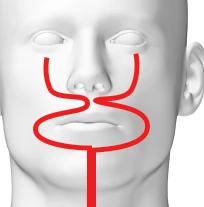
Using Photoshop 19.1.5

Thank you so much if you know anything.

This topic has been closed for replies.
Correct answer Semaphoric

This might be it: in the Stroke Options, make sure Align is set to Centered.

1 reply

Semaphoric
Community Expert
SemaphoricCommunity ExpertCorrect answer
Community Expert
July 21, 2018

This might be it: in the Stroke Options, make sure Align is set to Centered.

Albert Stickrust
Known Participant
July 21, 2018

Hello! Semaphoric​,

Thank you SO much. I think...that...is what the issue is.

Uh. So. I know how to change that preference in the Paths panel.

But in this case I have been creating the paths with the Shape/Path dialog within the pen tool menu bar. (?) I have no idea how to describe this area. I am going to include a screen shot. This type of stroke doesn't respond to the alignment adjustments I know of.

Do you know how to change it? Or even what to call it so I can google it?

Everything coming up with my searching is not addressing it. 

(thank you again.)