
Doc_Pit
Inspiring
February 5, 2022
Answered

Flipping a brush on its axis
  • February 5, 2022
  • 2 replies
  • 1962 views

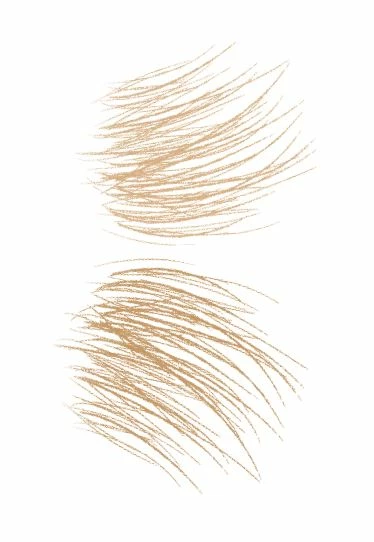
It's easy to rotate a brush or to check a box that allows for jitter on the X or Y axis.  But is there a way to flip a brush on the X or Y axis (as illustrated above) w/o jitter.  I found a post from 5 years ago that advised: "Pick the brush you want, then go to Window > Brush, and under Brush Tip Shape check the "Flip X" option. Create a new brush (button in the bottom right) to save the setting."  Is there a way to more conveniently flip from one axis to another on the same brush, again, w/o jitter?  Thanks.  


This topic has been closed for replies.
Correct answer Jeff Arola

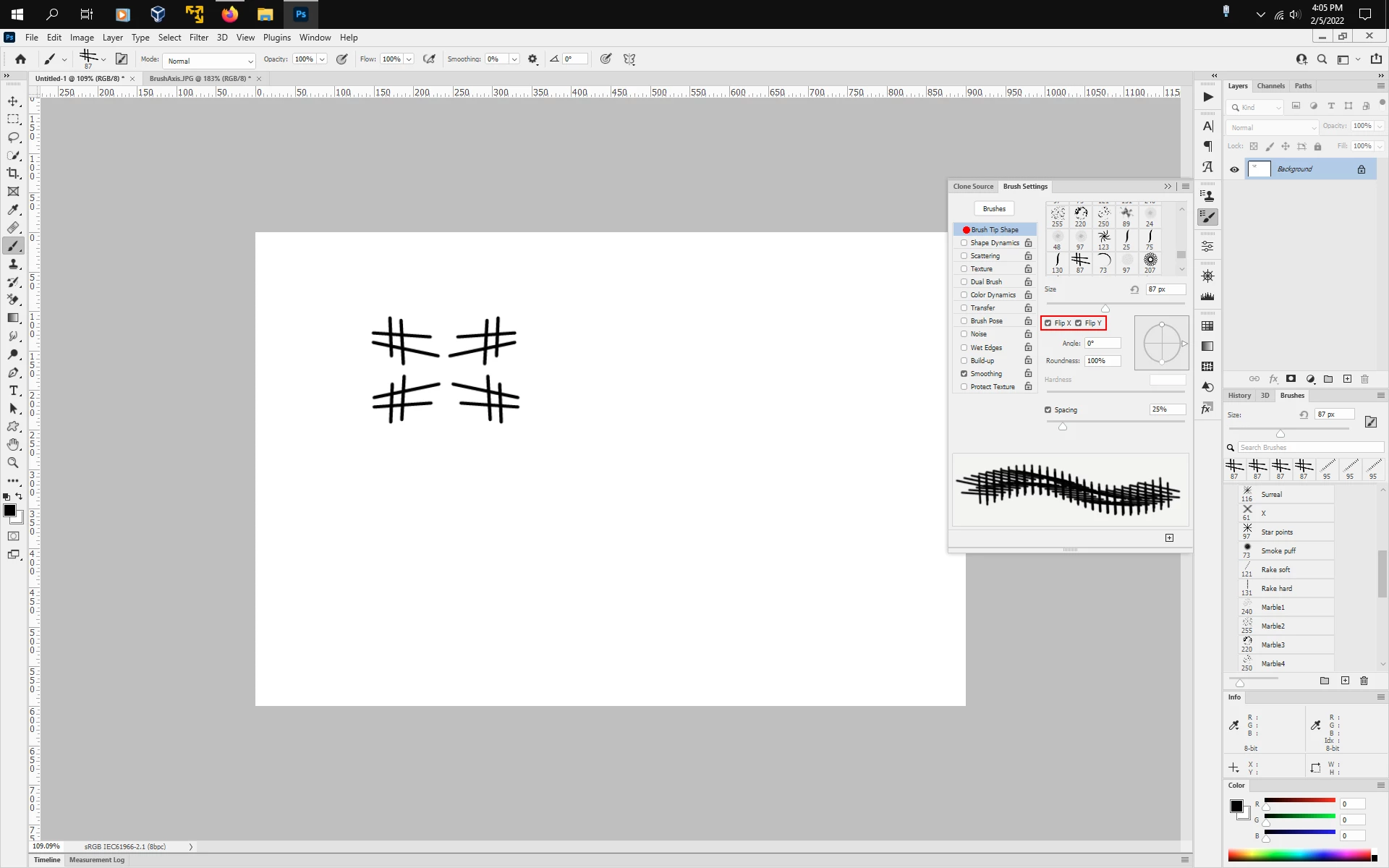
In photoshop go to Window>Brush Settings, click on the words Brush Tip Shape and you'll see Flip X and Flip Y.


2 replies

Trevor.Dennis
Community Expert
Community Expert
February 6, 2022

And don't forget we can rotate brushes now, using the left and right cursor keys.  That was a nice feature

Doc_Pit
Doc_PitAuthor
Inspiring
February 6, 2022

Hi, Trevor.  Yes, I find the cursor keys very useful.  Regarding the image below: This is what threw me about flipping a brush on its axis.  I was used to seeing this window, which is a near duplicate of the window referenced by Jeff, so that I literally looked at but never saw the Flip X Flip Y option on that window.  Given the world we live in, it's gratifying to see, in this forum, people who are so willing to take the time to help others.  Cheers.


Trevor.Dennis
Community Expert
Community Expert
February 7, 2022

It's good to see you are still keen and asking questions, and apparently using Photoshop to do more than tart up a few photographs.  You've been coming to this forum for quite a long time now, and we hope that continues.

Jeff Arola
Community Expert
Jeff ArolaCommunity ExpertCorrect answer
Community Expert
February 5, 2022

In photoshop go to Window>Brush Settings, click on the words Brush Tip Shape and you'll see Flip X and Flip Y.


Doc_Pit
Doc_PitAuthor
Inspiring
February 6, 2022

Many thanks.  There's a nearly identical window that is accessed from the toolbar, but it doesn't have the Flip X Flip Y choice.  Thanks, again!