Known Participant
December 5, 2016
Answered

Fold spine of CD Cover to get 3d effect

  • December 5, 2016
  • 1 reply
  • 1069 views

Hello!

I have an album cover which i want to fold spine of cd over just like final.jpg i have many jpg files as have attached Required 3d spin.jpg, I want an action to make same effect please help me to get an idea how to do that i am really bargainer in Photoshop actions.

Thanks in advance.

Jenny

This topic has been closed for replies.
Correct answer Chuck Uebele

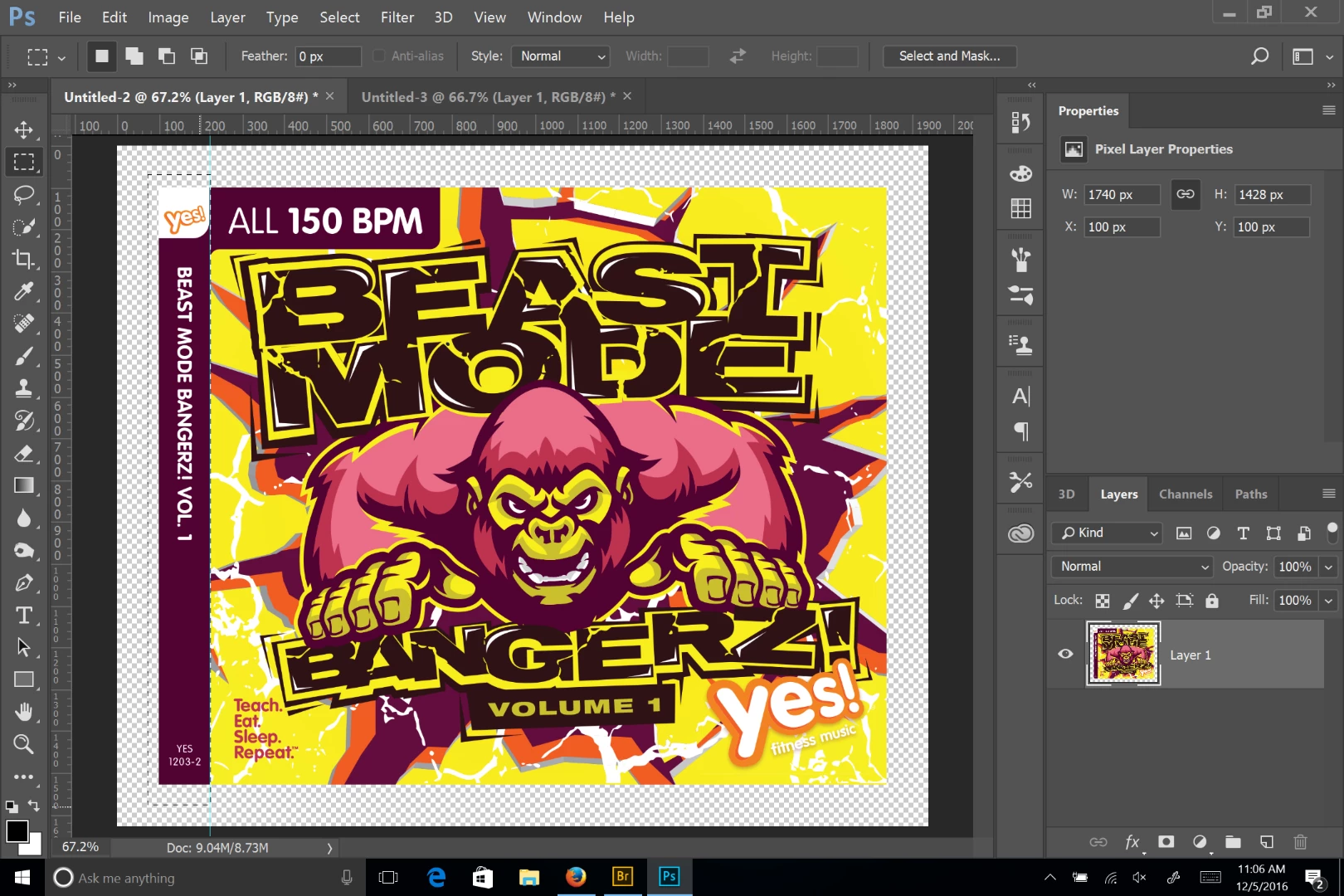
Start by adding some canvas around your image, and make sure your image isn't the background layer. Make a selection covering the spine of the case, you just have to get the fold accurate and let the selection go outside the image area:

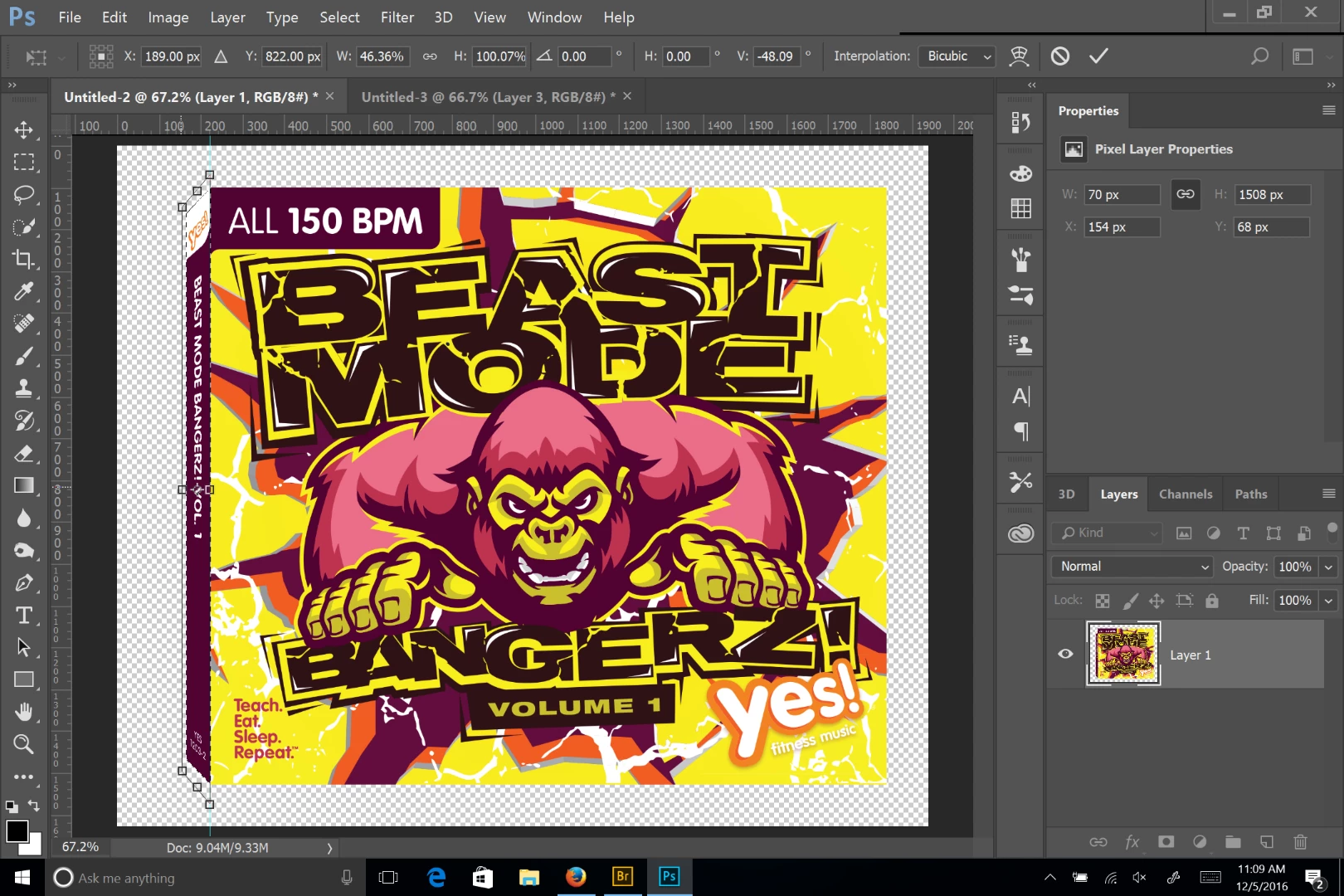
The use either free transform or a combination of perspective and scale to transform the spine:

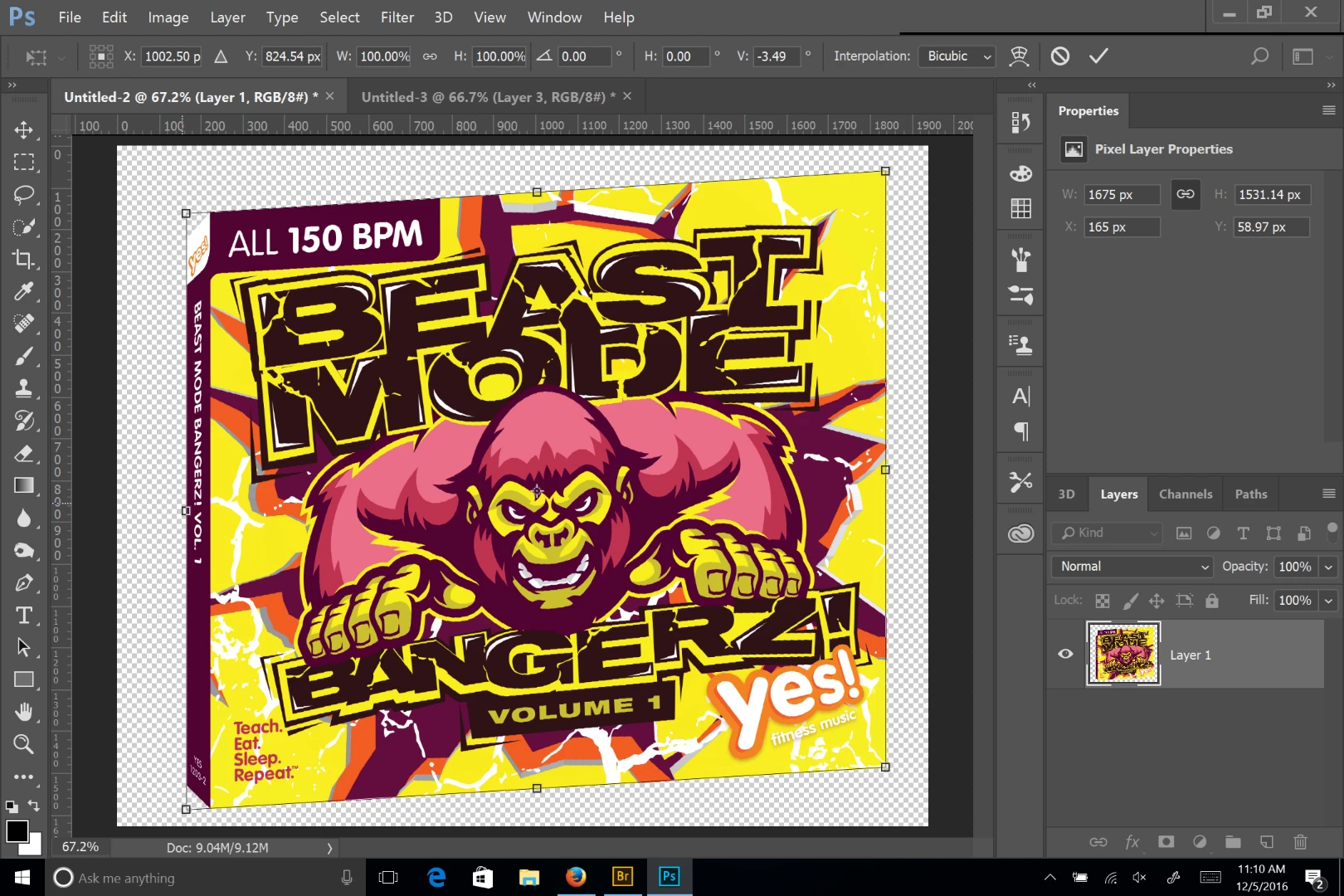
Deselect the selection and then transform the entire image, using skew.

1 reply

Chuck Uebele
Community Expert
Community Expert
December 5, 2016

You can do this with a script, but an action should work fine, if all the files are exactly the same, meaning the folds need to be in the same location. Just take one of you your files, start recording an action to transform it, and when you're doing, you can use Image Processor to apply it to a whole folder of images.

Known Participant
December 5, 2016

thanks Chuck for reply, I will doing same but when go to free transform and wrap model apply out side line not straight?? any idea hot get ride of this issue?

Chuck Uebele
Community Expert
Chuck UebeleCommunity ExpertCorrect answer
Community Expert
December 5, 2016

Start by adding some canvas around your image, and make sure your image isn't the background layer. Make a selection covering the spine of the case, you just have to get the fold accurate and let the selection go outside the image area:

The use either free transform or a combination of perspective and scale to transform the spine:

Deselect the selection and then transform the entire image, using skew.