
Font selection drop down makes it impossible to see active file
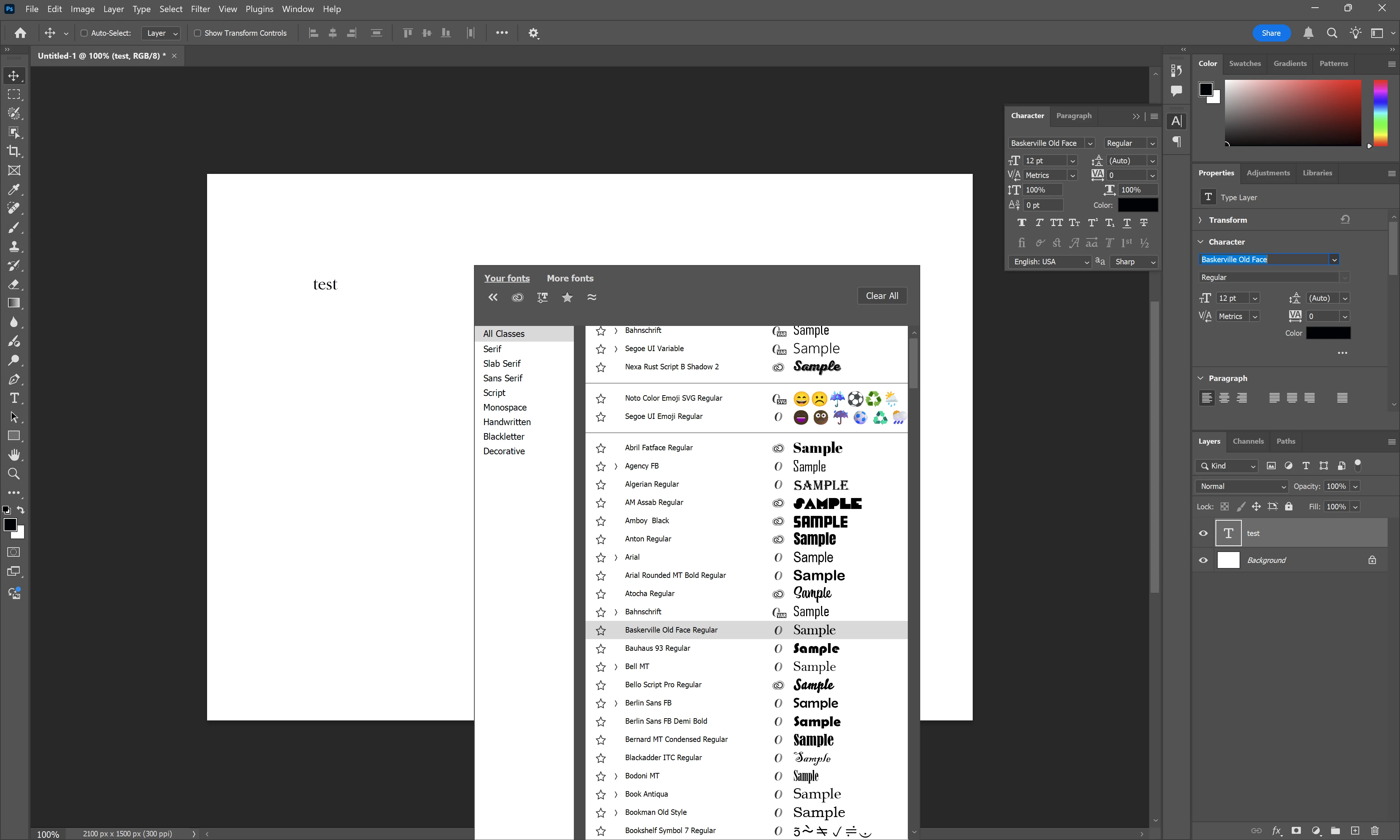
Issue: Whenever I try to choose a new font for a type layer, the font selection drop down opens in the middle of the screen instead of the docked drop-down menu. There is no way to drag and drop or relocate the menu and even on a 4k screen, it takes up the majority of the screen and covers the project I am working on.
expected result: font selection should be displayed in the drop down of the character properties tool in the rightmost column.
Why this is valuable to me: The positioning and size of the font selection tool takes up prime screen real-estate making it difficult to see changes to the project that is being edited.
System: Windows 11 24H2, Photoshop (26.2.0) on brand-new asus proart p16 4k OLED screen.
Steps attempted to resolve issue: I have uninstalled and re-installed, tested on second monitor, tested in performance mode and with discreet graphics disabled.
Please help!
 AdChoices