Participant
October 10, 2022
Question

Fonts not the same size

  • October 10, 2022
  • 2 replies
  • 185 views

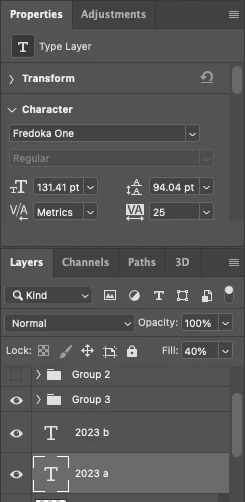
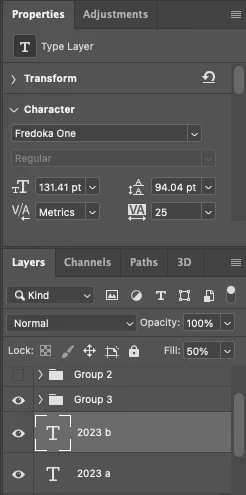
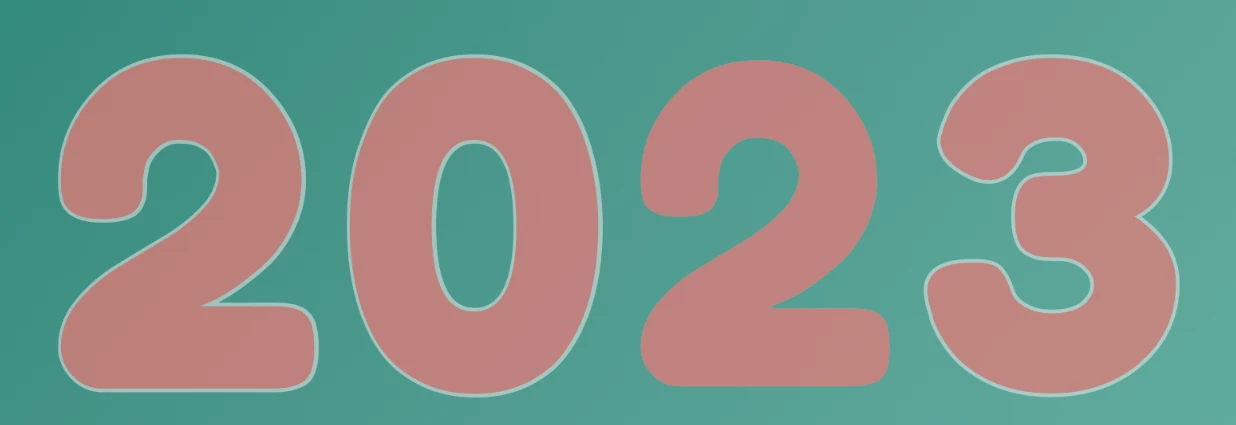
I wanted to know if anyone has had this problem. I'm trying to overlay a font over a copy of itself. These fonts are the same size, but as you can see the white is showing slightly larger than the red on three caracters. Enough so, to change the appearance of the image. You can see that the two are the same font size and neither has a stroke. Is there a setting that I unknowningly pressed?

Thanks
 

This topic has been closed for replies.

2 replies

jane-e
Community Expert
Community Expert
October 11, 2022

The fraction in the typesize (131.41) indicates that you used Edit > Transform instead of changing the typesize in the options bar, Character panel, or Properties panel. That would give you inconsistent results if they were sized independently.


Try deleting or hiding one of the type layers and dragging the other onto the New button to create a copy.


Jane


Myra Ferguson
Community Expert
Community Expert
October 10, 2022

What's in Group 3 and what's below those layers? Maybe turn off the visibility for everything else and check the text layers again.