

Rebecca5E3B
Known Participant
August 29, 2022
Answered

Forcing me to save as a tiff file, why?

  • August 29, 2022
  • 4 replies
  • 4556 views


I always save the photoshop file to the Adobe cloud and a Jpeg to my desktop.  But sometime adobe wont let me do this. When I go to save an edited image within Photoshop only allows me to save a tiff file. 


Sometimes if I go into Photoshop and delete old Photoshop files I be allowed to save a Jpeg to my desktop. But this time it is not working and I just deleted a ton of Photoshop work.  Any ideas why this happens every 4 months or so?? 


What I can normally do: 
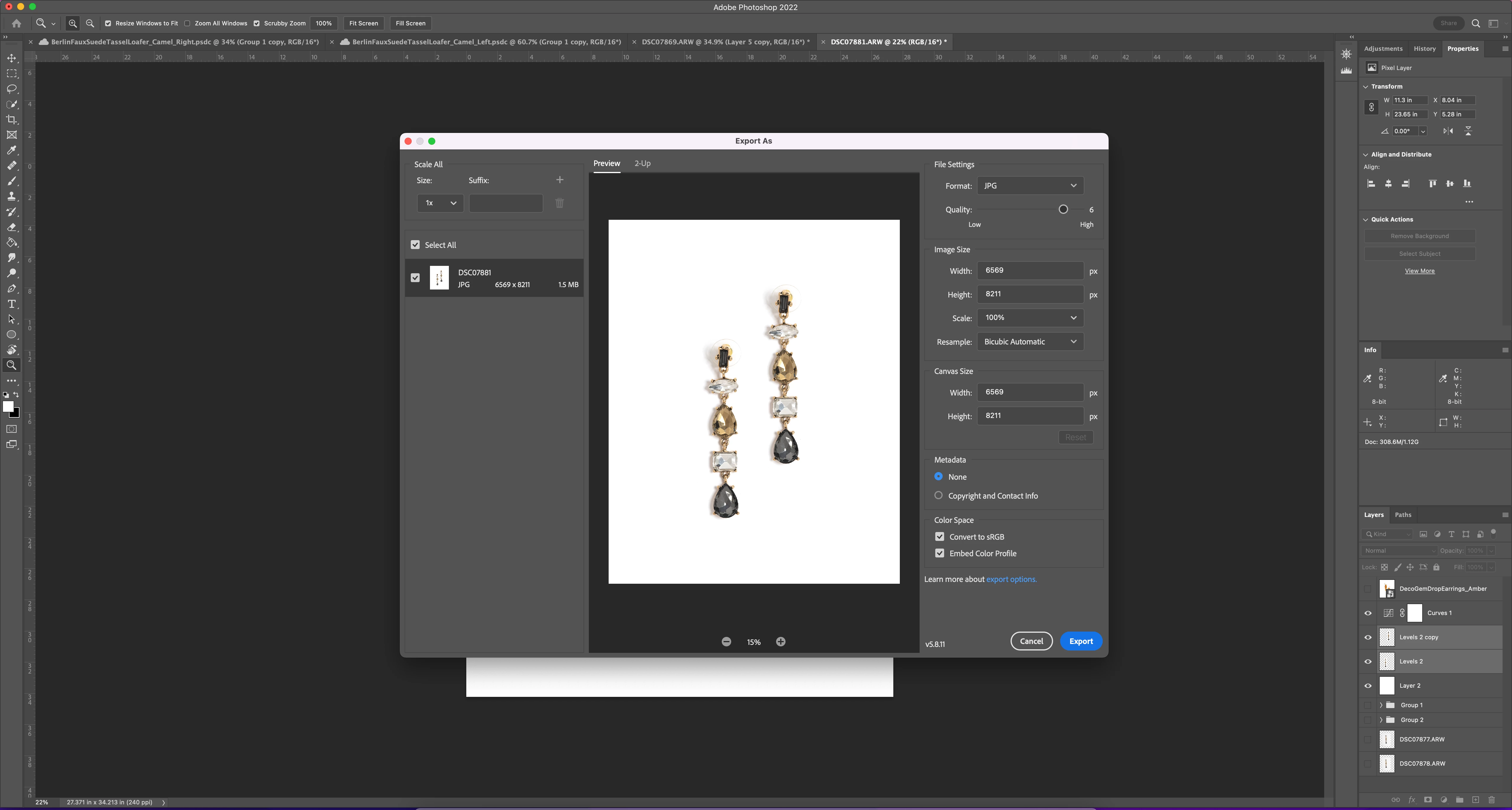
 

When Photoshop forces me to save as a tiff:
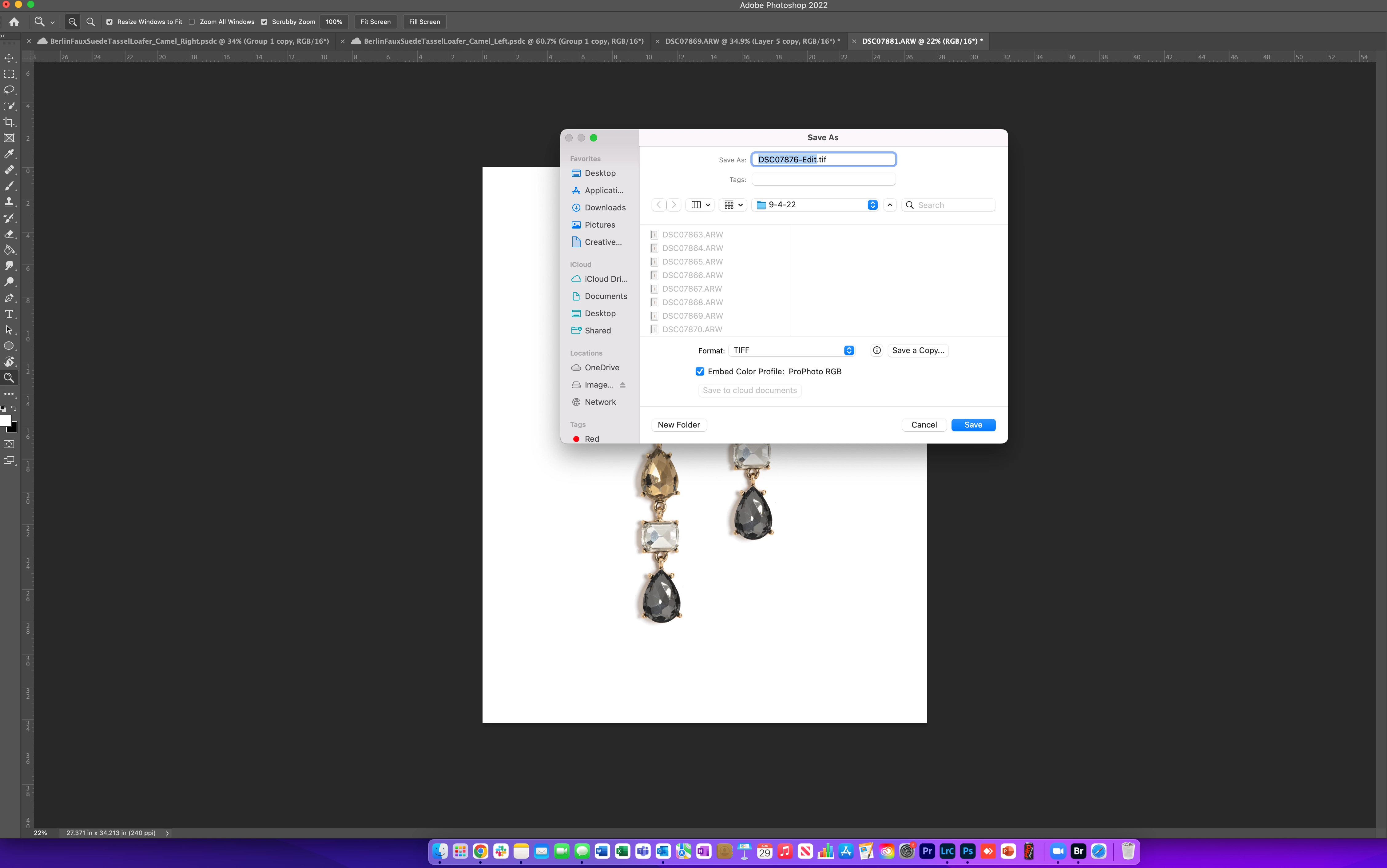
 

Please help me understand what could be causeing this to happen. Thank you. 


This topic has been closed for replies.
Correct answer SteveAtHome

Are you trying to save in 16 bit? Try checking you are in 8 bit mode and all should be ok.

4 replies

SteveAtHomeCorrect answer
Participant
November 10, 2023

Are you trying to save in 16 bit? Try checking you are in 8 bit mode and all should be ok.

michelew83603738
Community Expert
Community Expert
August 29, 2022

You have saved in 2 different methods here. But on the bottom one, aren't you able to access the pull down menu?

melissapiccone
Community Expert
Community Expert
August 29, 2022

Your top one is export as and your bottom one is save as... you are choosing 2 different things.  In the bottom screenshot you should have other options from the drop down menu where it says tiff. 

Melissa Piccone | Adobe Trainer | Online Courses Author | Fine Artist
Rebecca5E3B
Known Participant
August 29, 2022

These are my only file saving options within that drop down area. I need to save it as a Jpeg. 


michelew83603738
Community Expert
Community Expert
August 29, 2022

You need to Save As a Copy - you can't Save As and have it be a jpg first go.

TheDigitalDog
Inspiring
August 29, 2022