Known Participant
February 15, 2020
Answered

Forensic Case: How to generate a virtual X-ray with Photoshop?

  • February 15, 2020
  • 2 replies
  • 1501 views

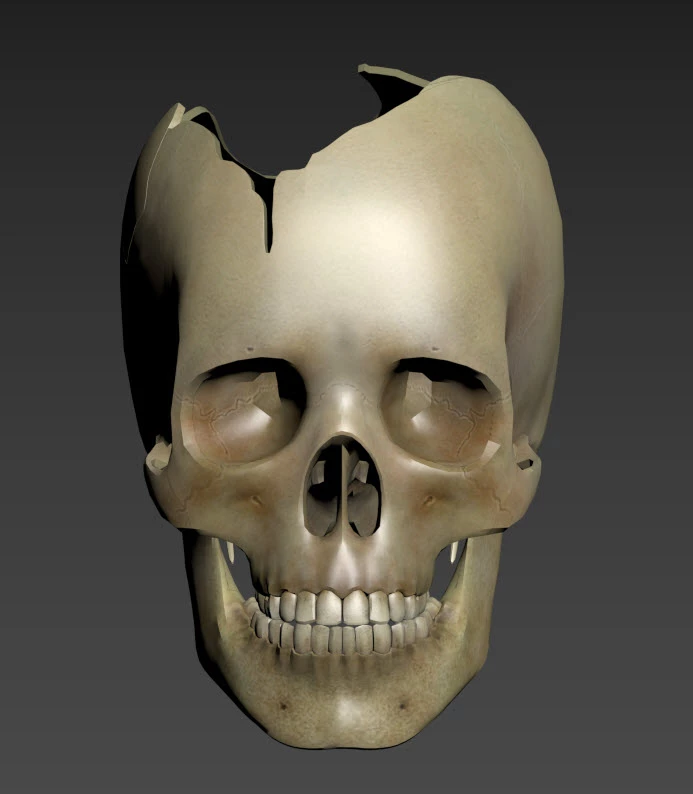
Notice the image below:


It is a virtual cranium with injuries (done in Autodesk 3ds Max) and I would like to to use Photoshop in order to generate X-rays as similar as possible to the ones from the real patient's autopsy:
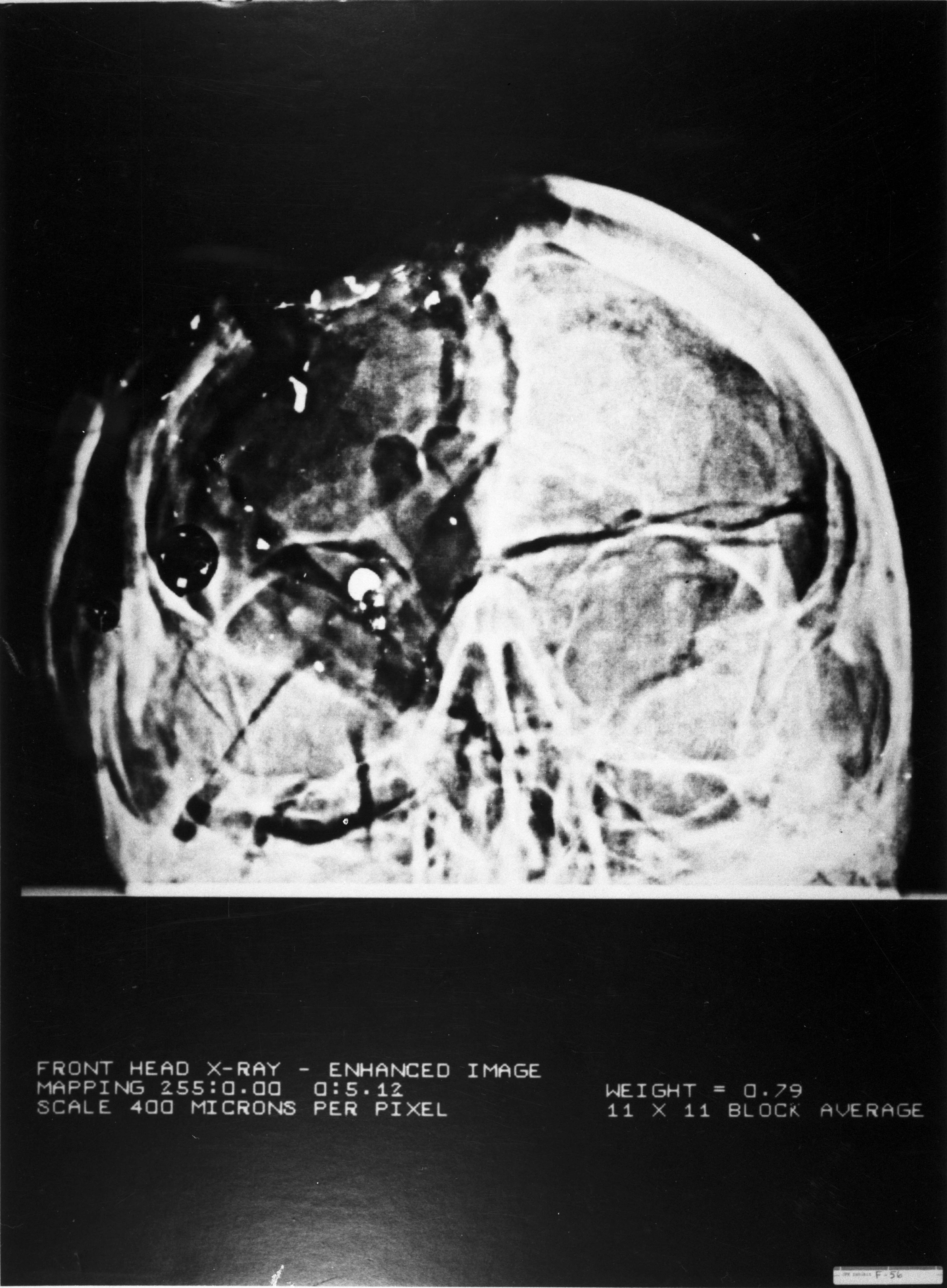


TIA,


-Ramon F Herrera


[Personal information is not allowed and was removed by moderator.]


.

This topic has been closed for replies.
Correct answer davescm

Import it to Photoshop.

Unless the density has been mapped you will not get a true X-Ray. All you will get is a simulated effect based on making the model translucent and assigning a density to it.

For the materials set Glow 0 , Metallic 0%, Roughness 0% Opacity 100% Refraction 1.0 , Density (You will need to play with this) , Translucence 100%

Set the infinite light to shine from behind the object (at very high intensity ) and the camera to orthographic.

Then put an invert adjustment layer above the 3D layer.


Dave


2 replies

davescm
Community Expert
davescmCommunity ExpertCorrect answer
Community Expert
February 15, 2020

Import it to Photoshop.

Unless the density has been mapped you will not get a true X-Ray. All you will get is a simulated effect based on making the model translucent and assigning a density to it.

For the materials set Glow 0 , Metallic 0%, Roughness 0% Opacity 100% Refraction 1.0 , Density (You will need to play with this) , Translucence 100%

Set the infinite light to shine from behind the object (at very high intensity ) and the camera to orthographic.

Then put an invert adjustment layer above the 3D layer.


Dave


Known Participant
February 15, 2020

[davescm:] "For the materials set Glow 0 , Metallic 0%, Roughness 0% Opacity 100% Refraction 1.0 , Density (You will need to play with this) , Translucence 100%"


To be sure, are those Photoshop settings? The reason I ask is because I am somewhat familiar with 3ds Max (and related apps: Maya, Cinema 4D, Blender, etc.). They have parameters like those above: metallic, etc.


Thanks!


-Ramon F. Herrera


[Personal information is not allowed and was removed by moderator.]


.

davescm
Community Expert
Community Expert
February 15, 2020

Yes they are settings in the Photoshop 3D properties

Dave

Known Participant
February 15, 2020

Let's elaborate. I am convinced that taking the screenshot from 3ds Max as seen above directly to Photoshop is a poor workflow. The problem is that the frontal osseous material completely obscures the posterior one.


I don't know about the internals of 3ds Max transparency implementation but I hope (Autodesk folks: consider this a feature request) that two layers of bone would be denser than a single layer.


The current virtual cranium has uniform bone thickness. Future versions will be more realistic, incorporating varying thickness:

(a) Provided by mother nature

(b) Provided by the projectile.


TIA,


-Ramon F. Herrera


[Personal information is not allowed and was removed by moderator.]


.