
ashabarzua
Participant
April 6, 2023
Answered

Frequency separation - High frequency layer isn't working

  • April 6, 2023
  • 2 replies
  • 838 views

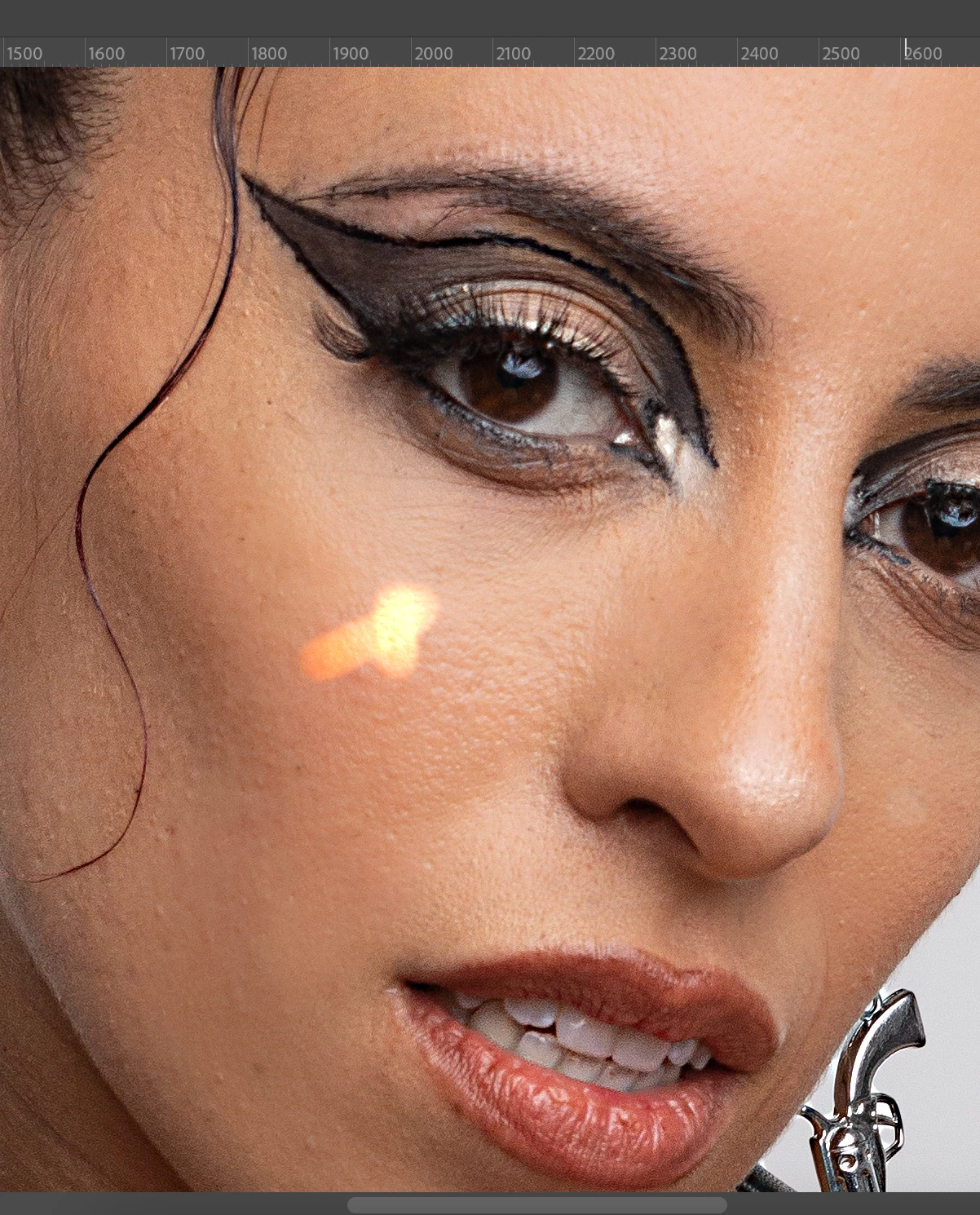
Hi! I've noticed that every since I use a MacBook, for some reason this happens when I work on the high frequency layer. I've tried using both the clone stamp and patch tool, and it happens in both cases. Any tips?
This topic has been closed for replies.
Correct answer Kevin Stohlmeyer

Hi @ashabarzua also make sure your tools are not set to use all layers!

2 replies

Stephen Marsh
Community Expert
Community Expert
April 6, 2023

If this isn't an incorrect tool option as mentioned by @Kevin Stohlmeyer then it may be the layer construction.


This usually comes down to user error in the steps to create the frequency separation. An action can remove user error and improve efficiency.


Play the "Conditional Run" step in the following action:


https://www.dropbox.com/s/vhoal39t9ygl6tt/Frequency%20Splitter%20v4%20Conditional.atn


Kevin Stohlmeyer
Community Expert
Community Expert
April 6, 2023

Check your blend mode on your top (gray) layer it should be set to Linear light. The color layer should be set to normal.

Kevin Stohlmeyer
Community Expert
Kevin StohlmeyerCommunity ExpertCorrect answer
Community Expert
April 6, 2023

Hi @ashabarzua also make sure your tools are not set to use all layers!

ashabarzua
Participant
April 10, 2023

Thanks! That was exactly the issue 🙂