
Inspiring
June 2, 2023
Question

fX disappears when "exporting" or using "save as" for printing

  • June 2, 2023
  • 2 replies
  • 1119 views

I'm a calligrapher using handwritten calligraphy superimposed on photography for professional printing. I don't have my own personal printer. 
I have a consistent problem when I go to export or save as to send the file to my printers. The fX effects on my lettering disappear! I have tried sending it as a jpg, tiff, png- and have tried to merge, flatten... nothing preserves that drop shadow or outer glow! I have tried sRGB and RGB, but neither work. 

I'm on a Mac computer, using PS cc. 

Thanks for any suggestions to fix this problem. 
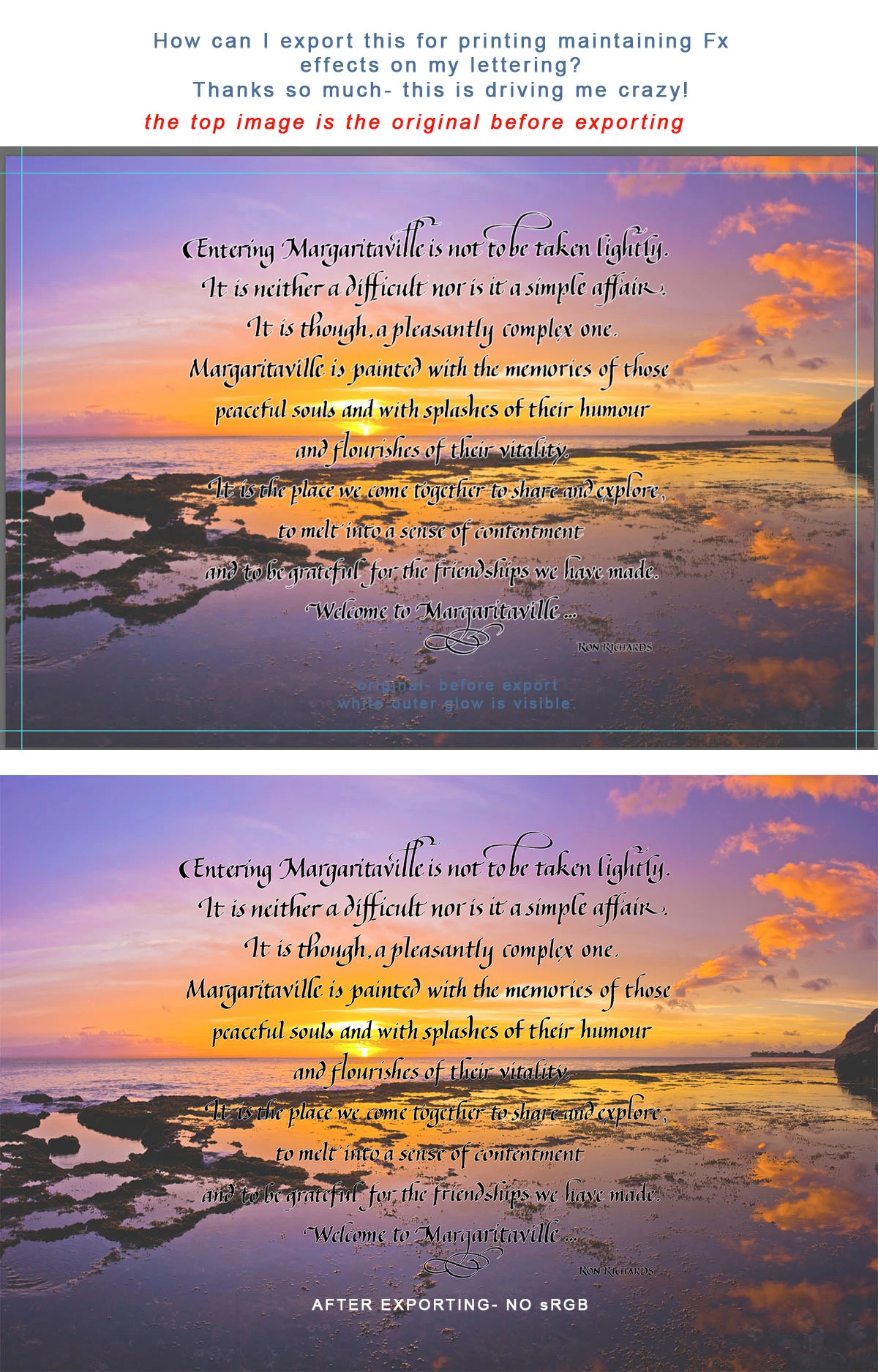


 I am utterly stymied and no one seems to have an answer to this problem. I hope that some expert here can help me solve this riddle. 

2 replies

Zesty_wanderlust15A7
Known Participant
June 11, 2023

I may not entirely get your problem but I did try saving two ways in v24.4.1.

Exporting with Legacy Save for Web removed the glow on "Ron Richards" only. But you're working for print and using Save As... it did keep everything (I use Legacy Save As in Prefs).
-

Otherwise, you have to keep scaling in mind. If I'm working on a 1800 x 1200px image (that will become a handheld photo), I would indeed expect a 1 px glow is not going to show in print.

I have some experience with making simple e-book covers, and for the thumbs of those I redo all layer styles and more — because you have to if it has to look optimal.

-

As an aside, there's also this option if one day you want it...


Stephen Marsh
Community Expert
Community Expert
June 3, 2023

View both at 100% (1:1) view and or provide samples (even if cropped) to the forum for inspection.

Inspiring
June 3, 2023

I'm not sure what samples you want. One of these is the original (as in the image above) with the highlighted white glow around the lettering. The other one is a jpg of the saved to export. Do you want examples of using the sRGB and another of the RGB settings?
It seems that anything that flattens the image affects the fX effects? 

I hope these images clarify what's going on...


Stephen Marsh
Community Expert
Community Expert
June 3, 2023

Sorry, I thought that it was obvious, a sample of the original layered file with layers and fx intact (even if just a crop).