
New Participant
December 27, 2023
Question

Generative Fill is Not Working

  • December 27, 2023
  • 2 replies
  • 201 views

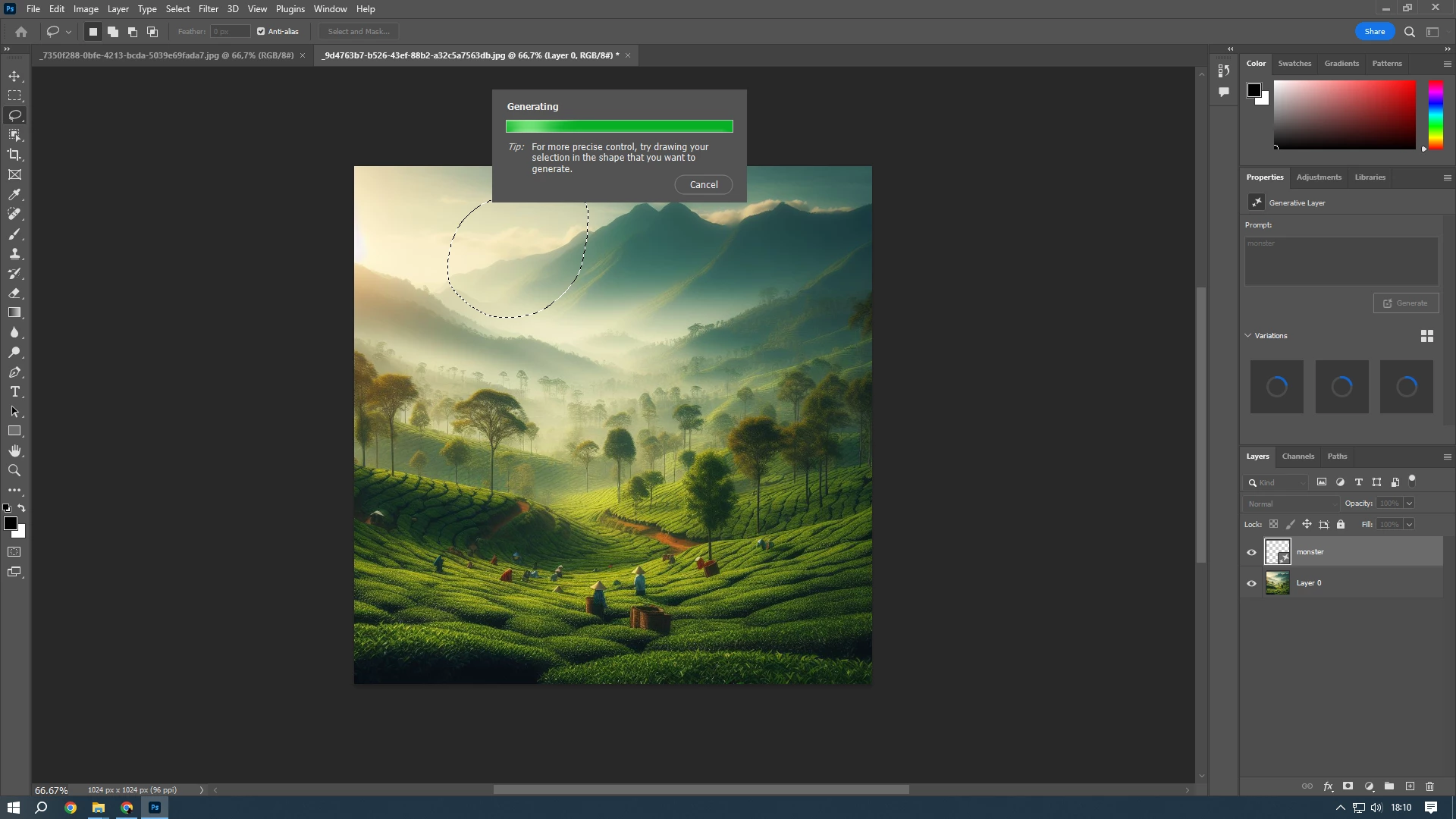
I try to use generative fill in medium size photo (1024x1024px) but the loading takes forever, it doesnt show any result. I've tried re-install the photoshop, change the scratch disk location, check my internet which has no problem at all. But still doesn't work.. Please help me, i really need this feature
 

This topic has been closed for replies.

2 replies

didiermazier
Community Expert
January 21, 2024

TRy askin fill on the down layer with a square selection;

As Gen fill will create a new layer it will leave the base one intact

jane-e
Community Expert
January 20, 2024


@AlanBe wrote on 27 Dec 2023


I see that your prompt is "monster" and your selection is a blob.


Create a new layer, then try the directions in the TIP: draw the selection in the shape of the monster instead of an oval-ish blob before you generate. You might add some details, such as "one-eyed, one-horned, flying purple monster" (or your choice of words)


Apologies for not seeing your post for almost a month.


Jane