Participating Frequently
December 13, 2023
Question

Generative fill stoped working on Photoshop V 25.2

  • December 13, 2023
  • 5 replies
  • 549 views

Hello,

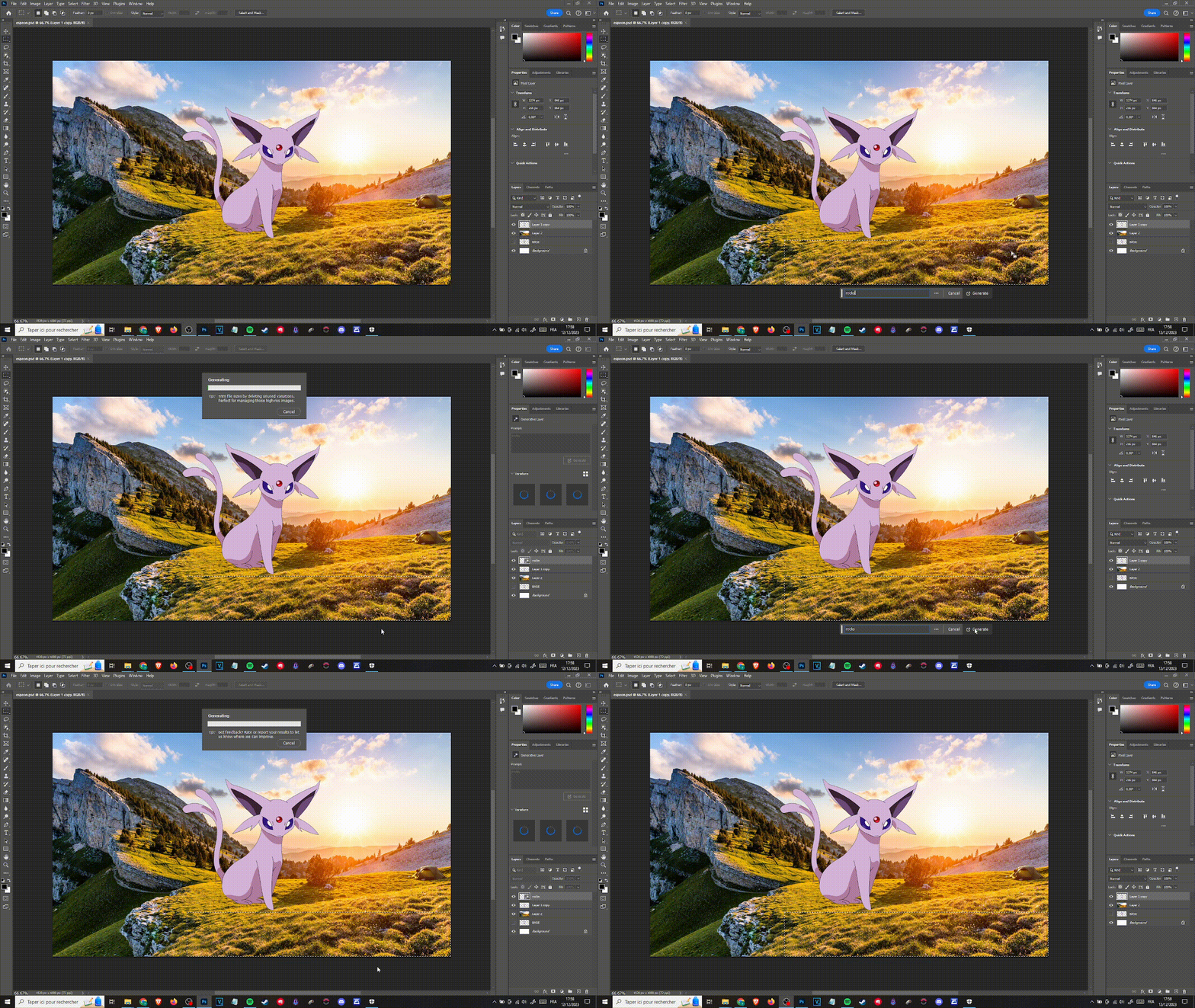
When I try to use generative fill or generative expand, I have the result on the gif bellow.

Can someone help me to fix it please ? I'm on Photoshop V 25.2.
This topic has been closed for replies.

5 replies

KeyskoAuthor
Participating Frequently
December 15, 2023

Hi @Kevin Stohlmeyer  thank you for your help, the problem was the firewal, in the advanced security functions.

Kevin Stohlmeyer
Community Expert
Community Expert
December 15, 2023

If its working at work but not at home with the same account/laptop etc. then the issue is your network connection not Photoshop.

So you confirmed PS 2024 is on the list and allowed on our router settings at home?

Are you using a VPN at home?

KeyskoAuthor
Participating Frequently
December 15, 2023

@Kevin Stohlmeyer Thank you for your reply. However, I checked and even if Photoshop 2024 is in the list, I still have this problem. Btw, I use the same laptop at work and at home.

Kevin Stohlmeyer
Community Expert
Community Expert
December 15, 2023

@Keysko Are you using the same account at school and at home? If so check your Windows Defender firewall settings at home and make sure Photoshop is listed and available.

KeyskoAuthor
Participating Frequently
December 14, 2023

Hello,

When I try to use generative fill or generative expand, I have the result on the gif bellow.

Can someone help me to fix it please ? I'm on Photoshop V 25.2.

KeyskoAuthor
Participating Frequently
December 14, 2023

Update : It works when I'm at school, but not when I'm at home