Participating Frequently
November 28, 2016
Answered

get rid of white perimeter of text

  • November 28, 2016
  • 3 replies
  • 460 views

Imgur: The most awesome images on the Internet

hi, so i followed this tutorial to produce the results in the imgur image: Photoshop Tutorial | Glowing Text Effect | Quick Tips - YouTube

if u look closely at the img u can see some random white at the perimeter of some of the text...id like to know how to make that go away

help would be much appreciated

[image added by Mod]
    This topic has been closed for replies.
    Correct answer Trevor.Dennis

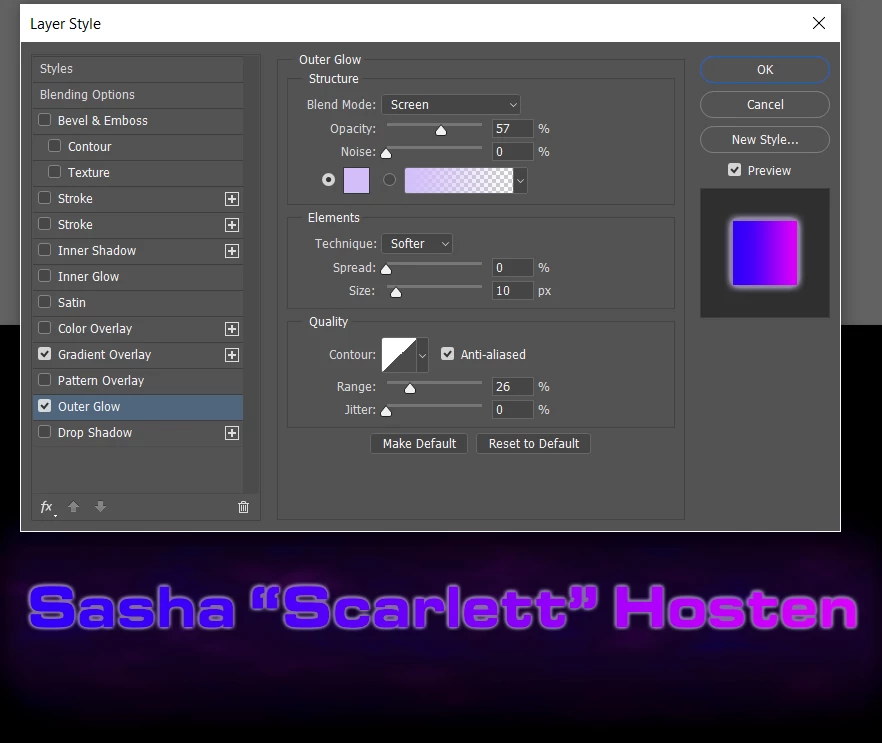
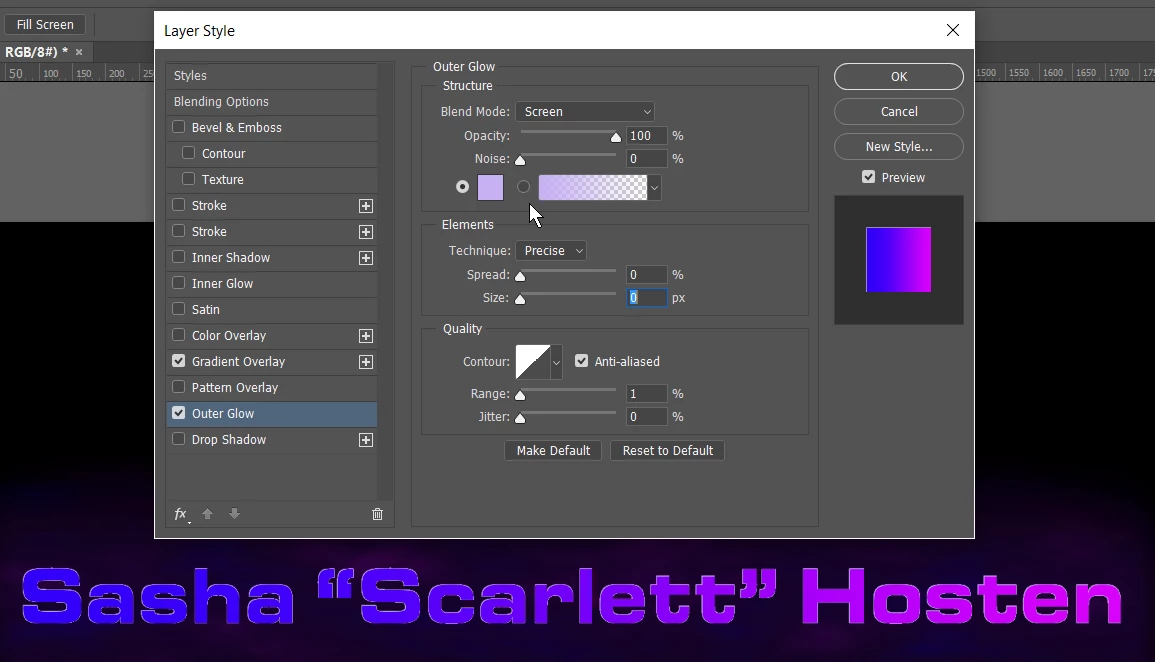
    I've changed my mind.  You mentioned Outer Glow, and I think you used the wrong settings like this:

    I don't know if these settings would suite you better?

    Or add a stroke to delineate the glow from the letters where they change colour?  I've used a gradient stroke in the opposite direction to the text gradient overlay here (Blue on Pink, and Pink on Blue).

    If you can describe the effect you are after, someone here will help I am sure.  With the Outer Glow, pay attention to its blend mode (normal is safest) and use the Range slider to soften the glow.

    3 replies

    Trevor.Dennis
    Community Expert
    Community Expert
    November 28, 2016

    That's either the effect of anti aliasing from a selection or some sort of fill process.  Did you use Fill?

    Did you rasterize the type layer?  If yes, then either don't rasterize it, or if a later process does not work on Type layers, right click and make it a Smart Object.

    It would be possible to 'de-fringe' your text if it is still on a separate layer, but it will still look pretty horrible, so I'd start again.

    Trevor.Dennis
    Community Expert
    Trevor.DennisCommunity ExpertCorrect answer
    Community Expert
    November 28, 2016

    I've changed my mind.  You mentioned Outer Glow, and I think you used the wrong settings like this:

    I don't know if these settings would suite you better?

    Or add a stroke to delineate the glow from the letters where they change colour?  I've used a gradient stroke in the opposite direction to the text gradient overlay here (Blue on Pink, and Pink on Blue).

    If you can describe the effect you are after, someone here will help I am sure.  With the Outer Glow, pay attention to its blend mode (normal is safest) and use the Range slider to soften the glow.

    Inspiring
    November 28, 2016

    Please post a screenshot of your problem so that we can help you.

    JJMack
    Community Expert
    Community Expert
    November 28, 2016

    Supply pertinent information for quicker answers

    • The more information you supply about your situation, the better equipped other community members will be to answer. Consider including the following in your question:
    • Adobe product and version number
    • Operating system and version number
    • The full text of any error message(s)
    • What you were doing when the problem occurred
    • Screenshots of the problem
    • Computer hardware, such as CPU; GPU; amount of RAM; etc.
    • Show your Document Layers so we can get some idea of how the final composite image was created.
    JJMack