
Participating Frequently
March 20, 2024
Question

Giving light according to the bright spot on the face

  • March 20, 2024
  • 3 replies
  • 646 views

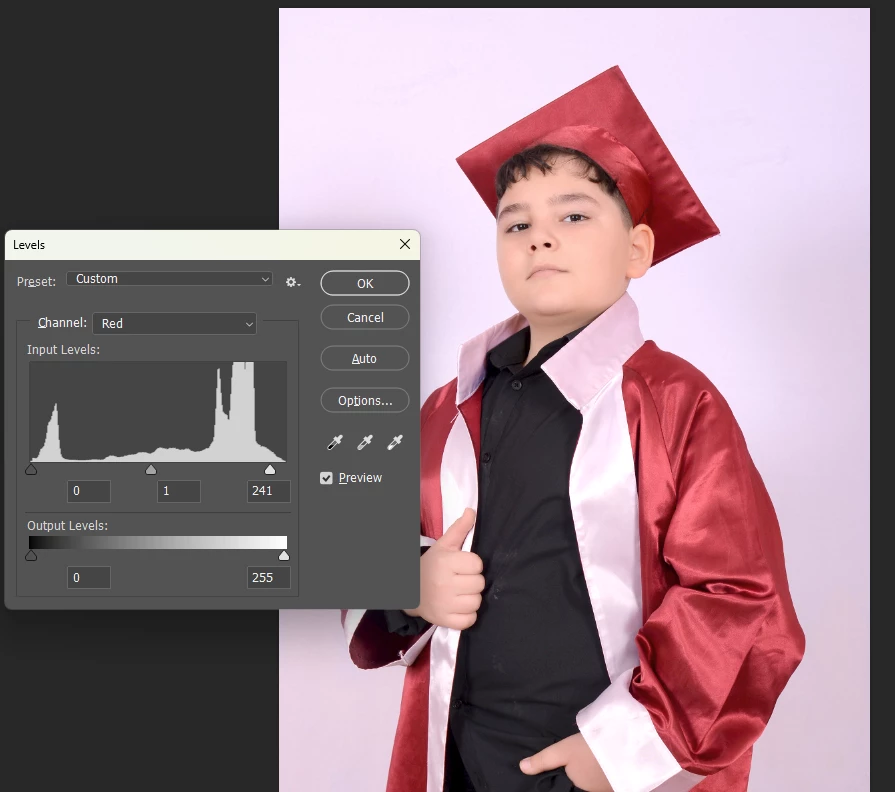
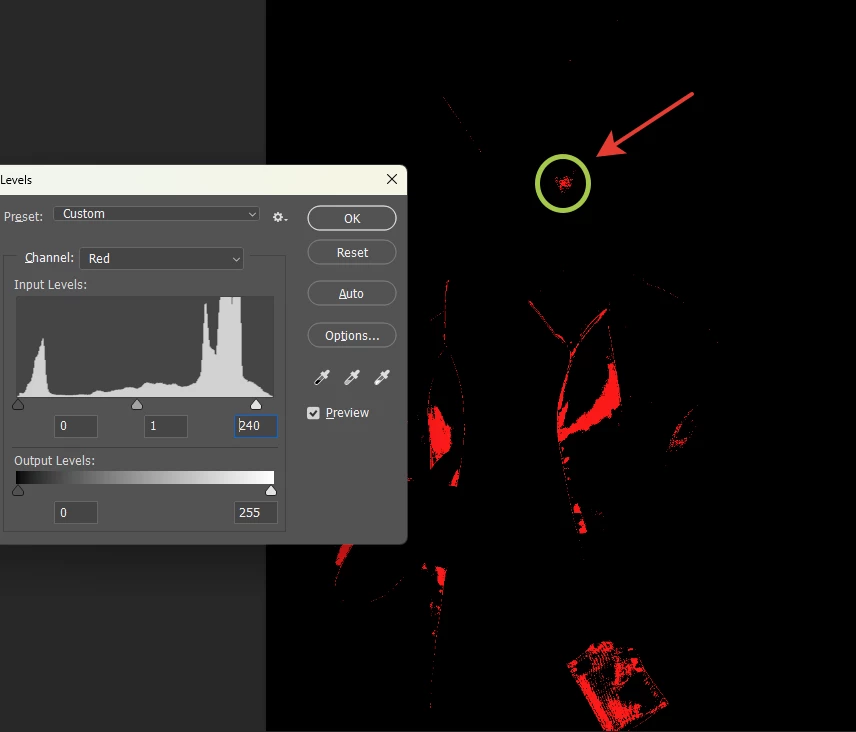
I need a script that can find the redness in the bright area on the face and adjust the light. I want a script based on the redness on the screen that appears after pressing the CTRL+L key and then pressing the ALT key. There should be no mistakes in red clothes, it should only focus on the face.
This topic has been closed for replies.

3 replies

didiermazier
Community Expert
Community Expert
March 21, 2024

You could consider :

Selecting by color range anc choose skin tones with a low tolerance

Apply Vibrance using the active skintones selection as a mask

Recording this as an action

Then batch


Participating Frequently
March 22, 2024

I need this action for light not for color. But Ty for trying.

Legend
March 22, 2024

What do you mean "action for light"? What SPECIFIC adjustment do you want to make?

D Fosse
Community Expert
Community Expert
March 20, 2024

This has a severe red color cast all over. Don't overcomplicate this. Just fix the color cast globally.


There are also other problems here, like blown out highlights and very flat light on the face. Is this what you have to work with, or do you have an original raw file? If the latter, I'd reprocess this.

Participating Frequently
March 21, 2024

Could you check the answer I gave in the post above?

Legend
March 20, 2024

This is unclear. Do you want to adjust color balance or remove any hot spots?

Participating Frequently
March 21, 2024

I want to make light balance. I have a different printer. For this printer I have to see this red point on the face when I pressed ALT button. Just little bit Red is enough for me. 

 ORIGINAL

 Face minimum Red (ALT BUTTON)

 FINAL.


c.pfaffenbichler
Community Expert
Community Expert
March 24, 2024

@Mustafa344326386ebr , have you ever checked out the Levels-Adjustment Layer at View > 100%? 

Because single pixels in the eye- and lip-regions seem to pop up way before the red field in cheek-region. 


One may be able to filter those out with Dust & Scratches, but what exactly do you want to do with the RGB-values of the light areas of the cheeck-area?