
Answered
Glowing effect
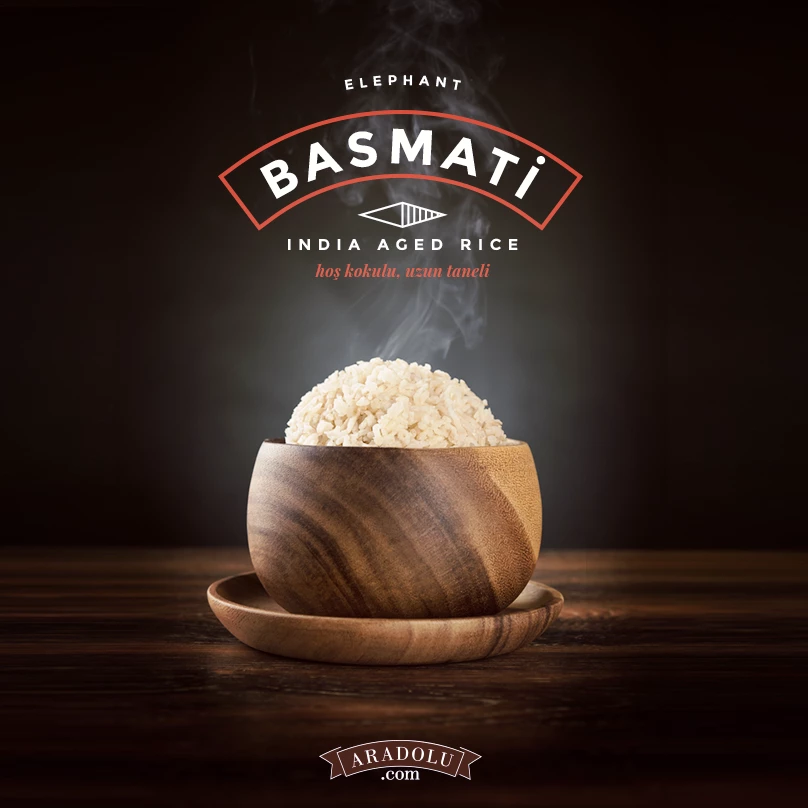
Hello! Could anyone advise how do i create the glowing effect behind the food as shown in the above picture? Thanks:)

Hello! Could anyone advise how do i create the glowing effect behind the food as shown in the above picture? Thanks:)
There are sooooo many ways, but it is not a bad idea to have a decent set of Smoke brushes to call on. I recommend this set as it has so many presets, and they are good quality
Real Smoke Photoshop Brushes - Free Photoshop Brushes at Brusheezy!
So starting from your smoke free image

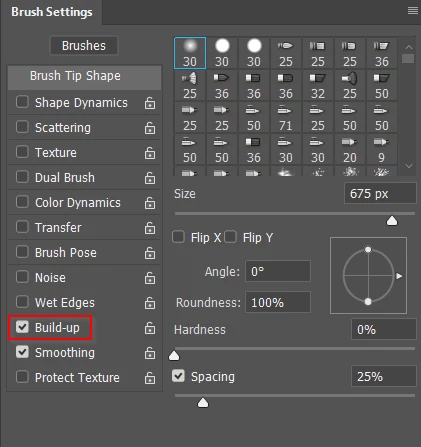
Choose a fully soft large round brush, and click on the Airbrush icon

Set opacity to 10%, and in the Brush settings panel, click to check Build up This makes the brush continue to lay down paint as long as the button is pressed.
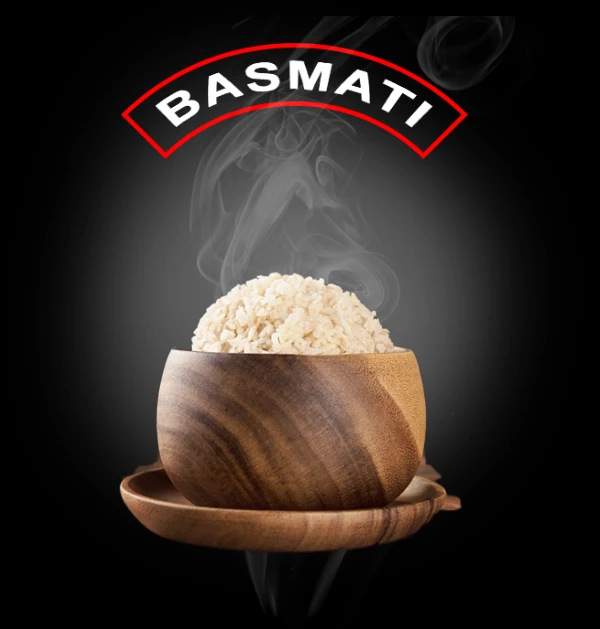
In a new layer lay down some paint, and use Gaussian blur to soften, and set layer opacity to suit.

On another new layer, stamp down with one of the smoke brushes, and adjust layer opacity. I have gone all the way down to 25% below.
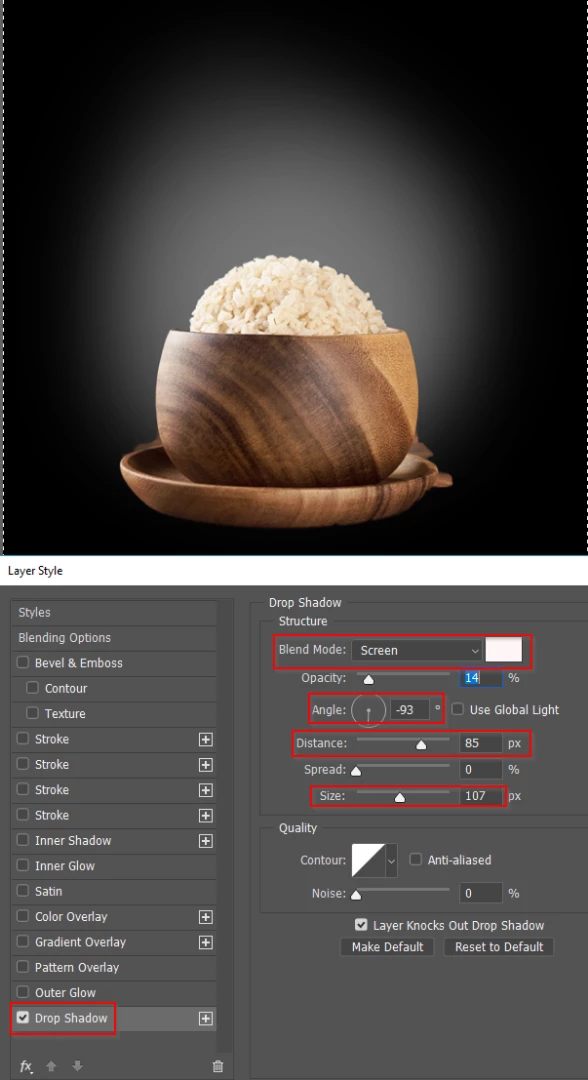
Strangely, you can even use Drop Shadow to make the haze
Set colour to white
Blend mode to screen
Angle to -90°
And set the Size to very high value, which will blur and soften it.
I have the opacity very low as well.
Already have an account? Login
Enter your E-mail address. We'll send you an e-mail with instructions to reset your password.
 AdChoices