Participant
December 27, 2016
Answered

Glowing Lines

  • December 27, 2016
  • 1 reply
  • 712 views

Hi All -

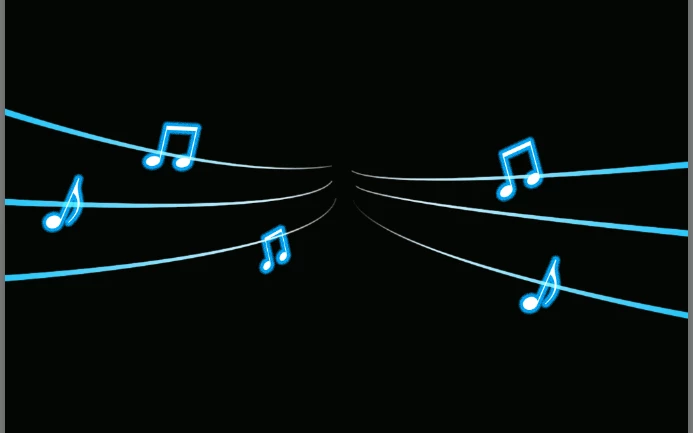
I found the attached image on Shutterstock and was wondering how would one recreate the lines coming out of the mobile device if done in Photoshop? What is the best approach and tools to do something like this? Thanks for any insight and help you can provide.

    This topic has been closed for replies.
    Correct answer davescm

    There are several ways but I would do it like this.

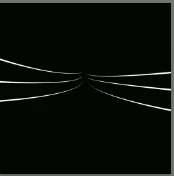
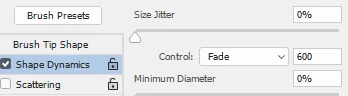
    Use the pen tool to draw some curves. Stroke each with a brush whose shape dynamics are set so that the size jitter is set to fade

    I have shown the strokes against a black background

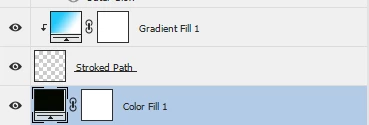
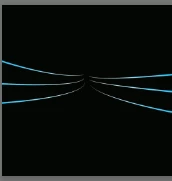
    Add a gradient fill layer clipped to that layer (use Alt click on the border between them in the layers panel). I used a radial gradient

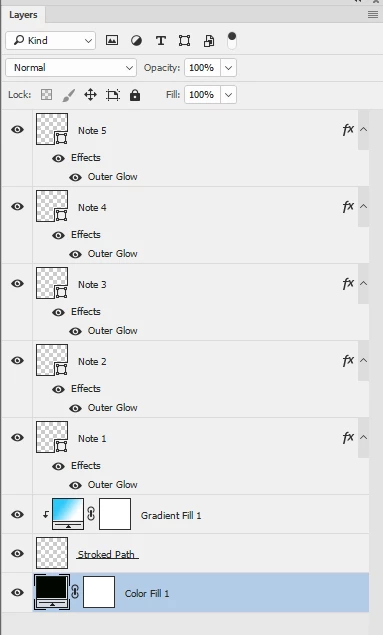
    The notes are custom shapes (there is a "Music" set supplied in Photoshop).

    Each is plain white with an outer glow added in layer styles

    Hopefully that will get you started

    Dave

    1 reply

    davescm
    Community Expert
    davescmCommunity ExpertCorrect answer
    Community Expert
    December 27, 2016

    There are several ways but I would do it like this.

    Use the pen tool to draw some curves. Stroke each with a brush whose shape dynamics are set so that the size jitter is set to fade

    I have shown the strokes against a black background

    Add a gradient fill layer clipped to that layer (use Alt click on the border between them in the layers panel). I used a radial gradient

    The notes are custom shapes (there is a "Music" set supplied in Photoshop).

    Each is plain white with an outer glow added in layer styles

    Hopefully that will get you started

    Dave

    Participant
    December 28, 2016

    Thanks a million for your help, Dave!

    Everything worked fine with a little tweaking of the fading and figuring out the paths actually fade from the end point of the path rather than the beginning. (Logically this makes sense, I just wasn't thinking.) I did have to modify one step because I don't know how to apply a gradient fill layer clipped to the stroked path layer. I added a gradient overlay to the paths to try to replicate the effect.

    I also did not know what you meant by the music set in Photoshop and/or how to access. I just drew vector shapes and tried to recreate.

    Thanks again!

    davescm
    Community Expert
    Community Expert
    December 28, 2016

    Hi Sondra

    Glad you managed to get it working.

    To answer your questions :

    1. To add a gradient fill layer :

    Use menu - Layer - New Fill Layer -Gradient

    If you then click on the layer a menu opens where you can choose a Radial gradient in "Style"

    2. To clip a layer to the layer below so that it only shows where there is content on the layer below:
    In the layers panel Alt-Click on the border between the two layers. An arrow will appear next to the upper layer to show it is clipped

    3. To get the music shapes

    Select the custom shape tool

    In the options bar click on the little arrow next to Shape then on the cog wheel then select the set from the menu

    These might help for next time

    Dave